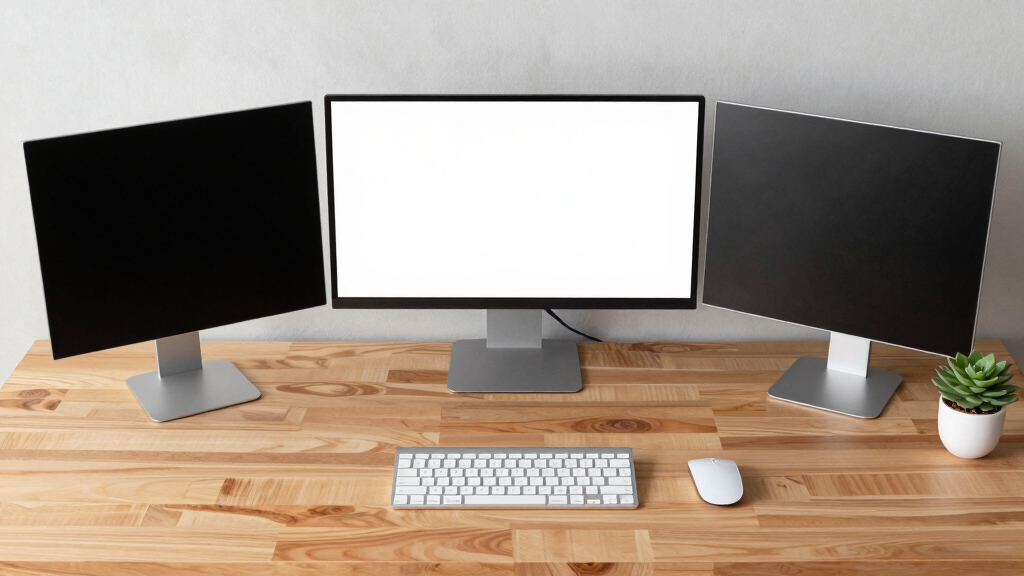
Finding the best dual screen monitor bundles for home offices involves balancing performance, affordability, and ease of setup. The Kado Dual Monitor Setup (C27X) stands out as the overall top pick for its curved design and reliable features, ideal for multitasking. For those on a budget, the Packard Bell airFrame Dual Monitor Workstation offers solid value with decent performance in a compact form. Meanwhile, the Dell P2425H delivers premium ergonomics and eye care features for long work sessions. Readers face tradeoffs between screen size, resolution, and build quality, so continue reading to see which bundle best fits your specific needs.
Listen free for 30 days with Audible
Thousands of audiobooks and originals — cancel anytime.
Start your free trialAs an affiliate, we earn on qualifying purchases.
Key Takeaways
- The top bundles balance easy setup with durable build quality for long-term use.
- Curved monitors like the Kado C27X tend to enhance immersive multitasking experiences.
- Budget options such as the Packard Bell airFrame provide decent performance without high costs.
- Higher refresh rates (75Hz and above) can improve smoothness, especially for gaming or fast-paced tasks.
- Additional features like VESA mounts and adjustable stands add flexibility but may increase price.


More Details on Our Top Picks
Kado Dual Monitor Setup – 2-Pack 27″ Curved 1920×1080
This Kado 27″ curved monitor set excels as a versatile choice for both immersive gaming and detailed creative work, thanks to its 1500R curvature, vibrant true-to-life colors, and a 75Hz refresh rate. Compared with the HP 24″ bundle, it offers a larger, more immersive display, though it has a slightly higher response time. The built-in speakers add space-saving convenience, and the ergonomic design minimizes eye strain during long sessions. However, the full HD resolution might fall short for high-precision tasks that demand 4K clarity, and the 75Hz refresh rate, while good for gaming, isn’t as high as some specialized gaming monitors. This bundle suits creative professionals and gamers who want a seamless, curved dual setup without sacrificing visual quality. The main tradeoff is the lower resolution compared to premium options, but for general productivity and gaming, it strikes a solid balance.
Pros:- Large 27-inch curved display enhances immersion and reduces peripheral distortion
- Vibrant 100% sRGB color gamut for accurate, lively visuals
- Built-in speakers save desk space and deliver decent audio quality
- Ergonomic design reduces eye strain during extended use
Cons:- Full HD resolution may be insufficient for detailed editing or high-res workflows
- Response time of 3ms, while fast, isn’t ideal for competitive high-frame gaming
- Lacks higher refresh rates found on specialized gaming monitors
Best for: Creative professionals and gamers seeking an immersive, curved dual monitor experience with built-in speakers.
Not ideal for: Those needing ultra-high resolution or professional color accuracy for photo editing.
- Screen Size:27 Inches
- Resolution:1920×1080
- Refresh Rate:75Hz
- Response Time:3ms
- Contrast Ratio:2000:1
- Display Technology:LCD, VA
- Viewing Angle:170 Degrees
Bottom line: This pick is ideal for users wanting an affordable, immersive dual setup that balances gaming and creative work.
Lenovo ThinkVision S24e-20 23.8″ Full HD 2-Pack
The Lenovo ThinkVision S24e-20 2-pack provides a cost-effective way to upgrade your home office with reliable 24-inch IPS displays that deliver consistent, vibrant colors and wide viewing angles. Compared to the Kado 24″ dual series, these monitors offer slightly lower contrast but excel in color stability and ergonomic adjustability, making them better suited for extended work sessions. The included heavy-duty desk clamp stand allows flexible positioning, and the anti-glare coating reduces eye fatigue. On the downside, the 60Hz refresh rate is less ideal for gaming, and the response time of 4ms is standard but not sufficient for fast-paced gaming. This bundle is perfect for professionals or students who want dependable displays for multitasking without breaking the bank. The main tradeoff is the lower refresh rate, which may limit gaming performance but enhances productivity for typical tasks.
Pros:- Reliable 23.8-inch IPS panels with consistent color and wide viewing angles
- Easy to mount and adjust with included heavy-duty clamp stand
- Anti-glare coating reduces eye fatigue during long work hours
- VESA compatibility for flexible mounting options
Cons:- Limited to 60Hz refresh rate, not suitable for high-frame gaming
- Slightly lower contrast ratio compared to higher-end monitors
- Response time of 4ms, standard but not ideal for fast-moving visuals
Best for: Budget-conscious professionals and students needing reliable dual monitors for multitasking.
Not ideal for: High-performance gamers or video editors requiring higher refresh rates and color accuracy.
- Screen Size:23.8 Inches
- Resolution:1920×1080
- Refresh Rate:60Hz
- Response Time:4ms
- Contrast Ratio:3000:1
- Display Technology:IPS
- Viewing Angle:178°
Bottom line: A budget-friendly, dependable dual monitor bundle perfect for everyday productivity and multitasking.
Kado Dual Monitor Setup – 2-Pack 27″ Curved 1500R 1920×1080
This Kado 27″ curved dual monitor set offers an immersive experience with its 1500R curvature, vibrant 100% sRGB color gamut, and a 75Hz refresh rate, making it ideal for gaming and multimedia editing. Compared with the HP 24″ bundle, the larger size and curved design provide a more engaging visual environment, though it sacrifices some space efficiency. The fast response time of 3ms ensures smooth visuals during fast-paced scenes, and the built-in speakers add convenience. The main compromise is the full HD resolution, which doesn’t match higher-resolution monitors for professional editing. It’s best suited for gamers or multimedia enthusiasts who prioritize immersion over ultra-high resolution. The tradeoff involves balancing the larger curved display and response speed against the resolution limitations for high-precision tasks.
Pros:- 1500R curvature enhances immersion and reduces peripheral distortion
- Vivid 100% sRGB color gamut for accurate and stunning visuals
- Fast 3ms response time minimizes ghosting during gaming
- Built-in speakers save space and provide decent audio
Cons:- Full HD resolution may be limiting for detailed photo or video editing
- Larger size requires more desk space
- Response time, while fast, isn’t as high as some gaming-specific monitors
Best for: Gamers and multimedia creators seeking an immersive, curved dual setup with vibrant colors.
Not ideal for: High-end photo editors or professionals needing 4K resolution for detailed work.
- Screen Size:27 Inches
- Resolution:1920×1080
- Refresh Rate:75Hz
- Response Time:3ms
- Contrast Ratio:2000:1
- Display Technology:LCD, Curved
- Viewing Angle:170°
Bottom line: Ideal for users who want an immersive, curved dual experience with good multimedia performance at an affordable price.
Kado Dual Monitor Setup – 2-Pack 24″ Curved 1500R 1920×1080
The Kado 24″ curved dual monitors provide a compact, ergonomic solution for home offices, with a 1500R curvature that enhances focus and reduces eye strain. Compared with the larger 27″ options, this bundle is ideal for smaller desks, though it offers slightly less screen real estate. The 75Hz refresh rate and 3ms response time make it suitable for casual gaming and multimedia, while the built-in speakers add convenience. The main limitation is the full HD resolution, which may not satisfy users needing high-resolution for detailed tasks. This bundle is perfect for users with limited space who want a reliable, curved dual setup for general productivity and light gaming. The tradeoff involves sacrificing size and resolution for a more space-efficient and budget-friendly option.
Pros:- Compact 24-inch size fits smaller desks comfortably
- 1500R curvature provides an immersive viewing experience
- Vivid colors and anti-glare coating reduce eye fatigue
- Affordable for a dual monitor setup
Cons:- Full HD resolution limits detail for professional editing
- Response time and refresh rate are decent but not ideal for competitive gaming
- Smaller screen size reduces workspace compared to larger monitors
Best for: Users with limited desk space seeking reliable dual monitors for everyday use and casual gaming.
Not ideal for: Creative professionals or gamers requiring higher resolutions or faster refresh rates.
- Screen Size:24 Inches
- Resolution:1920×1080
- Refresh Rate:75Hz
- Response Time:3ms
- Contrast Ratio:2000:1
- Display Technology:LCD, Curved
- Viewing Angle:170°
Bottom line: A space-efficient, budget-friendly dual monitor bundle suitable for general tasks and casual multimedia use.
HP 24″ Full HD Bundle with Docztorm Dock (2-pack)
The HP 24″ dual monitors with Docztorm Dock offer a practical setup for home and small business environments, featuring 75Hz refresh rate, anti-glare screens, and multiple connectivity options including HDMI and VGA. Compared with the Kado 24″ curved set, these monitors have a flatter design but excel with a sleek, modern look and a user-friendly dock that simplifies cable management and expands connectivity. The monitors’ 5ms response time is adequate for casual gaming and multimedia, but not for high-speed competitive play. They are most suitable for productivity, light gaming, and office work. The main tradeoff concerns the lack of curvature and slightly lower contrast ratio, but the inclusion of the dock adds significant convenience for multi-device setups.
Pros:- Includes a versatile dock for improved cable management and device connectivity
- Anti-glare screens reduce eye strain during long work sessions
- Sleek, modern design fits well in professional or home offices
- Affordable 2-pack for budget-conscious users
Cons:- Flat screen design lacks immersive curvature for multimedia
- Response time of 5ms is standard but not for fast-paced gaming
- Limited to 75Hz refresh rate, less ideal for high-frame gaming
Best for: Home users and small business owners needing reliable dual monitors with docking features for multitasking.
Not ideal for: High-end gamers or professionals requiring ultra-high resolution or color accuracy.
- Screen Size:24 Inches
- Resolution:1920×1080
- Refresh Rate:75Hz
- Response Time:5ms
- Contrast Ratio:3000:1
- Display Technology:VA
- Viewing Angle:178°
Bottom line: A reliable, space-efficient dual monitor bundle with docking for enhanced productivity at an attractive price point.
ViewSonic VA2456A-MHD_H2 24 Inch 1080p Dual Pack Head-Only Monitors, IPS Display with 120Hz for Dual-Screen Home and Office Setups, HDMI, DisplayPort, and VGA Inputs
This dual pack from ViewSonic stands out for its combination of 120Hz refresh rate and SuperClear IPS technology, delivering vibrant, wide-angle visuals that surpass many standard 60Hz monitors. Unlike the Dell P2425H bundle, which offers extensive ergonomic features, the ViewSonic focuses more on raw display quality and future-proof connectivity, making it perfect for multitasking and media consumption. While it lacks the adjustable stand included with Dell’s bundle, its frameless design enhances the seamlessness of multi-monitor setups. The tradeoff is that it’s sold without stands, requiring separate purchase, which can be inconvenient. This model is ideal for users prioritizing color accuracy, fast response, and flexible inputs, but less so for those needing extensive ergonomic adjustments or built-in speakers.
Specs: Display Size: 24 Inches, Refresh Rate: 120Hz, Connectivity: HDMI, DisplayPort, VGA, Response Time: 4ms, Contrast Ratio: 1500:1, Viewing Angles: 178°, Brightness: 250 cd/m²Pros:- High refresh rate for smooth visuals
- Wide viewing angles with IPS technology
- Multiple connectivity options including HDMI, DisplayPort, VGA
- 3-year warranty adds reliability
Cons:- Sold without monitor stands, requiring extra purchase
- No built-in speakers or ergonomic adjustment features
- Design may lack stability without stands
Best for: Home office users who want vibrant visuals and flexible connectivity options
Not ideal for: Users seeking a stand with adjustable height and built-in speakers for all-day comfort
- Display Size:24 Inches
- Resolution:1920x1080p
- Refresh Rate:120 Hz
- Connectivity:HDMI, DisplayPort, VGA
- Response Time:4ms
- Contrast Ratio:1500:1
Bottom line: This monitor bundle suits tech-savvy users needing crisp images and versatile connections, but those who want ready-to-use multi-monitor setups may need additional accessories.
Packard Bell airFrame Dual Monitor Workstation – Two 21.5″ Full HD Screens, VESA Mount, 1920×1080, 75Hz, Tilt Adjustable, HDMI/VGA, Slim Bezel – Ideal for Home, Office, Productivity & Light Gaming
This Packard Bell setup delivers decent performance with its 75Hz refresh rate and IPS panel, making it suitable for everyday tasks and light gaming. Compared to the Dell P2425H, which offers more ergonomic adjustments, these monitors are more straightforward but lack height adjustment, limiting long-term comfort. Their slim bezels and VESA compatibility enable easy multi-monitor arrangements, but the absence of advanced features like built-in USB hubs or extensive tilt options makes them more suitable for casual use. The main tradeoff is their lower responsiveness and less ergonomic flexibility, which might affect those working long hours or needing precise positioning. This bundle is ideal for users who prioritize affordability and good image quality in a dual-monitor setup for general productivity.
Specs: Display Size: 21.5 Inches, Resolution: 1920×1080, Refresh Rate: 75Hz, Response Time: 5ms, VESA Mountable: Yes, Ports: HDMI, VGAPros:- VESA mounting flexibility
- Good color reproduction with IPS panels
- Affordable price point
- Suitable for casual gaming and productivity
Cons:- Limited tilt adjustment, no height adjustment
- Lower refresh rate compared to premium models
- No built-in USB hubs or speakers
Best for: Budget-conscious users needing reliable dual screens for office work and light gaming
Not ideal for: Those requiring height-adjustable stands or ergonomic features for extended hours
- Display Size:21.5 Inches
- Resolution:1920×1080
- Refresh Rate:75Hz
- Response Time:5ms
- VESA Mount:Yes
- Connectivity:HDMI, VGA
Bottom line: This dual monitor pack offers an affordable option for everyday tasks but falls short for users needing ergonomic customization or advanced features.
Dell P2225H 22″ Full HD (1920×1080) IPS LED 100Hz Monitors (2X) Dual Screen Setup, Comfortview Plus, Ultra-Slim Bezel + 2 × USB-C Cables + Cleaning Kit
This Dell P2225H bundle excels with its ComfortView Plus technology and 100Hz refresh rate, making it a solid choice for extended work sessions and visual clarity. Compared to the ViewSonic VA2456A, which emphasizes color vibrancy and response speed, the Dell monitors focus more on eye comfort and ergonomic design, including tilt adjustments and a slim profile. Their inclusion of USB-C cables and a cleaning kit adds value for professional or home office setups seeking organized, clean desks. However, with a slightly higher weight and a more basic feature set, these are less ideal for gaming or highly color-critical tasks. The tradeoff is primarily in visual vibrancy versus long-term eye comfort and ergonomic flexibility. This bundle suits users who prioritize comfort and simple connectivity for prolonged use.
Specs: Screen Size: 22 Inches, Resolution: 1920×1080, Refresh Rate: 100Hz, Technology: IPS, Ports: HDMI, USB-C, VESA Compatible, Response Time: 8msPros:- High refresh rate for smooth motion
- ComfortView Plus reduces blue light for eye health
- Includes USB-C cables and cleaning kit
- Slim, space-saving design
Cons:- Heavier than some competitors
- Basic color accuracy, not suited for color-critical tasks
- Limited response time for fast-paced gaming
Best for: Professionals needing eye comfort and ergonomic flexibility for long hours at a desk
Not ideal for: Gamers or users seeking ultra-fast response times or vivid color reproduction
- Display Size:22 Inches
- Resolution:1920×1080
- Refresh Rate:100Hz
- Display Technology:IPS
- Ports:HDMI, USB-C
- Response Time:8ms
Bottom line: This Dell bundle offers a balanced mix of comfort, connectivity, and professional features, ideal for extended work sessions but less so for gaming or high-fidelity color work.
Dell P2425H 24 Inch Monitor 2-Pack – Full HD 1080p IPS Display, 100Hz, Comfortview Plus, USB-C Hub, HDMI/DP/VGA – Height Adjustable Ergonomic Stand, Eye Care, Dual Monitor Bundle for Home & Office
This Dell P2425H dual pack combines 100Hz refresh rate with a fully adjustable ergonomic stand, making it an excellent choice for users who spend long hours at their desks. Its USB-C hub and multiple input options, including HDMI, DisplayPort, and VGA, provide broad device compatibility, surpassing many budget bundles. Compared to the Packard Bell airFrame, which offers a slightly smaller screen size, Dell’s setup provides more flexibility in positioning and connectivity, making it better suited for professional multitasking. The main tradeoffs are its weight and slightly higher cost, which may be a concern for those on a tight budget. This bundle is ideal for users who need ergonomic adjustment, a comprehensive port selection, and long-term eye comfort.
Specs: Display Size: 24 Inches, Resolution: 1920×1080, Refresh Rate: 100Hz, Ports: HDMI, DisplayPort, VGA, USB-C, Adjustable Stand, Eye Care TechnologyPros:- Adjustable ergonomic stand for comfort
- USB-C hub with multiple ports
- High resolution with IPS for wide viewing angles
- Eye care technology reduces blue light
Cons:- Heavier compared to non-adjustable models
- Price is higher than basic dual monitors
- Limited gaming responsiveness with 8ms response time
Best for: Office workers and professionals requiring ergonomic setup and broad connectivity
Not ideal for: Casual users or gamers who want ultra-fast response times or minimal adjustability
- Display Size:24 Inches
- Resolution:1920×1080
- Refresh Rate:100Hz
- Display Technology:IPS
- Ports:HDMI, DisplayPort, VGA, USB-C
- Adjustability:Height, Tilt, Swivel, Pivot
Bottom line: This Dell bundle provides excellent ergonomic features and connectivity, perfect for long hours of professional productivity but less suited for fast-paced gaming.

How We Picked
Our evaluation focused on key factors that influence everyday home office use, including display size, resolution, refresh rate, and ergonomic features. We prioritized bundles that offer reliable performance, ease of setup, and good build quality, especially for prolonged use. Price was also a consideration, with an eye toward delivering value without sacrificing essential features. Products were ranked based on how well they combine these qualities, with a preference for versatile options suitable for various work environments and user skill levels.
Factors to Consider When Choosing Best Dual Screen Monitor Bundles For Home Offices
Choosing the best dual monitor bundle for your home office involves understanding your specific needs and balancing several key factors. The right setup can improve productivity, reduce strain, and create a more comfortable workspace. Here are some considerations to help you make an informed decision beyond just the specs.Monitor Size and Resolution
Screen size and resolution directly impact how much workspace you have and the clarity of your images. Larger monitors (24-27 inches) with Full HD resolution are common and provide ample room for multitasking. However, if you work with detailed graphics or need sharper images, consider higher resolutions like 1440p or 4K, though these often come at a higher cost. Remember, larger screens can also require more desk space and better GPU support for smooth performance.
Ergonomics and Adjustability
Comfort is key during long work hours, so look for bundles that include adjustable stands or VESA compatibility. Features like height adjustment, tilt, and swivel help you position monitors for optimal viewing angles, which can reduce neck and eye strain. Cheap or non-adjustable mounts might save money upfront but can lead to discomfort over time. Investing in ergonomic features pays off through increased comfort and productivity.
Connectivity Options
Ensure the monitors support your existing devices, whether through HDMI, DisplayPort, VGA, or USB-C. Bundles that include multiple input options offer flexibility if you upgrade hardware or connect peripherals. Some monitors also come with built-in USB hubs, which can declutter your workspace by providing easy access to peripherals. Compatibility issues are a common mistake, so verify input options before purchasing.
Performance and Refresh Rate
While 60Hz is standard for office use, higher refresh rates like 75Hz or more can make scrolling and window switching feel smoother. If your work involves fast-paced tasks or light gaming, prioritizing higher refresh rates can enhance your experience. However, these features usually come at a premium, so weigh them against your actual needs to avoid overspending on unnecessary specs.
Price and Value
Cost varies widely across bundles, with premium options offering better build quality and features, while budget bundles prioritize affordability. Be cautious of very low-cost options that may lack durability or ergonomic features. Consider whether additional accessories like mounts, cables, or docks are included, as these can add value. Striking a balance between cost and quality ensures you get a setup that lasts without overpaying.
Frequently Asked Questions
Is it better to buy a dual monitor bundle or separate monitors?
Buying a dual monitor bundle often ensures compatibility, uniform design, and easier setup, especially for those new to multi-monitor setups. Bundles typically include matching monitors and accessories, reducing the hassle of matching different brands or models. However, separate monitors sometimes offer more customization and potentially better specs for the same budget. If uniformity and simplicity matter most, bundles generally provide better value and ease of use.
What is the ideal size for dual monitors in a home office?
The ideal size depends on your desk space and work type. Most users find 24 to 27 inches to be the sweet spot, providing enough screen real estate without overwhelming the workspace. Larger screens can boost productivity but may require more desk space and higher GPU power. For compact setups or those with limited space, 22-inch monitors can work well without sacrificing too much usability.
Should I prioritize refresh rate or resolution for office work?
For typical office tasks like document editing, browsing, and video conferencing, a standard 60Hz refresh rate and Full HD resolution are sufficient. Higher refresh rates become more noticeable with scrolling or multi-window switching but aren’t essential for productivity. If you work with visual design or video editing, higher resolutions and refresh rates might be beneficial, though they come at a higher price. Focus on what enhances your daily workflow the most.
Are curved monitors better for dual setups?
Curved monitors, like the Kado C27X, can create a more immersive experience and reduce distortion at the edges, especially in larger sizes. They often improve viewing comfort by matching natural eye movement, which can reduce fatigue. However, curved monitors may not suit all desk configurations and can sometimes be more expensive. Consider your workspace and whether the immersive benefits align with your tasks before choosing curved screens.
What additional accessories should I consider for a dual monitor setup?
Beyond the monitors themselves, accessories like adjustable stands or VESA mounts greatly improve ergonomics. A good quality dock or hub can streamline cable management and connect multiple peripherals easily. Anti-glare screen protectors and monitor cleaning kits help maintain clarity, while cable management solutions keep your workspace tidy. Investing in these extras can significantly enhance your overall setup’s comfort and longevity.
Conclusion
For general office users seeking a reliable, straightforward setup, the Dell P2425H offers excellent ergonomics and eye care at a reasonable price. If budget is a concern, the Packard Bell airFrame provides decent performance with a compact footprint, perfect for light productivity tasks. For those wanting a premium experience with maximum flexibility, the Lenovo ThinkVision S24e-20 bundle strikes a good balance of quality and features. Beginners should prioritize easy-to-setup bundles with adjustable stands, while power users or gamers may prefer higher refresh rates and curved screens. Ultimately, your choice depends on your workspace size, budget, and specific work demands. As an affiliate, we earn on qualifying purchases.Fall Picks
fall essentials