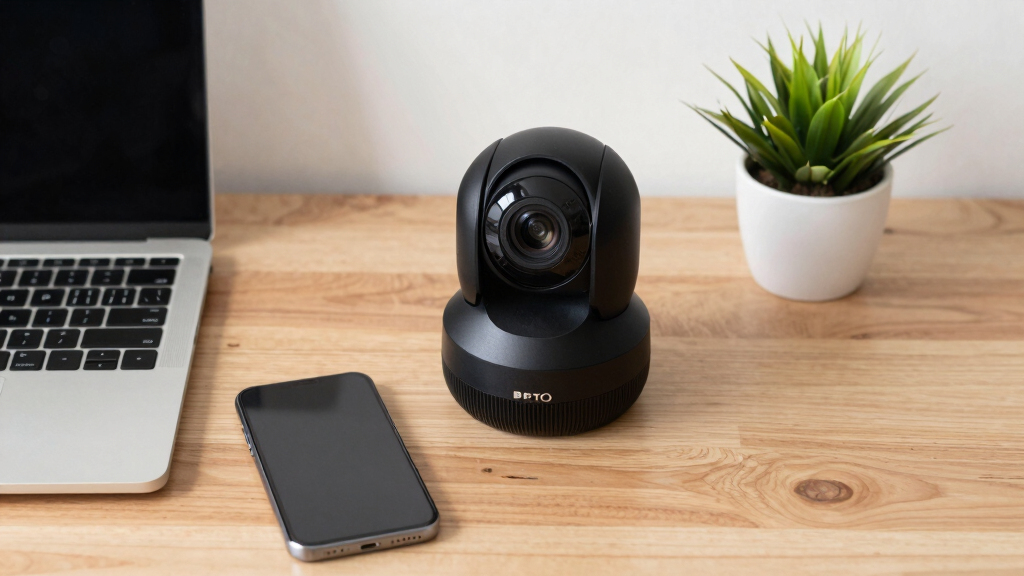

When selecting a PTZ conference camera for a webinar studio, the goal is to find a device that offers clear video quality, reliable auto-tracking, and flexible control options. The Logitech PTZ Pro 2 stands out as the overall best for its ease of use and robust performance. For those needing advanced zoom capabilities, the TONGVEO 20X Optical Zoom PTZ provides impressive detail, while the EMEET PIXY offers a compact 4K option with AI tracking at a competitive price. These choices reflect the main tradeoffs: higher zoom and auto-tracking features often come with increased cost and complexity. Continue reading to explore the full breakdown of these top picks and what makes each suitable for different webinar studio setups.
Key Takeaways
- Top-tier auto-tracking and zoom features significantly impact both cost and setup complexity.
- 4K resolution options are becoming more affordable and essential for future-proofing your studio.
- Ease of use and quick setup are critical for smaller teams or less tech-savvy operators.
- Connectivity options like USB, HDMI, and IP streaming determine compatibility with existing systems.
- Price varies widely; balancing features with your budget is key to selecting the right model.


More Details on Our Top Picks
Logitech PTZ Pro 2 Camera – USB HD 1080P Video Camera for Conference Rooms
The Logitech PTZ Pro 2 stands out for its reliable 1080p HD resolution and smooth pan/tilt/zoom performance, making it a solid choice for professional webinar studios. Compared with the NexiGo Conference System, it offers a wider compatibility with existing conferencing setups but lacks the advanced AI tracking features. Its optical accuracy and color reproduction ensure sharp images, though it doesn’t include auto-tracking, which means less automation for dynamic sessions. The camera’s motor performance makes preset transitions seamless, but it’s less suitable for larger, more complex environments that demand higher zoom capabilities or AI automation. Best for established webinar studios needing dependable image quality and straightforward operation. Not ideal for users wanting auto-tracking or remote control via gestures because it relies on manual presets.
Pros:- Sharp 1080p resolution with excellent color fidelity
- Smooth pan, tilt, and zoom motor performance
- Wide field of view for capturing large groups
Cons:- Lacks AI auto-tracking capabilities
- No built-in microphone or speaker
- Limited to manual preset adjustments
Best for: Professional webinar studios prioritizing image clarity and reliable pan/tilt control
Not ideal for: Users seeking AI auto-tracking or gesture control features for dynamic presentations
- Resolution:1080p HD
- Zoom:Digital zoom (no optical zoom)
- Field of view:65 degrees
- Pan/Tilt Range:340° pan / 90° tilt
- Connectivity:USB 2.0
- Audio Support:None
Bottom line: This camera suits studios needing dependable, high-quality video with straightforward controls, but it falls short for those seeking automation features.
TONGVEO All-in-One Conference Room Video Camera System Al Auto-Tracking HD1080P 60fps 3X Optical Zoom USB3.0 HDMI PTZ Camera and Bluetooth Conference Speakerphone with Microphones
This TONGVEO All-in-One Conference System offers a balanced mix of HD video, auto-tracking, and integrated audio, making it ideal for small to medium-sized webinar studios that need both video and sound in one package. It surpasses the Logitech PTZ Pro 2 in automation, thanks to its AI auto-tracking and built-in microphone array, providing a more dynamic presentation experience. The 3x optical zoom and 60fps frame rate deliver smooth, detailed close-ups, especially compared to standard fixed cameras. However, its reliance on wired connectivity and the absence of advanced gesture controls might limit flexibility. The system’s comprehensive nature simplifies setup but may be overkill for very small studios or those requiring higher zoom levels. Best for small to medium studios needing integrated audio and AI features. Not ideal for large venues or users prioritizing high optical zoom or wireless operation.
Pros:- Auto-tracking with face and humanoid recognition
- Integrated Bluetooth speakerphone with echo cancellation
- Smooth 3x optical zoom at 60fps
Cons:- Wired connection limits placement options
- No gesture control or remote zoom
- Moderate zoom level for very large rooms
Best for: Small to medium webinar studios seeking a comprehensive, auto-tracking camera system with integrated audio
Not ideal for: Large conference rooms or studios needing high optical zoom or wireless flexibility
- Resolution:1080p HD
- Zoom:3x optical
- Frame rate:60fps
- Field of view:114°
- Connectivity:USB 3.0, HDMI
- Audio:Built-in microphone array and speaker
Bottom line: This all-in-one system excels in automation and integrated audio for small to medium spaces but may lack the zoom capacity for larger rooms.
NexiGo Conference Room PTZ Camera System with 10X Optical Zoom, Remote Control, USB Output & Autofocus for Live Streaming, Meetings, Church Services, Education, for OBS/Zoom/Skype | Easy Setup
The NexiGo Conference System offers a compelling mix of 10x optical zoom and autofocus at a budget-friendly price, making it a suitable choice for entry-level or small webinar studios. Its 1080p resolution and silent PTZ movement enable professional-looking streams without breaking the bank. Compared with the Logitech PTZ Pro 2, it provides greater zoom capability and flexible mounting options, including wall and tripod mounts. However, it lacks AI auto-tracking or advanced control options, which limits automation during dynamic sessions. Its manual controls and basic remote operation make it less suited for fast-paced or larger environments but perfect for smaller meetings or educational uses. Best for budget-conscious users or small studios. Not ideal for large, complex setups or those needing automation features.
Pros:- 10x optical zoom with autofocus
- Silently pan and tilt with remote control
- Flexible mounting options
Cons:- No AI auto-tracking or gesture control
- Limited to manual preset control
- No integrated audio system
Best for: Small webinar or educational studios with limited budgets seeking decent zoom and image quality
Not ideal for: Large conference environments or users requiring high levels of automation and remote control
- Resolution:1080p
- Optical Zoom:10x
- Frame rate:30fps
- Focus:Auto
- Connectivity:USB
- Mounting options:Wall, tripod
Bottom line: This camera provides excellent zoom and image quality on a budget, ideal for small setups but lacking automation features for dynamic use.
TONGVEO Conference Room PTZ Camera System with 20X Optical Zoom, AI Auto Tracking 1080P 60fps HDMI USB Webcam for Church Streaming Online Video Conference,Compatible with Zoom, OBS Easy Setup
This TONGVEO 20X PTZ System excels at large-room coverage with its 20x optical zoom and AI auto-tracking, making it ideal for webinar studios that need extensive zoom and automation. Its 1080p resolution at 60fps provides smooth, detailed footage, especially advantageous over lower-frame-rate models like the NexiGo. Its AI tracking ensures consistent framing during lively sessions, but its wired setup and larger size may pose challenges for flexible placement. Compared to the Logitech PTZ Pro 2, it offers much higher zoom and automation but at a higher complexity and cost. This model is best suited for larger spaces with active speakers requiring automated framing and zoom. Not ideal for small studios or setups where simplicity and wireless operation are priorities.
Pros:- 20x optical zoom for detailed close-ups
- AI auto-tracking for dynamic subjects
- 60fps for smooth motion
Cons:- Wired setup reduces placement flexibility
- Larger footprint and complexity
- Higher price point
Best for: Webinar studios with large rooms needing high zoom and automation for live or recorded sessions
Not ideal for: Small or simple studios that prefer plug-and-play or wireless solutions
- Resolution:1080p
- Optical Zoom:20x
- Frame rate:60fps
- Field of view:60°
- Connectivity:HDMI, USB
- AI Tracking:Yes
Bottom line: This camera and tracking system is best for large, active spaces demanding automation and high zoom, but it may be overkill for smaller, simpler studios.
TONGVEO 4K Conference Room Camera System with Gesture Control, AI Auto-Tracking PTZ Camera 5X Digital Zoom with Speakerphone Set 120° Wide-Angle USB3.0 for Remote Meetings Zoom Teams OBS and More
The TONGVEO 4K Conference System offers ultra-high-definition 4K resolution combined with AI auto-tracking and gesture control, making it suitable for advanced webinar studios aiming for top visual quality and automation. Its 5x digital zoom and 120° wide-angle lens deliver broad coverage with sharp detail, surpassing most 1080p models like the Logitech PTZ Pro 2. The gesture controls provide a modern touch for quick, contactless framing adjustments. However, the system’s complexity and higher price point make it less ideal for small or budget-focused setups. It’s best for studios that prioritize image fidelity and automation, especially in larger or more technologically sophisticated environments. Not suitable for small studios or users without support for 4K streaming.
Pros:- Ultra-high-definition 4K resolution
- Gesture control for contactless operation
- AI auto-tracking with wide coverage
Cons:- Higher cost and complexity
- Requires equipment and software support for 4K
- Larger physical size
Best for: Advanced webinar studios requiring 4K quality, gesture control, and AI auto-tracking
Not ideal for: Small or budget-conscious setups lacking 4K streaming capabilities
- Resolution:4K UHD
- Optical Zoom:5x digital
- Frame rate:30fps
- Field of view:120°
- Connectivity:USB 3.0, HDMI
- AI Tracking:Yes
Bottom line: This system is perfect for high-end studios seeking exceptional image quality and automation, but it demands significant investment and setup complexity.
EMEET PIXY Dual-Camera AI-Powered PTZ Camera 4K, AI Tracking, PDAF&AI Autofocus 0.2s, 1/2.55” Sony Sensor, 3 Mics, Presets, Gesture Control, 4K Webcam for Streaming and OBS/Twitch/Switch 2 Compatible
This camera stands out for integrating dual 4K imaging with AI-powered face detection and tracking, making it ideal for dynamic presentations, fitness streams, and online teaching. Its dual-camera setup offers a level of sophistication that single-camera models like the NexiGo can’t match, providing seamless tracking and flawless skin tones. Compared with simpler webcams, PIXY’s AI tracking and multiple microphones deliver a more professional and engaging streaming experience. However, this added complexity can be overwhelming for beginners, and its higher price reflects the advanced features. The use of AI for automatic framing and gesture control makes it especially suited for content creators who value automation without sacrificing image quality. The built-in AI GCU and multiple recording modes, along with a user-friendly software interface, make setup straightforward for those familiar with streaming tools. Still, the dual-camera system and AI processing demand higher system resources, which might be a concern for some users.
Pros:- Dual 4K cameras for superior tracking and image clarity
- AI face detection and gesture control for dynamic use cases
- Triple-mic array for studio-grade audio
Cons:- Relatively high price and system requirements
- Complex interface may intimidate novices
Best for: Content creators, online educators, and streamers looking for a plug-and-play 4K camera with intelligent tracking and audio features.
Not ideal for: Beginners or budget-conscious users who prefer simple webcams without AI tracking or are comfortable with lower resolutions.
- Resolution:4K
- Focus:AI Autofocus & PDAF
- Sensor Size:1/2.55 inch Sony
- Pan/Tilt Range:310°/180°
- Microphone Array:3 microphones
- Connectivity:USB, compatible with OBS/Twitch
Bottom line: This pick makes the most sense for experienced streamers and professionals seeking high-quality, automated tracking in 4K.
TONGVEO 4K PTZ Conference Room Camera System AI Auto-Tracking 20x Zoom 4K PTZ Camera USB3.0 HDMI LAN outputs and Bluetooth Speakerphone with Microphone for Large Remote Meeting
Compared with the smaller PIXY, the TONGVEO 4K PTZ system emphasizes professional-grade zoom and connectivity, making it ideal for large conference rooms and formal events. Its 20x optical zoom and multiple output options (USB3.0, HDMI, LAN) provide flexible integration for various setups, unlike the more streamlined PIXY, which is geared toward streaming and content creation. The AI auto-tracking with face and humanoid recognition ensures that speakers remain centered, even in bigger spaces, while the included Bluetooth speakerphone offers an all-in-one solution for audio and video. Nevertheless, its bulkier design and higher price tag may not suit smaller or more casual environments. The system’s compatibility with multiple streaming and conferencing platforms like Zoom, OBS, and Teams makes it versatile for large-scale remote meetings and live events. Its advanced tracking algorithm and multi-interface outputs come with a tradeoff of increased installation complexity and cost.
Pros:- 20x optical zoom for detailed remote framing
- Multiple output options for flexible deployment
- AI auto-tracking with humanoid and face detection
Cons:- Heavier, more complex setup
- Higher cost compared to simpler webcams
Best for: Large conference rooms and organizations that need reliable, high-zoom video with integrated audio for professional virtual meetings.
Not ideal for: Small offices or individual streamers who do not require extensive zoom or multi-room connectivity.
- Resolution:4K
- Zoom:20x optical
- Focus:Auto
- Connectivity:USB3.0, HDMI, LAN
- AI Tracking:Humanoid & face detection
- Audio System:Bluetooth speakerphone with microphones
Bottom line: This system is best suited for sizable spaces demanding professional-grade zoom and comprehensive connectivity features.
PTZ Camera 4K UHD with 20X Optical Zoom, Video Conference Room Camera, Live Streaming for Church Worship, USB HDMI IP POE Work with Vmix, Zoom, OBS, YouTube, Facebook Livestream
This camera offers impressive 20x optical zoom and 4K resolution at a notably accessible price point, making it ideal for churches and mid-sized venues that need detailed coverage without the expense of high-end professional equipment. Its 340° pan and 120° tilt allow for wide coverage, comparable to more expensive models like the TONGVEO system but at a fraction of the cost. The plug-and-play compatibility with popular streaming platforms such as OBS, Zoom, and Facebook simplifies setup, especially for those who prefer straightforward operation. However, it lacks advanced AI tracking found in PIXY or TONGVEO, and its stability in low-light conditions isn’t specified, which could affect image quality in dim environments. Still, its 4K UHD and extensive pan/tilt range make it a solid choice for users who need professional-looking footage on a tighter budget.
Pros:- 20x optical zoom with wide coverage
- Supports 4K UHD at 30fps
- Plug-and-play with common streaming platforms
Cons:- No AI auto-tracking or face detection
- Limited low-light performance details
Best for: Churches, schools, or small-to-medium venues seeking a cost-effective, high-zoom PTZ camera for live streaming and remote broadcasting.
Not ideal for: Large conference centers or organizations needing AI auto-tracking or integrated audio components.
- Resolution:4K UHD
- Zoom:20x optical
- Pan/Tilt:340°/120°
- Frame Rate:30fps
- Connectivity:USB, HDMI, IP, POE
- Focus:Auto
Bottom line: This camera provides a strong balance of zoom and resolution at a budget-friendly price for smaller venues with straightforward needs.
How We Picked
These products were evaluated based on a combination of video quality, zoom range, auto-tracking capabilities, ease of setup, connectivity options, and overall value. Priority was given to models that balance professional features with user-friendly interfaces, making them suitable for webinar studios of varying sizes and technical expertise. Our ranking reflects a focus on real-world usability, build quality, and versatility, ensuring each product offers a distinct advantage for different types of users. Cost-effectiveness was also considered, with the goal of highlighting options that deliver strong performance without unnecessary extras.Factors to Consider When Choosing PTZ Conference Camera For Webinar Studio
Choosing the right PTZ conference camera involves considering several key factors that impact your studio’s performance and future-proofing. While higher-end models often include advanced auto-tracking and 4K resolution, these come with increased complexity and cost. Understanding your specific needs—such as zoom range, control options, and connectivity—helps ensure you select a camera that integrates smoothly into your setup and meets your quality standards. Avoiding common pitfalls like underestimating required zoom or neglecting compatibility can save time and money in the long run.Video Resolution and Image Quality
Higher resolution cameras, like 4K models, deliver sharper images, which are increasingly important for professional webinars and streaming. However, they typically come at a higher cost and require more bandwidth. For most webinar studios, 1080p is sufficient, but if your content demands detailed visuals or future-proofing, investing in 4K is worthwhile. Keep in mind that resolution alone isn’t enough—sensor quality and lens clarity also influence overall image sharpness.
Zoom Range and Field of View
The zoom capabilities of a PTZ camera determine how close-up or wide-angle your shots can be. Optical zoom is essential for maintaining image quality at higher magnifications, so models with 12x or more are recommended for larger rooms. Digital zoom, on the other hand, can degrade picture clarity, so it’s best to avoid overly relying on it. Consider your room size and seating arrangement to select a zoom range that provides flexibility without sacrificing detail.
Auto-Tracking and Preset Controls
Auto-tracking features are game-changers for dynamic webinar environments, allowing the camera to follow speakers automatically. However, these systems vary in reliability and complexity. Simpler preset controls may suffice for static setups, while more advanced AI auto-tracking suits active, multi-speaker sessions. Weigh the importance of automation against potential setup complexity and maintenance needs to find a balance that matches your workflow.
Connectivity and Compatibility
Ensure the camera supports your existing streaming and control infrastructure. USB cameras are straightforward for direct connection to computers, while HDMI and IP outputs enable integration with professional switchers and streaming hardware. Compatibility with common platforms like Zoom, OBS, and vMix is also critical. Avoid models with proprietary connectors or limited software support, which can complicate setup and future upgrades.
Ease of Use and Setup
Even high-end cameras should be easy to configure and operate, especially if your team has limited technical skills. Features like remote control, user-friendly interfaces, and quick setup guides make a significant difference. Consider whether the camera supports automation or presets to streamline operation during live sessions. Overly complex systems can hinder your workflow and increase support needs.
Frequently Asked Questions
Can I use a PTZ camera for live streaming on platforms like YouTube or Facebook?
Absolutely. Most PTZ cameras with HDMI, IP, or USB outputs are compatible with common streaming platforms like YouTube and Facebook. You’ll typically need a capture card or direct USB connection, depending on the camera’s output. Confirm that your streaming software supports the camera’s video format and resolution. This flexibility makes PTZ cameras a popular choice for live streaming and webinar production.
What’s the main difference between 1080p and 4K PTZ cameras for webinars?
While 1080p cameras provide clear and sharp images sufficient for most webinar needs, 4K models offer higher detail and future-proofing for larger screens or more demanding production quality. The tradeoff is increased cost, higher bandwidth requirements, and sometimes more complex setup. For most small to medium studios, 1080p strikes a good balance; 4K is better if you plan to scale up or need ultra-sharp visuals.
How important is auto-tracking in a webinar camera?
Auto-tracking can dramatically improve engagement by keeping speakers centered without manual adjustment. However, its effectiveness depends on the system’s AI accuracy and your room setup. For static or small groups, presets may suffice, but for dynamic sessions with multiple speakers or movement, auto-tracking offers significant workflow benefits. Consider your session style and how much you need automation before investing in auto-tracking features.
Are IP PTZ cameras better than USB models for webinar studios?
IP cameras generally offer greater flexibility, higher resolutions, and easier integration into professional networks, making them suitable for larger or more complex studios. USB cameras are simpler to set up and ideal for smaller, plug-and-play environments. The choice depends on your existing infrastructure, desired scalability, and technical comfort. IP models often come at a higher price but deliver more advanced control and streaming options.
What should I prioritize if I’m new to webinar production?
If you’re just starting out, focus on ease of setup, reliable auto-focus, and straightforward controls. A camera with preset options and a user-friendly interface reduces the learning curve. Budget-friendly 1080p models with basic PTZ functions can provide professional results without overwhelming complexity. As you grow, you can upgrade to more advanced features like auto-tracking or 4K resolution.
Conclusion
For small studios or those new to live webinars, the Logitech PTZ Pro 2 offers a reliable, easy-to-use experience with excellent image quality. More advanced users or larger setups should consider the TONGVEO 20X Optical Zoom PTZ for greater zoom flexibility, or the EMEET PIXY for 4K streaming with AI tracking. The best choice depends on your specific needs: opt for simplicity and affordability if starting out, or invest in higher zoom and auto-tracking for complex, dynamic environments. Each of these options provides a different balance of features, value, and ease of use, ensuring you can find the right fit for your webinar studio in 2026.