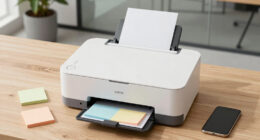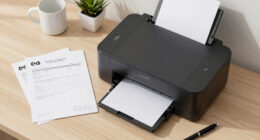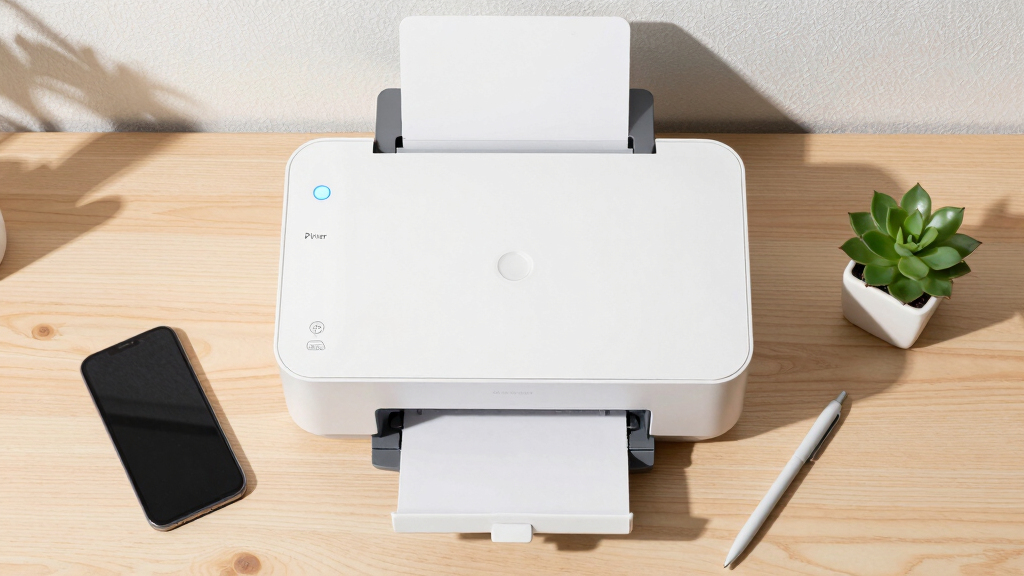
Choosing a wireless laser printer for a hybrid office involves balancing performance, connectivity, and versatility. The HP LaserJet MFP M235sdw stands out as the best overall for its all-in-one capabilities and reliable wireless connection. For those prioritizing color printing, the HP Color LaserJet Pro MFP 3301sdw offers impressive versatility, though it comes at a higher price point. On the other hand, compact monochrome options like the Brother HL-L2460DW excel for smaller teams or home offices with limited space. The main tradeoffs often involve choosing between multifunction features and cost-efficiency. Keep reading for a detailed breakdown to find the best fit for your hybrid work setup.
Key Takeaways
- All-in-one models provide the most flexibility but tend to cost more and take up more space.
- Color laser printers are suitable for creative or presentation-heavy environments, yet they generally have higher running costs.
- Compact monochrome models deliver fast, reliable printing ideal for small teams or home use, with lower maintenance costs.
- Wireless connectivity quality varies, making it essential to consider network compatibility and security features.
- Cost-effective options often include subscription trials or limited features, so evaluate long-term value carefully.


More Details on Our Top Picks
HP LaserJet MFP M235sdw All-in-One Laser Wireless Printer, Scan/Copy, Black & White, Duplex, Best-for-Office
This HP model stands out for its combination of speed, security, and versatile connectivity, making it ideal for small teams needing reliable black-and-white document handling. Its impressive 28 pages per minute speed and advanced security features outperform many competitors, including the Brother HL-L2460DW, which excels in cost-efficiency but lacks built-in security. Setup is seamless with dual-band Wi-Fi and Ethernet, supporting a wide range of devices. The duplex printing is fast and smooth, helping to reduce paper waste. However, the high initial cost and expensive toner replacements are notable drawbacks, especially for budget-conscious offices. While its security and speed make it a top choice for busy work environments, ongoing toner costs can add up for smaller budgets. This pick makes sense for offices that prioritize security and speed over initial expense and toner costs.
Pros:- Fast two-sided printing at up to 28 ppm
- Strong security features for data protection
- Easy wireless setup with dual-band Wi-Fi and Ethernet
Cons:- Higher initial purchase price
- Expensive toner replacements
- Limited to black-and-white printing
Best for: Small to medium office teams needing fast, secure, and versatile wireless printing.
Not ideal for: Home users or small startups on a tight budget, due to its higher price and toner costs.
- Print Speed:up to 28 ppm
- Duplex Printing:Automatic
- Connectivity:Wi-Fi, Ethernet
- Printer Type:Laser All-in-One
- Security Features:Built-in protections
- Maximum Paper Size:8.5 x 14 inch
Bottom line: This all-in-one HP model is best suited for small offices that need speed, security, and reliable wireless connectivity, despite higher ongoing costs.
HP Color LaserJet Pro MFP 3301sdw Wireless All-in-One Color Laser Printer, Office Printer, Scanner, Copier, ADF, Duplex, Best-for-Office
This HP color laser offers vibrant, professional-quality color output with speedy performance, making it a solid choice for offices that need colorful reports or marketing materials. Compared to the Brother HL-L2460DW, which is monochrome and cheaper to run, the 3301sdw’s color capability adds value for businesses requiring color. Its 26 ppm speed balances productivity with quality, and the auto document feeder boosts multi-page efficiency. However, toner costs are high, and the initial price is steep, which could be a concern for smaller budgets. The wireless setup is straightforward, and security features protect sensitive data. Still, the ongoing toner expense and lack of a dedicated fax function may limit some office needs. This device makes the most sense for small teams that need reliable, high-quality color output without sacrificing speed.
Pros:- Vivid, professional-quality color output
- Fast print speeds of up to 26 ppm
- Auto document feeder for multi-page scanning or copying
Cons:- High ongoing toner costs
- Steep initial price
- Limited to HP cartridges with proprietary chips
Best for: Small teams needing vibrant, professional color documents and fast wireless connectivity.
Not ideal for: Budget-conscious offices or users primarily printing in black and white, due to high toner costs.
- Print Speed:up to 26 ppm
- Duplex Printing:Automatic
- Connectivity:Wi-Fi, Ethernet
- Maximum Paper Size:8.5 x 14 inch
- Color Output:Vivid, professional quality
- ADF:Yes
Bottom line: Ideal for small offices that require vibrant color printing with fast performance, accepting higher toner costs and price premiums.
HP Color Laserjet Pro 3201dw Wireless Color Laser Printer, Office Printer, Duplex, Best for Office
This HP model delivers reliable color laser printing at an affordable price, making it suitable for small offices that occasionally need color output. Compared with the HP 3301sdw, it offers slightly slower speeds and fewer advanced features but compensates with a lower initial cost. Its 26 ppm speed is adequate for moderate workloads, and the duplex feature helps save paper. Setup over Wi-Fi is straightforward, and the security features help protect sensitive documents. However, users report high toner replacement costs and inconsistent connectivity issues, which may hinder productivity. The print resolution maxes out at 600×600 dpi, which is acceptable for most text and basic graphics but not high-detail images. This printer works well for small teams needing occasional color prints without a big investment upfront.
Pros:- Affordable price point for color laser
- Duplex printing to save paper
- Easy wireless setup
Cons:- High toner replacement costs
- Occasional connectivity issues
- Limited to 600×600 dpi resolution
Best for: Small office teams seeking affordable color laser printing with decent speed and wireless convenience.
Not ideal for: High-volume users or those requiring detailed graphics or frequent color jobs, due to moderate speed and resolution.
- Print Speed:up to 26 ppm
- Duplex Printing:Yes
- Connectivity:Wi-Fi, Ethernet
- Maximum Paper Size:8.5 x 14 inch
- Print Resolution:600×600 dpi
- Color Output:Laser quality
Bottom line: A good budget-friendly choice for small offices that need reliable color laser printing on a moderate scale, despite some connectivity and toner cost concerns.
Brother HL-L2460DW Wireless Compact Monochrome Laser Printer with Duplex, Mobile Printing, Black & White Output | Includes Refresh Subscription Trial(1), Works with Alexa
This Brother monochrome laser printer excels in affordability, compact design, and reliable performance, making it ideal for small home offices or personal use. Its 36 pages per minute speed surpasses many competitors like the HP M110w, offering quick output for basic black-and-white documents. The automatic duplex feature reduces paper use, and the 250-sheet tray supports high-volume printing without frequent refills. Setup is simple, especially with mobile printing support via Brother’s app, and Alexa compatibility adds convenience. However, the monochrome-only printing limits its versatility, and some users report occasional connectivity hitches, though generally manageable. The toner cartridges are reasonably priced, and the device’s energy efficiency is a bonus. This model makes the most sense for budget-minded individuals needing fast, dependable black-and-white printing in a small space.
Pros:- High-speed printing of up to 36 ppm
- Compact and space-efficient design
- Automatic duplex reduces paper use
Cons:- Monochrome-only, limiting versatility
- Occasional connectivity issues
- No color printing option
Best for: Home users or small teams focused on high-volume black-and-white printing with minimal space.
Not ideal for: Offices needing color output or multifunction scanning capabilities, as it’s a single-function monochrome device.
- Print Speed:up to 36 ppm
- Duplex Printing:Automatic
- Connectivity:Wi-Fi, USB, Ethernet
- Maximum Paper Size:8.5 x 14 inch
- Processor:Single-core
- Printer Type:Laser Monochrome
Bottom line: A reliable, fast monochrome laser printer perfect for small home offices or budget-conscious users needing black-and-white output only.
HP Laserjet MFP M140w Wireless Black & White Printer, Print, scan, Copy, Fast speeds, Easy Setup, Mobile Printing, Best-for-Small Teams
This HP M140w is a compact, straightforward monochrome laser printer tailored for small teams needing quick, reliable printing and scanning in a limited space. Its 21 pages per minute speed is sufficient for light office workloads, and setup is simplified through easy wireless and mobile printing options, compatible with popular platforms. The device’s small footprint makes it ideal for tight spaces, and the 99-sheet paper capacity is adequate for small-volume tasks. However, its limited paper capacity and lack of duplex printing are notable drawbacks for active offices. The print resolution is standard at 600×600 dpi, suitable for text-heavy documents. Its straightforward functionality and affordability make it an excellent choice for small teams that prioritize simplicity and speed over advanced features.
Pros:- Fast printing speeds of up to 21 ppm
- Compact size fits small spaces
- Easy wireless and mobile setup
Cons:- No duplex printing, increasing paper use
- Limited paper capacity at 99 sheets
- Basic resolution for high-detail graphics
Best for: Small teams or individuals needing quick, reliable monochrome printing with easy setup and minimal space requirements.
Not ideal for: Offices with higher volume needs or requiring duplex printing and higher resolutions, due to limited paper capacity and basic features.
- Print Speed:up to 21 ppm
- Duplex Printing:No
- Connectivity:Wi-Fi, USB, Mobile print
- Maximum Paper Size:8.5 x 14 inch
- Maximum Copies:99
- Printer Type:Laser Monochrome
Bottom line: A compact, fast monochrome printer ideal for small teams that need quick output without extra features, accepting some limitations in capacity and duplexing.
HP LaserJet Pro MFP 3101fdw Wireless Black & White All-in-One Laser Printer, Scanner, Copier, Fax, Best-for-Office
This HP LaserJet Pro MFP 3101fdw stands out for its combination of speed, security, and versatility, making it the most complete option in this lineup for small office environments. Compared with the HP M140w, it offers much faster throughput—up to 35 ppm—and adds multifunction capabilities like scanning, copying, and faxing, which are essential for a hybrid office. The built-in security features, including HP Wolf Pro Security, provide peace of mind that data remains protected, a key consideration over more basic models. The auto duplex and 250-sheet tray enhance efficiency, though the setup can be slightly more involved due to network and security configurations. Its price reflects its feature set, but the investment is justified for teams needing a reliable, secure, all-in-one device. This pick makes the most sense for small teams that prioritize security and multifunctionality in a compact, network-ready package.
Pros:- Fast print speeds up to 35 ppm for efficient workflow
- Built-in security with HP Wolf Pro Security to protect sensitive data
- Auto duplex and 250-sheet tray for reduced paper handling
Cons:- Higher price point compared to basic monochrome printers
- Setup can be complex, especially for network and security features
- No color printing capabilities
Best for: Small business teams requiring secure, multifunction printing with fast speeds and cloud management.
Not ideal for: Single users or home offices with minimal printing needs, as it may be overkill and more expensive than simpler models.
- Printer type:Laser
- Print speed:Up to 35 ppm
- Maximum sheet capacity:250
- Connectivity:Wi-Fi, Ethernet, Bluetooth
- Maximum print resolution:1200 x 1200 dpi
- Item weight:10.5 kg
Bottom line: This printer is best for small teams that need a secure, versatile, and fast all-in-one device with robust management features.
Brother DCP-L2640DW Wireless Compact Monochrome Multi-Function Laser Printer with Copy and Scan, Duplex, Mobile, Black & White | Includes Refresh Subscription Trial(1), Works with Alexa
This Brother DCP-L2640DW combines fast speeds—up to 36 ppm—with a compact design, making it ideal for small offices that need swift, reliable monochrome printing. Compared to the HP M110w, which is more budget-oriented and slightly slower, this model offers multifunctionality with scanning and copying, plus a 50-page auto document feeder that speeds up multi-page tasks. Its dual-band wireless and Ethernet options provide flexible connectivity, and the Brother Mobile Connect app allows printing and scanning from smartphones, which is beneficial for hybrid workflows. The Refresh subscription trial reduces ongoing costs, but the toner cartridges are proprietary, possibly increasing long-term expenses. Its size and feature set are perfect for small teams that need a multi-purpose printer with excellent mobile and network options, but it isn’t suitable for color printing or large-volume jobs.
Pros:- Print speeds up to 36 ppm for quick document processing
- Wireless dual-band and Ethernet for flexible connectivity
- Includes a 50-page auto document feeder for multi-page scanning and copying
Cons:- Toner cartridges are proprietary, potentially increasing costs
- Limited to monochrome printing; no color support
- Maximum sheet capacity of 150 pages may require frequent refilling
Best for: Small business teams needing reliable, fast monochrome multifunctionality with strong mobile support.
Not ideal for: Home users seeking color printing or those with high-volume printing needs, due to its monochrome focus and modest paper capacity.
- Printer type:Laser
- Print speed:Up to 36 ppm
- Maximum sheet capacity:150
- Connectivity:Wi-Fi, Ethernet
- Maximum print resolution:600 x 600 dpi
- Item weight:12.4 pounds
Bottom line: Ideal for small teams that prioritize high-speed monochrome printing and mobile device management in a compact footprint.
HP LaserJet M110w Wireless Black & White Printer, Print, Fast speeds, Easy Setup, Mobile Printing, Best-for-Small Teams
This HP LaserJet M110w excels in simplicity and speed, making it a solid choice for small teams that prioritize straightforward wireless monochrome printing. Unlike the HP 3101fdw, which offers multifunctionality and security, the M110w is a dedicated print-only device with a very compact design and fast speeds—up to 21 ppm. Its setup is notably easy, especially with wireless connection, which is often a challenge in this segment. The print resolution of 600 x 600 dpi is sufficient for standard reports and forms, but it lacks scanning and copying functions, limiting its versatility. Its smaller paper tray capacity (about 150 sheets) means more frequent refilling for larger jobs. This device is best for small teams with basic printing needs that want quick, reliable wireless setup but don’t need multifunction capabilities.
Pros:- Fast print speeds up to 21 ppm
- Simple, quick wireless setup
- Compact size fits well into small spaces
Cons:- Limited to black & white printing only
- No scanning, copying, or fax functions
- Maximum paper capacity of 150 sheets
Best for: Small teams or home offices focused solely on fast, reliable monochrome printing with minimal fuss.
Not ideal for: Offices requiring scanning, copying, or security features, as it’s a print-only device with limited capacity.
- Printer type:Laser
- Print speed:21 ppm
- Maximum sheet capacity:150
- Connectivity:Wireless, USB
- Maximum print resolution:600 x 600 dpi
- Item weight:8.3 pounds
Bottom line: Best suited for small teams or individuals needing quick, dependable monochrome printing without additional features.
Canon imageCLASS LBP122dw – Monochrome Duplex Wireless Laser Printer, Single Function, Home Office, Mobile Ready, 30 PPM, Black
This Canon LBP122dw offers dependable monochrome printing with a straightforward approach, making it well-suited for home offices or personal use. It provides a solid speed of 30 ppm and duplex printing, which is comparable to more feature-rich models like the HP 3101fdw but without scanning or copying. While it’s easy to connect wirelessly or via Ethernet, it lacks multifunction capabilities—so users needing scanning or copying should consider other options. Its compact design and simple LCD interface make setup and daily operation hassle-free, though the paper tray holds only about 150 pages, which can be limiting for larger print runs. This printer makes sense for individuals or small home offices that want fast, duplex monochrome printing without extra bells and whistles.
Pros:- Speed of 30 ppm for quick document handling
- Automatic duplex printing saves paper
- Wireless and Ethernet connectivity options
Cons:- Limited to monochrome printing only
- No scanning or copying functions
- Paper tray capacity of 150 pages
Best for: Home users or small offices needing fast, duplex monochrome printing with simple wireless setup.
Not ideal for: Offices that require scanning, copying, or color printing, as this model is dedicated to print-only tasks.
- Printer type:Laser
- Print speed:30 ppm
- Maximum sheet capacity:150
- Connectivity:Wireless, Ethernet
- Maximum print resolution:600 x 600 dpi
- Item weight:12.4 pounds
Bottom line: Best for individuals or small home offices focused on fast duplex monochrome printing with minimal setup complexity.
Brother MFC-L3720CDW Wireless Color Laser Printer with Scanner, Copier and Fax | Auto Duplex and 250-Sheet Capacity | Includes Refresh Subscription Trial
This Brother MFC-L3720CDW stands out for its comprehensive features—color printing, copying, scanning, faxing, and a 250-sheet tray—all packed into a single device designed for small offices. Compared with the HP LaserJet Pro 3001dw, it offers color output, which the HP model lacks, making it ideal for visually rich documents. Its advanced connectivity includes dual-band Wi-Fi, USB, and cloud integration, enabling seamless hybrid workflows. The main tradeoff is the absence of auto-duplex printing, which could slow down high-volume jobs, but the intuitive 3.5″ touchscreen makes management straightforward. This pick is perfect for small teams needing versatile functionality and reliable security. Pros: All-in-one with color, large paper capacity, cloud connectivity, customizable shortcuts. Cons: No auto-duplex, slightly bulky, higher initial cost. Verdict: Best suited for small offices that need a versatile, color-capable multifunction printer with robust connectivity but can handle manual duplexing.
Pros:- Color printing, copying, scanning, and faxing in one device
- 250-sheet paper capacity for high volume
- Cloud integration for hybrid workflows
- Custom shortcuts via touchscreen
Cons:- Lacks auto-duplex printing
- Relatively bulky design
- Higher purchase price compared to single-function models
Best for: Small office teams requiring all-in-one color printing, scanning, copying, and faxing capabilities.
Not ideal for: Large-volume print environments or users prioritizing automatic duplex and low maintenance costs.
- Printer Type:Laser
- Print Speed:19 ppm color and black
- Connectivity:Wi-Fi, USB, Cloud
- Paper Capacity:250 sheets
- Control Method:Color touchscreen
- Maximum Copy Speed:19 ppm
- Additional Printer Functions:Scan, Fax
- Maximum Sheet Capacity:250
- Auto Duplex:Yes
Bottom line: A powerful all-in-one printer perfect for small offices needing color and multifunctionality with good security features.
HP Laserjet Pro 3001dw Wireless Black & White Printer, Best-for-Office
This HP LaserJet Pro 3001dw excels at producing sharp black-and-white documents at speeds up to 35 ppm, making it ideal for busy small offices or workgroups. Its automatic duplex feature saves time and paper, and the wireless connection ensures easy integration into hybrid workflows. Compared to the Brother HL-L2405W, it offers faster printing and a larger paper capacity, suitable for higher-volume environments. The simple setup and intuitive Wi-Fi management make it accessible for users without technical expertise. The main drawback is its limited functionality—no scanning or copying—making it less suitable for offices needing all-in-one features. This model is perfect for those prioritizing speed and volume in monochrome printing. Pros: Fast print speeds, wireless connectivity, auto duplex, large paper tray. Cons: No scan or copy functions, higher cost, limited to black & white. Verdict: Ideal for small teams focused solely on high-speed monochrome printing with minimal fuss.
Pros:- Fast printing up to 35 ppm
- Wireless and Ethernet connectivity
- Automatic duplex printing
- Large 250-sheet paper tray
Cons:- Limited to black & white only
- No scanning or copying functions
- Slightly higher price than basic models
Best for: Small offices or workgroups needing fast, reliable black-and-white printing without multifunction features.
Not ideal for: Offices requiring scanning, copying, or color printing capabilities.
- Printer Type:Laser
- Print Speed:35 ppm B&W
- Connectivity:Wi-Fi, Ethernet
- Maximum Media Size:8.5 x 14
- Maximum Sheet Capacity:250
- Auto Duplex:Yes
- Control Method:App
- Maximum Copy Resolution:1200 x 1200 dpi
- Warranty:1 year
Bottom line: Best for high-volume monochrome printing in a professional office setting where speed matters most.
HP LaserJet M209d Laser Printer, Black and White, Automatic Duplex, USB Connection Only
This HP LaserJet M209d is a straightforward monochrome laser printer designed for small or home offices. It offers reliable, high-quality black-and-white prints at 30 ppm and features automatic duplex for efficient double-sided printing. Its compact size makes it easy to place on a desk or shelf, and the USB-only connection keeps setup simple. Compared with the Brother HL-L2405W, this model is more space-efficient but doesn’t support wireless, limiting flexibility in a hybrid setup. Its maximum print resolution of 1200 dpi ensures crisp, professional-looking documents. The main drawback is the absence of wireless connectivity, which could be a hassle for remote or mobile users. It’s a solid choice for those who prefer a wired connection and straightforward operation. Pros: Compact size, fast mono printing, automatic duplex, high resolution. Cons: No wireless, USB only, limited to monochrome. Verdict: Perfect for small home offices that prioritize simplicity and wired reliability.
Pros:- Compact and space-saving design
- Automatic duplex printing
- High-quality 1200 dpi resolution
- Fast printing speed of 30 ppm
Cons:- No wireless connectivity
- Limited to black & white printing
- USB connection only
Best for: Home office users needing a reliable, compact monochrome printer with auto duplex and USB connection.
Not ideal for: Users who want wireless or color printing capabilities, or multi-function features.
- Printer Type:Laser
- Print Speed:30 ppm
- Connectivity:USB only
- Maximum Print Resolution:1200 dpi
- Auto Duplex:Yes
- Maximum Media Size:8.5 x 14
- Control Method:LCD
- Item Weight:7.44 kg
- Warranty:1 year
Bottom line: A dependable, space-efficient monochrome printer for home offices that don’t require wireless or color features.
HP LaserJet Pro MFP 3101sdw Wireless All-in-One Laser Printer, Office Printer, Duplex, Best-for-Small Teams
This HP LaserJet Pro 3101sdw offers a well-rounded package for small teams needing high-speed, reliable monochrome printing, copying, scanning, and duplexing. Its 35 ppm print speed and 1200 dpi resolution make it suitable for busy office environments, with the added convenience of wireless connectivity and automatic duplex for efficiency. Compared with the Brother HL-L2405W, it adds scanning and copying to cover all basic office needs, making it more versatile. The device’s robust security features help protect sensitive office data. However, it’s one of the pricier options and is primarily designed for monochrome output, which limits its use for color needs. This printer is ideal for small teams that want a dependable, all-in-one device with wireless flexibility. Pros: Wireless, duplex, fast speed, all-in-one functions. Cons: Higher cost, monochrome only, slightly larger footprint. Verdict: Best for small teams seeking a reliable, wireless, multifunction laser printer with duplexing.
Pros:- Wireless connectivity and duplex printing
- Fast 35 ppm speed
- All-in-one with scan and copy
- High quality 1200 dpi resolution
Cons:- Limited to monochrome output
- Higher price point
- Slightly larger size for small desks
Best for: Small workgroups needing fast, wireless monochrome printing, copying, and scanning with duplex capability.
Not ideal for: Offices requiring color printing or heavy multi-function use beyond scanning and copying.
- Printer Type:Laser
- Print Speed:35 ppm
- Connectivity:Wi-Fi, Ethernet
- Maximum Media Size:8.5 x 14
- Maximum Sheet Capacity:250
- Auto Duplex:Yes
- Control Method:App, Touch
- Maximum Copy Resolution:1200 x 1200 dpi
- Warranty:1 year
Bottom line: A solid all-in-one monochrome laser printer for small teams prioritizing speed, security, and wireless operation.
HP LaserJet Pro MFP 3101sdw Wireless All-in-One Laser Printer, Office Printer, Duplex, Best-for-Small Teams
This HP LaserJet Pro 3101sdw offers a well-rounded package for small teams needing high-speed, reliable monochrome printing, copying, scanning, and duplexing. Its 35 ppm print speed and 1200 dpi resolution make it suitable for busy office environments, with the added convenience of wireless connectivity and automatic duplex for efficiency. Compared with the Brother HL-L2405W, it adds scanning and copying to cover all basic office needs, making it more versatile. The device’s robust security features help protect sensitive office data. However, it’s one of the pricier options and is primarily designed for monochrome output, which limits its use for color needs. This printer is ideal for small teams that want a dependable, all-in-one device with wireless flexibility. Pros: Wireless, duplex, fast speed, all-in-one functions. Cons: Higher cost, monochrome only, slightly larger footprint. Verdict: Best for small teams seeking a reliable, wireless, multifunction laser printer with duplexing.
Pros:- Wireless connectivity and duplex printing
- Fast 35 ppm speed
- All-in-one with scan and copy
- High quality 1200 dpi resolution
Cons:- Limited to monochrome output
- Higher price point
- Slightly larger size for small desks
Best for: Small workgroups needing fast, wireless monochrome printing, copying, and scanning with duplex capability.
Not ideal for: Offices requiring color printing or heavy multi-function use beyond scanning and copying.
- Printer Type:Laser
- Print Speed:35 ppm
- Connectivity:Wi-Fi, Ethernet
- Maximum Media Size:8.5 x 14
- Maximum Sheet Capacity:250
- Auto Duplex:Yes
- Control Method:App, Touch
- Maximum Copy Resolution:1200 x 1200 dpi
- Warranty:1 year
Bottom line: A solid all-in-one monochrome laser printer for small teams prioritizing speed, security, and wireless operation.
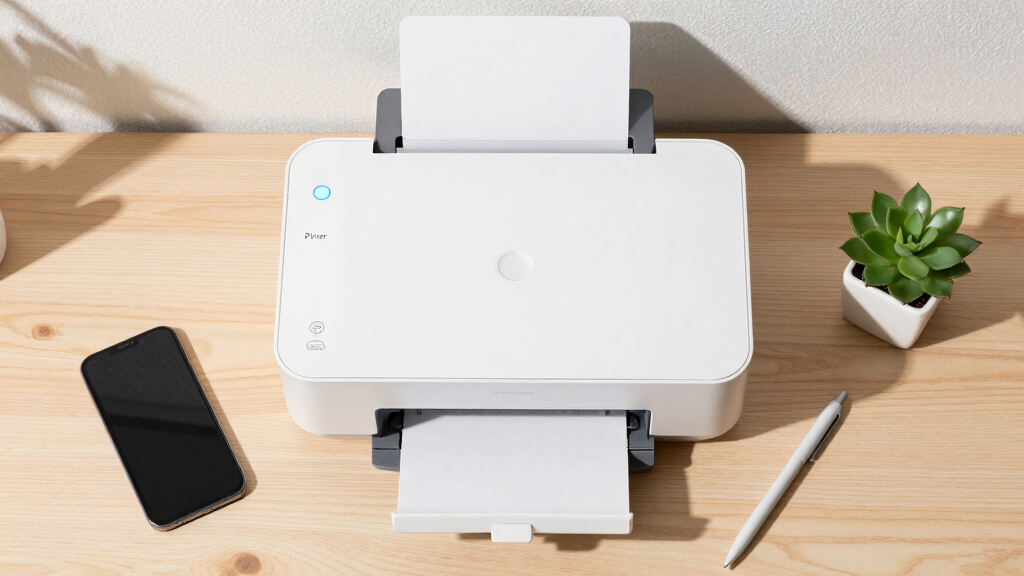
How We Picked
These printers were evaluated based on performance, ease of setup, connectivity stability, build quality, and overall value for a hybrid office environment. Priority was given to models offering reliable wireless connections, versatile features, and manageable maintenance. The ranking considers the balance between cost and functionality, ensuring each option suits different office sizes and user needs. Reliability and user-friendliness were key factors, along with assessing whether the printers support common hybrid workflows like mobile printing and remote access.Factors to Consider When Choosing Wireless Laser Printer For Hybrid Office
Selecting the right wireless laser printer for a hybrid office requires understanding key features that impact daily use. Consider your volume of printing, the need for color versus monochrome output, and whether multifunction capabilities are essential. Compatibility with your existing network and security features also play critical roles, especially in shared or remote environments. Budget constraints should be balanced against long-term costs such as toner replacement and maintenance. The right choice will streamline your workflow without adding unnecessary complexity or expense.Performance and Speed
Speed is critical in a busy hybrid setting, where delays can disrupt workflows. Look for printers with fast print rates, especially if your team handles large documents regularly. Monochrome models often offer higher speeds at lower costs, but color printers can add value if visual materials are common. Consider the printer’s duty cycle—how much it’s rated for weekly pages—to ensure it can handle your workload without frequent breakdowns or slowdowns.
Connectivity and Compatibility
Wireless stability is essential for hybrid work, where employees may print from various devices and locations. Ensure the printer supports your Wi-Fi standards and offers features like Wi-Fi Direct or Ethernet for flexible setup. Compatibility with mobile printing platforms such as Apple AirPrint, Google Cloud Print, or manufacturer-specific apps can significantly improve convenience. Also, check if the printer supports multiple user accounts or security protocols to protect sensitive documents.
Multifunction Features
While multifunction printers (print, scan, copy, fax) add flexibility, they also tend to be more expensive and take up space. Evaluate whether your team needs all these functions daily or only occasionally. For smaller teams or home offices, a single-function monochrome laser may suffice, reducing complexity and costs. Larger offices or those with frequent document processing should prioritize models with robust scanning and copying features, including duplex and automatic document feeders.
Cost of Ownership
Initial cost is just one part of total expenses. Toner prices, duty cycle, maintenance requirements, and subscription plans can significantly influence ongoing costs. Some models include toner trial offers, but it’s wise to research replacement costs beforehand. Longer-lasting toner cartridges and energy-efficient operation can reduce expenses over time, making higher upfront investments worthwhile for larger or demanding offices.
Ease of Use and Setup
A straightforward setup process minimizes downtime and frustration, particularly for users who aren’t tech-savvy. Look for models with guided setup features, mobile app integration, and simple user interfaces. Wireless setup should be quick and reliable, with minimal configuration required. Consider the availability of customer support or online resources if technical issues arise, especially in a hybrid environment where quick troubleshooting is essential.
Frequently Asked Questions
Can I print from my mobile device with these printers?
Most of these wireless laser printers support mobile printing via platforms like Apple AirPrint, Google Cloud Print, or manufacturer-specific apps. Compatibility varies, so checking that your device and operating system are supported is essential. These features allow printing directly from smartphones and tablets without connecting through a computer, which is particularly useful in hybrid work setups. Ensure the printer’s app or service is regularly updated for best security and functionality.
Are color laser printers suitable for small offices or home use?
Color laser printers are excellent for offices that frequently print presentations, marketing materials, or visual documents. However, they tend to have higher initial costs and ongoing toner expenses compared to monochrome models. For small teams with moderate color needs, a compact color laser like the HP Color LaserJet Pro 3201dw can be a good fit, offering speed and quality without overwhelming space or budget constraints. For occasional color printing, consider whether a color inkjet might be more economical.
How important is duplex printing for a hybrid office?
Duplex printing, or automatic double-sided printing, significantly reduces paper costs and supports environmentally friendly practices. In a hybrid office, where printing volume may fluctuate, duplex capability helps maintain efficiency without extra effort. It’s especially useful for document-heavy workflows, such as reports or packets. Be aware that some compact or budget models might omit this feature, so assess your typical printing needs carefully before choosing.
Do I need to connect my printer via Ethernet for a hybrid setup?
While Wi-Fi connectivity is usually sufficient, Ethernet can provide a more stable and faster connection, especially in busy networks or offices with many connected devices. Ethernet also offers increased security, reducing risks of unauthorized access. However, it requires a wired setup, which might limit placement options. If your office’s Wi-Fi is reliable, most modern printers support seamless wireless operation, making Ethernet unnecessary for many users.
What should I consider regarding toner replacement for a hybrid office?
Toner replacement costs and frequency vary widely among models. Larger toner cartridges reduce the frequency of replacements but come at a higher upfront cost. For a hybrid office with fluctuating print volume, choosing a model with high-yield toner options can minimize interruptions. Additionally, some printers support subscription plans that deliver toner automatically, helping manage ongoing expenses and ensuring you’re never without supplies during busy periods.
Conclusion
For a hybrid office, the best overall choice would be a versatile all-in-one model like the HP LaserJet MFP M235sdw, offering a balance of features, reliability, and ease of use. If budget is a primary concern, the Brother HL-L2460DW provides solid monochrome performance in a compact design. For those who need vibrant color output regularly, the HP Color LaserJet Pro 3301sdw makes sense despite higher running costs. Beginners or smaller setups should lean toward simple, easy-to-setup options, while larger teams will benefit from models with higher duty cycles and multifunction capabilities. Ultimately, your choice should reflect your specific workflow, budget, and space constraints.