
Before choosing a 4K security camera kit for your storefront, consider if it covers all vulnerable spots and works well in different weather conditions. Think about ease of installation and maintenance. Ask if it meets your specific security needs, including blind spots and entry points. Proper placement and testing are key for maximum effectiveness. If you want to know how to select the best setup, keep exploring the essential strategies that smart teams use.
Key Takeaways
- Ensure the camera kit offers 4K resolution for detailed storefront surveillance and clear footage.
- Confirm the system includes weatherproof, vandal-resistant cameras suitable for outdoor storefronts.
- Verify ease of installation, with mounting options and cable management to prevent tampering.
- Check for advanced cybersecurity features like encryption and user access controls.
- Assess maintenance needs, including lens cleaning, software updates, and system security protocols.
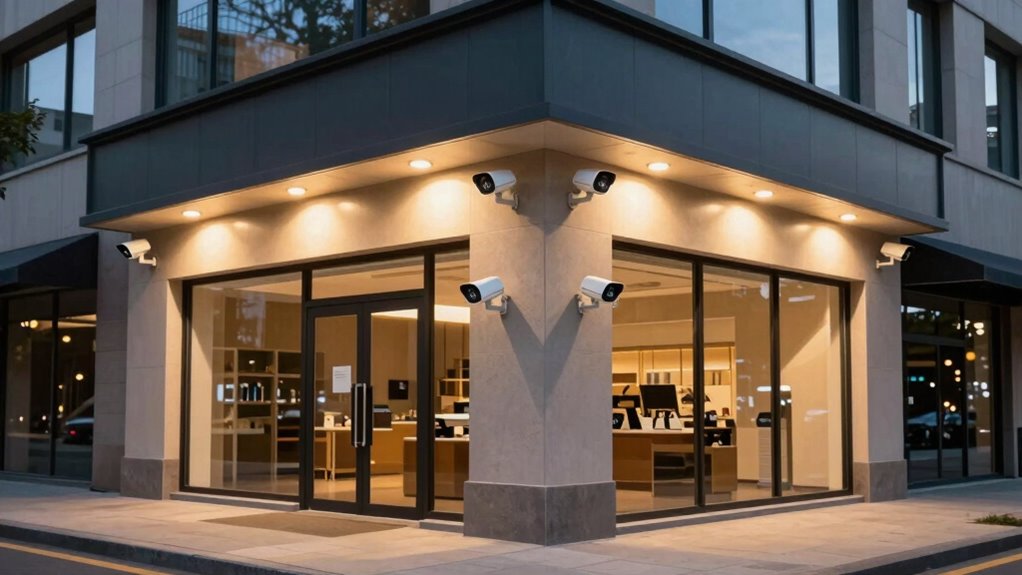
When it comes to safeguarding your property, investing in a high-quality 4K security camera kit can make all the difference. But before you make a purchase, you need to ask yourself some critical questions. Will the cameras cover all vulnerable spots? Can they operate smoothly in different weather conditions? How easy will it be to install and maintain the system? Addressing these questions upfront helps you choose a kit that truly meets your needs and ensures your storefront stays protected.
Once you’ve identified the right kit, focus on installation tips that maximize your security system’s effectiveness. Proper placement is key—position cameras high enough to avoid tampering but with a clear view of entry points, cash registers, and blind spots. Use mounting brackets suitable for your storefront’s surface, and ensure cables are hidden or secured to prevent vandalism or theft. Remember, a well-placed camera not only captures clear footage but also acts as a deterrent to potential intruders. During installation, double-check that each camera’s field of view isn’t obstructed by signs, awnings, or other objects. Adjust focus and angle as needed, and test the system thoroughly before finalizing setup. This proactive approach ensures comprehensive coverage and minimizes blind spots. Additionally, understanding digital security practices can help protect your system from hacking attempts. Regularly reviewing system security protocols can further enhance your store’s defenses against cyber threats. Incorporating security camera features such as motion detection can also improve the overall effectiveness of your surveillance setup. Implementing cybersecurity best practices is essential to safeguarding your security footage and network. Regular training for staff on security awareness can further enhance your storefront’s overall safety.
Proper camera placement and thorough testing ensure clear coverage and effective security.
Maintenance essentials are equally important to keep your security system functioning optimally over time. Regularly clean camera lenses to prevent dirt, dust, or spider webs from obscuring visibility. Check that all connections, such as power supplies and network cables, remain secure and free from damage. Software updates are crucial; they often include patches for security vulnerabilities and new features that improve performance. Keep a maintenance schedule—monthly or quarterly—to review footage, test alarms, and ensure the system operates smoothly. If your storefront faces harsh weather, consider weatherproof cameras and protective enclosures, and inspect these regularly for cracks or damage. Proper maintenance not only extends the lifespan of your security system but also guarantees you get reliable footage when you need it most.
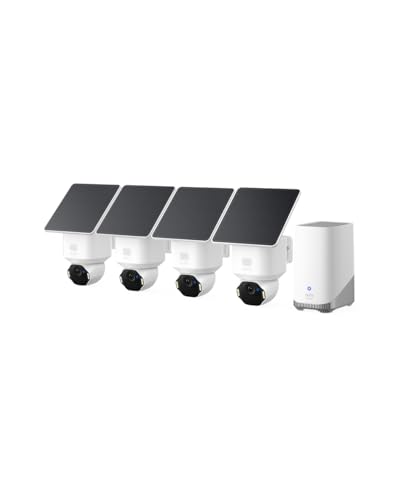
eufy Security SoloCam E42 4-Cam Kit, 4K Security Camera Wireless Outdoor, Solar Powered, AI Motion Tracking, Strobe Light, Pan & Tilt, Facial Recognition, Built-in Local Storage (Up to 16TB)
- Ultra HD 4K Resolution: Captures detailed 4K footage around your home
- License Plate Recognition: Recognizes license plates up to 33 ft away
- AI Motion Detection: Detects and tracks people and vehicles automatically
As an affiliate, we earn on qualifying purchases.
As an affiliate, we earn on qualifying purchases.
Frequently Asked Questions
How Do 4K Security Cameras Handle Low-Light Conditions?
4K security cameras handle low-light conditions effectively through advanced night vision technology, providing clear images even in darkness. They use infrared LEDs to enhance visibility, ensuring you get detailed footage. The high image resolution of 4K cameras captures sharp, detailed night-time images, making it easier to identify faces or objects. You can rely on their night vision capabilities to monitor your storefront accurately, regardless of lighting conditions.
What Is the Typical Setup Time for a 4K Security Camera Kit?
Setting up a 4K security camera kit is like planting seeds for future clarity. Typically, it takes about 2 to 4 hours, depending on your space and experience. The installation timeline includes mounting, wiring, and connecting the equipment. Once installed, you’ll need to calibrate the equipment to guarantee maximum coverage. Most kits come with straightforward instructions, making calibration and setup smooth sailing for a quick and effective security solution.
Are 4K Security Cameras Weatherproof and Vandal-Resistant?
Yes, 4K security cameras are designed with camera durability in mind, making them weatherproof and vandal-resistant. You don’t have to worry about harsh weather conditions or potential tampering, as they’re built to withstand rain, snow, and impacts. Their weather resistance ensures reliable operation outdoors, providing continuous high-quality footage. This durability helps you safeguard your storefront effectively, no matter the environmental challenges or attempts at vandalism.
How Much Bandwidth Do 4K Security Cameras Consume?
Imagine your network as a busy highway, and 4K security cameras as high-speed sports cars. They typically consume 4-8 Mbps each, depending on settings like frame rate and compression. To prevent traffic jams, you need bandwidth optimization, ensuring smooth data flow. Prioritizing network security helps protect your data from breaches. Balancing high-resolution footage with network capacity keeps your storefront secure without overwhelming your system.
What Are the Maintenance Requirements for 4K Security Camera Systems?
Maintaining your 4K security camera system mainly involves regular cleaning of camera lenses and checking camera placement to ensure ideal coverage. You should also monitor power supply requirements, replacing or upgrading power sources if needed. Additionally, review the system’s firmware updates and perform periodic tests to confirm proper operation. Proper maintenance helps extend your cameras’ lifespan and guarantees clear, reliable footage for your storefront security.
Conclusion
When choosing a 4K security camera kit, prioritize performance, practicality, and peace of mind. By carefully considering your storefront’s specific security needs, you guarantee your store stays safe, secure, and smoothly supervised. Remember, the right resolution, reliable recording, and straightforward setup are your security system’s core. Stay smart, select sensibly, and safeguard your space with a superior security solution that’s simple, secure, and superbly suited to your storefront’s success.