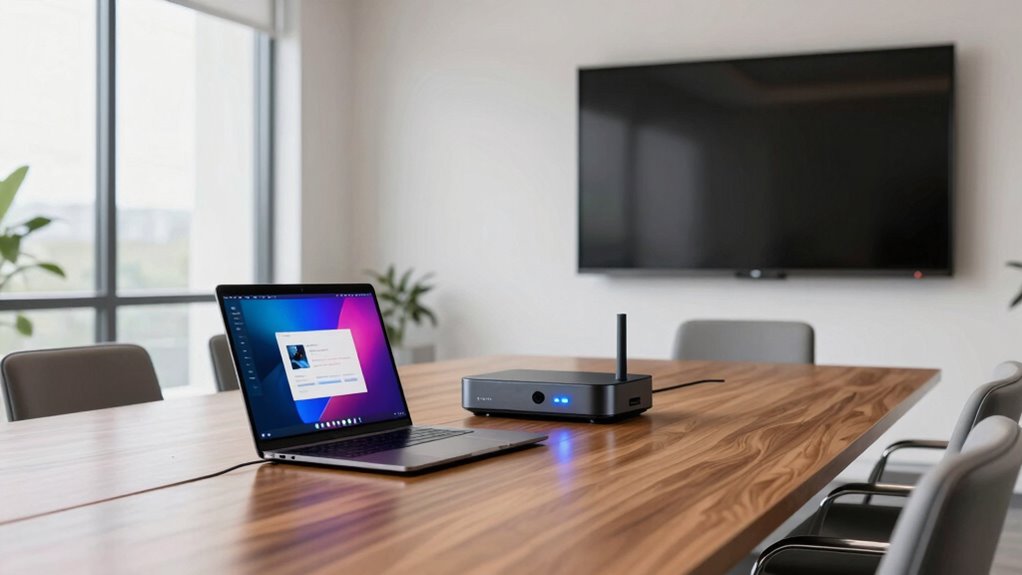

When selecting a wireless presentation system for client presentations on Amazon USA, the key considerations revolve around ease of use, compatibility, and reliability. The Barco ClickShare C-10 stands out as the best overall choice, offering seamless collaboration for medium to large meeting rooms. The ViewSonic ViewShare provides a straightforward setup for smaller teams, while the BenQ InstaShow WDC25 excels with its simple one-click operation. The main tradeoffs you’ll face include balancing cost against features like resolution, connectivity options, and system complexity. Continue reading for a detailed breakdown of each option to help you identify the best fit for your presentation needs.
Open a free Amazon Business account
Business pricing, bulk buying and tax-exempt orders.
Create a free accountAs an affiliate, we earn on qualifying purchases.
Key Takeaways
- The best systems balance ease of use with robust connectivity options, especially HDMI, USB-C, and wireless protocols like Miracast and AirPlay.
- Higher-end models like the Barco ClickShare C-10 prioritize reliability and collaboration features but come at a premium price, while more affordable options often sacrifice some advanced capabilities.
- Compatibility with various devices (Windows, Mac, mobile) is a common feature among top choices, but some systems require specific apps or hardware adapters.
- Simple installation and straightforward operation are vital for quick setups, especially in dynamic client-facing environments.
- Tradeoffs often involve choosing between system complexity and feature set versus cost and ease of use.
| Barco ClickShare C-10 Wireless Presentation and Collaboration System for Medium to Large Meeting Rooms |  | Best Overall for Enterprise-Grade Collaboration | Compatibility: Microsoft Teams, Zoom, Webex | Display Sharing: Full HD, side-by-side | Features: Annotation, blackboarding, touch back | VIEW ON AMAZON | See Our Full Breakdown |
| ViewSonic ViewShare Wireless Presentation System |  | Best for Simple, Long-Range Wireless Streaming | Streaming Range: 98 ft | Resolution: Full HD | Connectivity: Wireless, USB-C | VIEW ON AMAZON | See Our Full Breakdown |
| Barco CSE-200 Wireless Presentation System Bundle with Tray and 2 Buttons (Renewed) |  | Best for Multiple Device Sharing with Easy Control | Wireless connections: Yes | Sources on screen: 2 | Simultaneous connections: 16 | VIEW ON AMAZON | See Our Full Breakdown |
| Barco ClickShare CSE-200+ Wireless Presentation System |  | Best for Cross-Platform Compatibility and Versatile Use | Power Supply: 110/220 V AC | Power Consumption: 50W operational, <8W standby | Operating Systems: Windows, macOS, Android, iOS | VIEW ON AMAZON | See Our Full Breakdown |
| ViewSonic ViewShare WPD-900 Wireless Presentation System with 1080p Full HD, Miracast, AirPlay, USB-C, HDMI, and USB Inputs |  | Best for Wireless Casting and Multi-Presenter Flexibility | Resolution: 1080p Full HD | Wireless Range: 98 feet | Connectivity: USB-C, HDMI, USB | VIEW ON AMAZON | See Our Full Breakdown |
| Barco CSE-200 Small/Medium Meeting Room Wireless Presentation System (Renewed) |  | Best for Small to Medium Meeting Rooms with Multiple Connections | Wireless connection: Yes | Number of sources simultaneous on screen: 2 | Number of simultaneous connections: 16 | VIEW ON AMAZON | See Our Full Breakdown |
| Barco CS-100 Wireless Presentation System with ClickShare Button & Power Adapter (Renewed) |  | Best for Solo Users in Small Meeting Rooms | Wireless connection: Yes | Number of users: 1 | Includes: ClickShare Button, Power Adapter | VIEW ON AMAZON | See Our Full Breakdown |
| Monoprice One-Click USB-C Wireless Presenter 4K Conference Presentation System |  | Best for High-Resolution Multi-User Presentations | Resolution Support: 4K@60Hz | Number of transmitters included: 2 | Compatibility: Windows, Mac, iOS, Android, Miracast | VIEW ON AMAZON | See Our Full Breakdown |
| BenQ InstaShow WDC25 Wireless Presentation System |  | Best for Large Rooms with Wireless Touch Control | Resolution: 4K UHD | Playback rate: 4K/60Hz | Security: CVSS 4.0, HDCP, WPA3 | VIEW ON AMAZON | See Our Full Breakdown |
| TRENDnet 4K Wireless Presenter Kit with Audio Support, TWP-100R1K |  | Best for High-Quality, Multi-Display Presentations | Resolution: 4K | Audio Support: 5.1 HDMI | Supports multiple screens: Yes, up to 4 | VIEW ON AMAZON | See Our Full Breakdown |
| wireless presentation system for client presentations on amazon usa | Compatibility |
|---|---|
| Barco ClickShare C-10 Wireless | Microsoft Teams, Zoom, Webex |
| ViewSonic ViewShare Wireless P | Laptops, tablets, mobile phones |
| Barco CSE-200 Wireless Present | — |
| Barco ClickShare CSE-200+ Wire | — |
| ViewSonic ViewShare WPD-900 Wi | — |
| Barco CSE-200 Small/Medium Mee | Laptops, tablets, smartphones |
| Barco CS-100 Wireless Presenta | — |
| Monoprice One-Click USB-C Wire | Windows, Mac, iOS, Android, Miracast |
| BenQ InstaShow WDC25 Wireless | — |
| TRENDnet 4K Wireless Presenter | Windows, Mac, Android, iOS |
More Details on Our Top Picks
Barco ClickShare C-10 Wireless Presentation and Collaboration System for Medium to Large Meeting Rooms
The Barco ClickShare C-10 stands out as the most comprehensive choice for medium to large meeting rooms, combining seamless one-click content sharing with advanced interactive features like annotation and blackboarding. Compared to the ViewSonic ViewShare, it offers more robust security and enterprise integration options, making it ideal for organizations prioritizing security and collaboration flexibility. However, it may require existing infrastructure and has a potential learning curve for advanced functions, which might challenge users unfamiliar with enterprise systems. Its support for popular conferencing platforms like Microsoft Teams, Zoom, and Webex enhances its versatility in hybrid setups.
Pros:- Supports seamless one-click wireless sharing for quick meetings
- Includes interactive features like annotation and touch back
- Enterprise-grade security with ISO27001 certification
- Supports popular conferencing platforms
Cons:- May require existing infrastructure for full functionality
- Potentially steep learning curve for advanced features
Best for: Large organizations or corporate meeting rooms needing secure, scalable collaboration tools
Not ideal for: Small teams or users seeking a low-cost, simple plug-and-play device without extensive security features
- Compatibility:Microsoft Teams, Zoom, Webex
- Display Sharing:Full HD, side-by-side
- Features:Annotation, blackboarding, touch back
- Security:ISO27001 Certified
- Connectivity:Multiple enterprise options
- Suitable Room Size:Medium to large
Our verdict“This is a top-tier choice for large enterprises prioritizing security and collaborative flexibility despite higher complexity and setup needs.”
ViewSonic ViewShare Wireless Presentation System
The ViewSonic ViewShare offers a straightforward, plug-and-play solution for quick setup and reliable full HD streaming from up to 98 feet away. Unlike the more feature-rich ClickShare C-10, it emphasizes ease of use and long-range transmission, making it ideal for flexible environments. Its security is robust with encrypted connections, but it lacks details on supported operating systems and may face latency issues over wireless networks, which could impact performance for sensitive or high-demand presentations. Its compatibility with laptops, tablets, and smartphones makes it a versatile choice for less complex setups.
Pros:- Simple plug-and-play setup for quick deployment
- Long wireless range of up to 98 feet
- Secure encrypted connection
- Compatible with various devices including laptops and smartphones
Cons:- Limited information on supported operating systems
- Potential latency issues over wireless network
Best for: Small to medium teams needing reliable, long-distance wireless streaming with minimal fuss
Not ideal for: Power users requiring advanced interactive features or enterprise security controls
- Streaming Range:98 ft
- Resolution:Full HD
- Connectivity:Wireless, USB-C
- Security:Encrypted connection
- Compatibility:Laptops, tablets, mobile phones
Our verdict“This system is ideal for users seeking straightforward, long-range HD streaming without complex features or setup.”
Barco CSE-200 Wireless Presentation System Bundle with Tray and 2 Buttons (Renewed)
Compared with the ClickShare C-10 and ViewSonic ViewShare, the Barco CSE-200 bundle emphasizes multi-device sharing, supporting up to 16 simultaneous connections, which is ideal for collaborative environments. Its included tray and control buttons simplify management, but it limits on-screen sources to two at a time, potentially restricting complex presentations. The system’s security features are enhanced, yet it requires compatible devices for best performance. This pick makes the most sense for teams that need multiple users to connect quickly and easily without extensive interactivity features.
Pros:- Supports up to 16 simultaneous connections
- Easy sharing from multiple devices
- Includes control tray and buttons for simplified operation
- Enhanced security features
Cons:- Limited to 2 sources displayed simultaneously
- Requires compatible devices for optimal use
Best for: Teams needing multiple simultaneous connections for quick, straightforward sharing
Not ideal for: Users who require advanced interactivity or high-resolution output from a single source
- Wireless connections:Yes
- Sources on screen:2
- Simultaneous connections:16
- Includes:Tray and 2 Buttons
Our verdict“Ideal for collaborative teams prioritizing multi-user access over rich interactive features or high-resolution display.”
Barco ClickShare CSE-200+ Wireless Presentation System
The Barco ClickShare CSE-200+ is tailored for users needing broad OS support, including Windows, macOS, Android, and iOS, making it highly versatile. Its wireless buttons facilitate quick sharing from multiple devices, similar to the CSE-200, but with broader operating system compatibility. Compared to ViewSonic’s system, it offers a more familiar interface for Windows users and easier hardware integration. Its reliance on external power and network connectivity could be a drawback in less equipped rooms, and its HDMI 1.4B output limits resolution support, potentially affecting future-proofing for higher-res content.
Pros:- Supports multiple operating systems for flexible connectivity
- Includes wireless buttons for quick content sharing
- Low power standby mode for efficiency
- Good for mixed device environments
Cons:- Requires external power and network connection
- Limited to HDMI 1.4B, may not support 4K resolutions
Best for: Medium-sized offices with diverse device ecosystems requiring flexible OS support
Not ideal for: Small conference rooms or setups that lack reliable network infrastructure
- Power Supply:110/220 V AC
- Power Consumption:50W operational, <8W standby
- Operating Systems:Windows, macOS, Android, iOS
- Video Output:HDMI 1.4B
- Includes:Wireless buttons
Our verdict“This system suits mixed-device environments where OS compatibility and quick sharing are key, despite some resolution limitations.”
ViewSonic ViewShare WPD-900 Wireless Presentation System with 1080p Full HD, Miracast, AirPlay, USB-C, HDMI, and USB Inputs
The ViewSonic ViewShare WPD-900 excels at wireless casting from mobile devices and supporting multiple presenters, catering well to collaborative scenarios. Its support for Miracast and AirPlay makes it ideal for quick, app-free connections, unlike the more enterprise-focused ClickShare C-10. Its long wireless range of 98 feet and ability to stream DRM-protected content provide added flexibility, though it may face interference issues and is limited to wireless casting, unlike systems with wired options. This makes it perfect for dynamic meetings where mobility and ease of use outweigh high-end interactivity or resolution features.
Pros:- Easy plug-and-play setup with no software required
- Supports multiple simultaneous presenters
- Long-range wireless transmission up to 98 feet
- Supports DRM-protected streaming content
Cons:- Limited to wireless casting, no wired connection options
- Potential for wireless interference
Best for: Teams needing flexible, cable-free casting with multiple presenters and DRM support
Not ideal for: High-end video production or environments requiring high resolution beyond 1080p
- Resolution:1080p Full HD
- Wireless Range:98 feet
- Connectivity:USB-C, HDMI, USB
- Protocols:Miracast, AirPlay
- Maximum Presenters:8
Our verdict“This is a flexible, mobile-friendly solution ideal for active meetings with multiple presenters and device variety, despite some interference risks.”
Barco CSE-200 Small/Medium Meeting Room Wireless Presentation System (Renewed)
The Barco CSE-200 stands out for its ability to handle up to 16 simultaneous connections, making it ideal for small to medium meeting environments where multiple devices need to share content seamlessly. Unlike the Barco CS-100, which supports only one user at a time, the CSE-200 facilitates collaborative sharing with several participants. Its support for multiple sources and wireless sharing from various devices makes it a versatile choice for active meetings. The main tradeoff is that it’s limited to smaller rooms, and being a refurbished product, it might have minor cosmetic imperfections. Overall, this pick makes the most sense for teams that need reliable multi-user connectivity without the need for high-end large-room features.
Pros:- Supports up to 16 simultaneous connections, ideal for collaborative sessions
- Wireless sharing from laptops, tablets, and smartphones increases flexibility
- Certified refurbished with quality assurance ensures reliability at a lower cost
Cons:- Limited to small and medium-sized rooms, not suitable for large venues
- Refurbished units may have minor cosmetic imperfections or limited warranty
Best for: Small to medium-sized teams that require multiple simultaneous device connections in a conference or meeting room.
Not ideal for: Large conference halls or organizations seeking brand-new units with warranty coverage, as the refurbished status could be a concern.
- Wireless connection:Yes
- Number of sources simultaneous on screen:2
- Number of simultaneous connections:16
- Compatibility:Laptops, tablets, smartphones
- Refurbished:Yes
- Supported room size:Small to medium
Our verdict“This system is best for small to medium teams needing multiple device support with reliable wireless sharing.”
Barco CS-100 Wireless Presentation System with ClickShare Button & Power Adapter (Renewed)
The Barco CS-100 is a compact, straightforward wireless presentation solution tailored for individual users in small spaces. It excels in quick, one-user sharing scenarios, especially with its included ClickShare Button, which simplifies wireless content transfer. Compared to the Monoprice One-Click, which supports higher resolutions and multiple users, the CS-100 is limited to a single user at a time, making it less suitable for collaborative sessions. Its small form factor and included accessories make it a convenient choice for personal or small team use, though its support for only one device at a time can bottleneck group presentations. It’s best for those who prioritize simplicity and portability over multi-user functionality.
Pros:- Compact size makes it highly portable and easy to set up
- Includes ClickShare Button for fast wireless sharing from any device
- Supports HDMI output for simple connection to displays
Cons:- Supports only one user at a time, limiting collaborative potential
- Designed for small rooms, not suitable for bigger conference spaces
- Refurbished units may have limited warranty coverage
Best for: Single presenters or small teams in small meeting rooms who need quick, easy wireless sharing from one device at a time.
Not ideal for: Larger meetings or collaborative sessions involving multiple users sharing content simultaneously.
- Wireless connection:Yes
- Number of users:1
- Includes:ClickShare Button, Power Adapter
- Output:HDMI
- Room size suitability:Small
- Refurbished:Yes
Our verdict“Ideal for individual presenters in small spaces who value simplicity and quick setup over multi-user capacity.”
Monoprice One-Click USB-C Wireless Presenter 4K Conference Presentation System
The Monoprice One-Click makes a strong case for high-quality, versatile presentations, supporting 4K@60Hz resolution and multiple simultaneous users—up to 16 with additional transmitters. Unlike the BenQ InstaShow, which offers driver-free setup mainly for large rooms, the Monoprice unit emphasizes resolution and multi-user support, suitable for environments where image clarity and multiple device sharing are priorities. Its compatibility across Windows, Mac, iOS, Android, and Miracast broadens its appeal. The main tradeoff is that it requires extra transmitters for more users, which can increase complexity and cost. This model is perfect for tech-savvy teams that need high-res visuals and multi-user sharing in professional settings.
Pros:- Supports stunning 4K@60Hz resolution for detailed visuals
- Allows multiple users to share simultaneously with additional transmitters
- Compatible across a wide range of devices and operating systems
Cons:- Requires extra transmitters for more than 2 users, adding to setup complexity
- Limited to 2 transmitters included in the package, which may increase costs for larger groups
Best for: Teams that need high-resolution visuals and multiple users sharing content simultaneously, especially in tech or creative environments.
Not ideal for: Small teams or casual users who only need simple, single-device sharing without high-resolution support.
- Resolution Support:4K@60Hz
- Number of transmitters included:2
- Compatibility:Windows, Mac, iOS, Android, Miracast
- Supports multiple users:Yes, with additional transmitters
- Video quality:High, 4K
- Connection range:Not specified
Our verdict“Best suited for high-end presentations where resolution and multi-user capability are critical, and users are comfortable managing additional transmitters.”
BenQ InstaShow WDC25 Wireless Presentation System
The BenQ InstaShow WDC25 is designed for larger, more complex environments, supporting 4K UHD visuals and offering wireless touchback control—ideal for interactive large rooms or classrooms. Its driver-free setup simplifies deployment compared to the Barco CSE-200, and its security features like WPA3 and HDCP help protect sensitive information. The 40ft control range makes it suitable for bigger spaces, but its reliance on wireless-only connectivity can introduce latency in large or interference-prone environments. For organizations that want seamless, high-quality visuals with interactive control, the InstaShow provides a polished experience, though it may be less suited for users needing wired options or tight latency control.
Pros:- Supports 4K UHD visuals for crisp, detailed images
- Wireless touchback control enhances interactivity
- Easy, driver-free setup facilitates quick deployment
- Strong security features protect sensitive data
Cons:- Limited to wireless mirroring, no wired option available
- Potential latency issues in very large or crowded environments
- Requires compatible devices for full functionality
Best for: Large conference rooms or classrooms where interactive, high-resolution presentations are needed with wireless touchback capabilities.
Not ideal for: Small meeting rooms or users expecting wired options, as the system is primarily wireless and may experience latency issues in large spaces.
- Resolution:4K UHD
- Playback rate:4K/60Hz
- Security:CVSS 4.0, HDCP, WPA3
- Connectivity:HDMI, USB-C
- Control range:40ft
- Driver-free:Yes
Our verdict“Ideal for large room setups that benefit from wireless control, high resolution, and touchback features, but not suited for wired or latency-sensitive applications.”
TRENDnet 4K Wireless Presenter Kit with Audio Support, TWP-100R1K
The TRENDnet TWP-100R1K excels in delivering high-resolution 4K content combined with 5.1 surround audio over HDMI, making it suitable for professional environments where audio-visual fidelity is key. Unlike the BenQ InstaShow, which focuses on large-room visuals and wireless touch, the TRENDnet kit emphasizes multi-screen sharing and audio, supporting up to four screens concurrently. Its plug-and-play setup and NDAA/TAA compliance make it appealing for US government and enterprise users. The main limitation is its regional restriction to US and Canada, and the lack of detailed range info. This system is best for users who want to extend high-quality content wirelessly across multiple displays with audio support, especially in corporate settings.
Pros:- Supports 4K resolution with 5.1 audio over HDMI for high-quality output
- Wireless extension to up to four screens enhances flexibility
- Plug-and-play setup simplifies installation and use
- NDAA and TAA compliant for secure, U.S.-focused deployments
Cons:- Limited to US and Canada, restricting international use
- No specific info on wireless range or battery life
- Requires HDMI-compatible displays or projectors
Best for: Professional teams needing wireless 4K content sharing with audio across multiple screens, particularly in enterprise or government environments.
Not ideal for: Casual users or small teams that do not require multi-screen or audio features, or those outside US/Canada due to compliance restrictions.
- Resolution:4K
- Audio Support:5.1 HDMI
- Supports multiple screens:Yes, up to 4
- Compatibility:Windows, Mac, Android, iOS
- Region restrictions:US and Canada only
- Manufacturer support:3 years
Our verdict“Best for professional environments needing multi-screen, high-res, audio-enabled wireless sharing within the US or Canada.”

How We Picked
To evaluate these wireless presentation systems, I focused on performance, ease of setup, device compatibility, and build quality. I prioritized systems that offer reliable wireless connectivity, minimal latency, and broad device support, as these are critical for professional client presentations. Cost was a factor, but I emphasized value—selecting products that balance features and affordability. The ranking also considers user interface simplicity, system stability, and the availability of supplementary features like collaboration tools or multiple input options. This process ensures the shortlisted options serve different presentation scenarios while maintaining high standards of reliability and usability.
| wireless presentation system for client presentations on amazon usa | Compatibility |
|---|---|
| Barco ClickShare C-10 Wireless | Microsoft Teams, Zoom, Webex |
| ViewSonic ViewShare Wireless P | Laptops, tablets, mobile phones |
| Barco CSE-200 Wireless Present | — |
| Barco ClickShare CSE-200+ Wire | — |
| ViewSonic ViewShare WPD-900 Wi | — |
| Barco CSE-200 Small/Medium Mee | Laptops, tablets, smartphones |
| Barco CS-100 Wireless Presenta | — |
| Monoprice One-Click USB-C Wire | Windows, Mac, iOS, Android, Miracast |
| BenQ InstaShow WDC25 Wireless | — |
| TRENDnet 4K Wireless Presenter | Windows, Mac, Android, iOS |
Factors to Consider When Choosing Wireless Presentation System For Client Presentations On Amazon Usa
Choosing the right wireless presentation system involves understanding several key factors that influence presentation quality and ease of use. Beyond just features, it’s important to consider how seamlessly the device integrates with your existing equipment, how simple it is to operate in real-time, and whether it supports your preferred devices and operating systems. Investing in a system that matches your typical presentation environment can prevent frustrations and technical delays, especially during critical client meetings.
Compatibility and Device Support
Ensure the system works with your primary devices, whether Windows, Mac, iOS, or Android. Some systems require dedicated apps, while others support plug-and-play via HDMI or USB-C. Compatibility issues can lead to delays or frustration during presentations, so verify device support before purchasing. Systems with broad support tend to be more versatile, especially if multiple presenters use different devices.
Ease of Use and Setup
Opt for systems that offer straightforward setup with minimal steps. One-click solutions or hardware buttons can save time and reduce errors. User interface simplicity becomes critical in high-pressure situations, ensuring presenters can focus on content rather than technical difficulties. Check whether the system requires software installation or if it supports wireless protocols like Miracast or AirPlay seamlessly.
Connectivity Options
Look for systems supporting multiple input methods—HDMI, USB-C, wireless protocols—to accommodate various devices and presentation formats. Multiple connection options increase flexibility, especially in shared environments or multi-device setups. Be mindful of potential interference or signal stability, which can compromise presentation quality. Prioritize models that have proven reliability in real-world scenarios.
Resolution and Video Quality
High-resolution output, ideally 1080p or higher, ensures your visuals stay sharp and professional-looking. Lower resolutions might suffice for basic content but can diminish impact during detailed or high-definition presentations. Check if the system supports 4K video, especially for large displays or high-quality visuals. Keep in mind that higher resolutions may demand more bandwidth, affecting stability in some cases.
Budget and Value
While premium models offer advanced features and higher reliability, budget options can still meet basic needs effectively. Consider your typical presentation environment and decide whether investing in extra reliability or features justifies the cost. Avoid overspending on unnecessary functionalities if your setup remains simple. Conversely, if you frequently host large, high-stakes client meetings, investing in higher-end systems can pay off through increased professionalism and fewer disruptions.
Frequently Asked Questions
Will a wireless presentation system work with all my devices?
Most modern wireless presentation systems support a range of devices, including Windows, Mac, iOS, and Android. However, compatibility can vary, especially with certain operating system versions or device types. Many systems use standard protocols like Miracast, AirPlay, or proprietary apps to facilitate connection. Checking the product specifications and user reviews can help confirm whether your specific devices will work smoothly with the system you choose.
How reliable are wireless presentation systems in large conference rooms?
Reliability depends on the quality of the wireless protocol, the hardware, and the environment. High-end systems like the Barco ClickShare C-10 are designed for larger rooms and feature strong wireless signals and minimal latency, making them suitable for professional settings. Cheaper options may suffer from lag or disconnections, especially over longer distances or in environments with interference. For critical presentations, investing in a well-reviewed system with proven stability is advisable.
Can I connect multiple devices at once with these systems?
Many wireless presentation systems support multiple device connections, either simultaneously or through switching. Systems like the Barco CSE-200 bundles often allow sharing among several users, which is useful in collaborative settings. However, some models may require manual switching or limit the number of concurrent users. If you frequently need multiple presenters, prioritize systems explicitly supporting multi-user access and easy switching capabilities.
Do wireless presentation systems support 4K or high-definition content?
Yes, several systems support 4K resolution, which is important for high-quality visuals or detailed graphics. Devices like the ViewSonic ViewShare WPD-900 support 1080p Full HD, with some models extending to 4K. Keep in mind that transmitting high-resolution content requires a stable, high-bandwidth connection. Verify the maximum supported resolution in the product specs to ensure it meets your presentation needs without compromising quality.
Is it difficult to set up a wireless presentation system in a new environment?
Setup complexity varies between models. Most modern systems aim for plug-and-play operation, but some may require initial configuration, firmware updates, or network adjustments. Systems with dedicated hardware buttons or simple app-based interfaces tend to be easier to install and operate. Reading user guides and reviews can provide insight into the setup process, helping you choose a model that won’t demand extensive technical effort in unfamiliar spaces.
Conclusion
For those seeking the best overall performance and reliability, the Barco ClickShare C-10 remains the top choice, especially for medium to large meetings. Budget-conscious buyers or smaller teams will find excellent value in the ViewSonic ViewShare or BenQ InstaShow WDC25, which combine ease of use with solid features. If you prioritize a straightforward, no-fuss experience, the BenQ InstaShow is ideal for beginners. Larger organizations or high-stakes environments should consider investing in higher-end models like the Barco CSE-200+ for maximum stability and collaboration tools. Ultimately, your choice depends on your environment, device ecosystem, and presentation frequency.
Flea & tick season Picks
flea and tick prevention
As an affiliate, we earn on qualifying purchases.