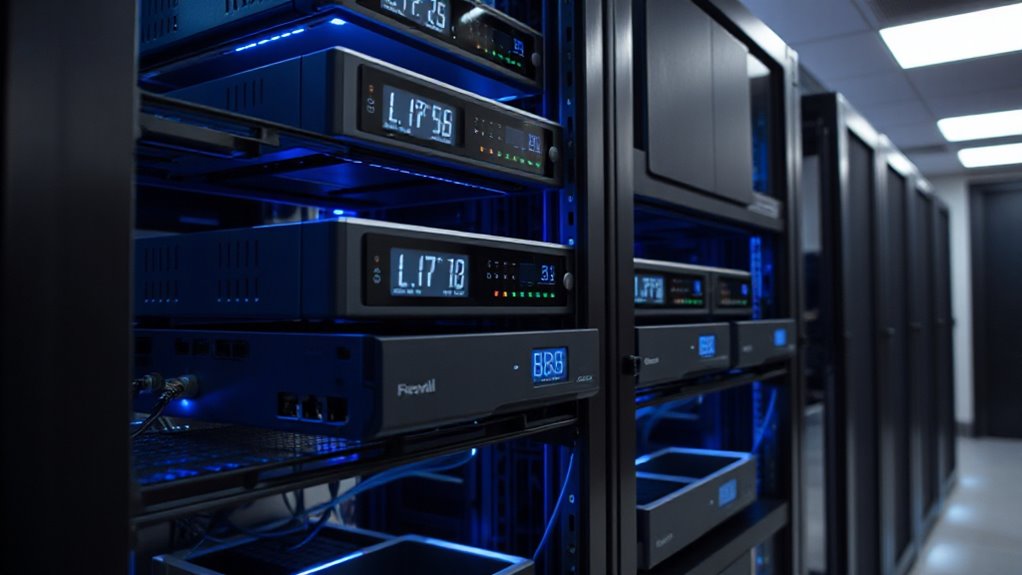

Choosing the right network firewall appliance is essential for small businesses seeking to protect their digital assets without overspending. The best overall pick, FortiGate-60F, offers robust security features and solid performance, making it suitable for most small office environments. For those prioritizing simplicity and quick setup, the Firewalla Purple SE stands out as a user-friendly option. Meanwhile, the SonicWall TZ270W delivers excellent wireless capabilities for businesses needing integrated Wi-Fi. However, tradeoffs include balancing cost against features—more advanced appliances tend to be pricier, while basic models might lack some security depth. Continue reading for a detailed comparison of these options and more to find your best fit.

Get business pricing on office and shipping supplies
- Business-only prices and quantity discounts
- Tax-exempt purchasing
- Multiple users, one account, clear invoices
Key Takeaways
- The top-ranked FortiGate-60F balances comprehensive security with reliable performance, making it ideal for most small businesses.
- Wireless integration varies greatly; models like SonicWall TZ270W and TZ280 provide strong Wi-Fi features, but at a higher cost.
- Ease of use and management are key considerations; Firewalla Purple SE is designed for quick setup and straightforward operation.
- Performance capabilities such as multi-Gigabit ports and SD-WAN support are often found in higher-end appliances, which may not be necessary for very small networks.
- Price and feature set often correlate; investing in a more capable device can save costs down the line by reducing the need for upgrades.
| FortiGate-60F Network Security Appliance with 1 Year FortiGuard UTP and FortiCare Premium |  | Best Overall for Small to Medium Businesses | Model: FortiGate-60F | Includes: 1 year FortiGuard UTP, 1 year FortiCare Premium | Target Audience: Medium-sized businesses | VIEW ON AMAZON | See Our Full Breakdown |
| SonicWall TZ270W Wireless Gen7 Firewall |  | Best for Small Offices Needing Integrated Wireless and Firewall | Model: TZ270W | Wireless: 802.11ac Wave 2 | Firewall Speed: 2 Gbps | VIEW ON AMAZON | See Our Full Breakdown |
| FortiGate-60F Firewall Appliance – 10 Gigabit Ethernet RJ45 Ports, Includes DMZ, WAN & Internal Ports |  | Best for Network Density and Security Performance | Number of Ports: 10 Gigabit Ethernet RJ45 | WAN Ports: 2 | DMZ Ports: 1 | VIEW ON AMAZON | See Our Full Breakdown |
| Sophos XGS 118 (Gen2) Network Security Appliance (XG118Z00ZZPCUS) | 9 x 2.5 GE Ports + 1 SFP | Business Firewall, Advanced Security, SD-WAN, Cloud-Based Management |  | Best for Mid-Sized Organizations Needing Flexibility | Ports: 9 x 2.5 GE, 1 SFP | Performance: up to 15.5 Gbps throughput | Features: SD-WAN, cloud management, VPN | VIEW ON AMAZON | See Our Full Breakdown |
| SonicWall TZ280 Next-Gen Firewall Appliance – Hardware Only |  | Best for Small Businesses and Branch Offices Needing High-Speed Security | Model: TZ280 | Connectivity: 8x1GbE + 2x1G SFP | Firewall Throughput: 2.5 Gbps | VIEW ON AMAZON | See Our Full Breakdown |
| FortiGate-40F Firewall Appliance |  | Best Overall for Small to Mid-Sized Businesses | Ports: 5 Gigabit Ethernet RJ45 ports | WAN ports: 1 | Internal ports: 4 | VIEW ON AMAZON | See Our Full Breakdown |
| Firewalla Purple SE Cybersecurity Firewall for Home & Business |  | Best for Home & Small Business with All-in-One Security | Compatibility: Limited to 500 Mbits IPS, compatible with certain routers | Device Type: Firewall / Router / Bridge | Includes: Power supply, Cat 6 Ethernet cable, instructions | VIEW ON AMAZON | See Our Full Breakdown |
| SonicWall TZ370 Gen7 Firewall |  | Best for Growing SMBs Needing Advanced Security and Scalability | Interfaces: Multi-Gigabit (2.5/5 G) | Supports: Up to 1,000,000 concurrent connections | Features: SD-WAN, RTDMI detection, DPI-SSL, IPS, anti-malware, sandboxing | VIEW ON AMAZON | See Our Full Breakdown |
| FortiGate-40F Network Security Appliance with 3-Year FortiGuard and FortiCare | | Best for Small to Mid-Sized Businesses Needing Ongoing Support | Model: FortiGate-40F | Includes: 3 years FortiCare Premium, FortiGuard Threat Protection | Protection Features: DNS filtering, URL filtering, video filtering, botnet controls | VIEW ON AMAZON | See Our Full Breakdown |
| Protectli Vault FW4B – 4 Port Firewall Micro Appliance |  | Best for Tech-Savvy Users Building Custom Firewalls | Processor: Intel Quad Core Celeron J3160 | RAM: 8GB DDR3L | Storage: 120GB mSATA SSD | VIEW ON AMAZON | See Our Full Breakdown |
More Details on Our Top Picks
FortiGate-60F Network Security Appliance with 1 Year FortiGuard UTP and FortiCare Premium
The FortiGate-60F stands out as a comprehensive security solution tailored for small to medium-sized organizations seeking robust, all-in-one protection. Its inclusion of 1 year of FortiGuard UTP and FortiCare Premium support ensures reliable threat detection and customer service, making it a strong choice over simpler devices like the SonicWall TZ280 which lacks bundled support. However, this model’s setup can be complex for users unfamiliar with enterprise-grade appliances, and the need for ongoing subscriptions may increase total costs. Compared to the Sophos XGS 118, it offers slightly less flexibility in port configuration but excels in integrated threat management. This makes it ideal for businesses wanting a reliable, feature-rich device without the need for extensive customization.
Pros:- Includes 1 year of FortiGuard threat protection and premium support
- Provides advanced web filtering and anti-botnet features
- Suitable for organizations with moderate security needs that prefer integrated solutions
Cons:- Requires ongoing subscription fees for continued protection
- Setup can be complex for users unfamiliar with enterprise hardware
Best for: Medium-sized businesses needing a balanced, all-in-one security appliance with support included
Not ideal for: Small startups or very small offices seeking a low-cost, plug-and-play device, as setup and ongoing costs may be prohibitive
- Model:FortiGate-60F
- Includes:1 year FortiGuard UTP, 1 year FortiCare Premium
- Target Audience:Medium-sized businesses
Our verdict“This device is perfect for small-to-medium businesses that want a comprehensive, supported security foundation without enterprise-level complexity.”
SonicWall TZ270W Wireless Gen7 Firewall
The SonicWall TZ270W combines enterprise-grade firewall capabilities with built-in Wi-Fi, making it a versatile choice for small offices or clinics that need both wired and wireless connectivity in a compact form. Its gigabit speed and support for up to 750,000 connections make it suitable for busy environments. Unlike the FortiGate-60F, it offers wireless integration, but the absence of included service subscriptions means ongoing costs for security updates and threat protection, which can add up over time. Its straightforward design suits those comfortable with technical setup, but less so for those seeking a fully managed, out-of-the-box solution. Compared with the Sophos XGS 118, it has less advanced security features and fewer port options, making it better suited to smaller, less complex networks.
Pros:- All-in-one device combining firewall and Wi-Fi in a compact form
- Gigabit throughput with support for many concurrent connections
- Built-in threat protection and VPN capabilities
Cons:- No included subscription services, additional costs apply
- Limited to small office environments; may lack advanced features needed for larger networks
Best for: Small offices or clinics requiring integrated Wi-Fi and robust firewall security with high connection capacity
Not ideal for: Large enterprises or organizations needing extensive port configurations and advanced security features, as it is limited in scope
- Model:TZ270W
- Wireless:802.11ac Wave 2
- Firewall Speed:2 Gbps
- Concurrent Connections:750,000
Our verdict“This pick is well-suited for small teams that need wireless and wired security without the complexity of larger enterprise appliances.”
FortiGate-60F Firewall Appliance – 10 Gigabit Ethernet RJ45 Ports, Includes DMZ, WAN & Internal Ports
The FortiGate-60F with 10 GE ports offers dense connectivity options, ideal for environments that demand high throughput and multiple network segments. It surpasses the SonicWall TZ280 in port flexibility and throughput, supporting up to 1.4 Gbps IPS and 700 Mbps threat inspection. Yet, it does not include subscription services, requiring additional purchases for ongoing threat updates, which could be a drawback for budget-conscious buyers. Its complex setup is better suited to those with some network management experience, as the array of port options can be overwhelming for novices. Compared to the Sophos XGS 118, it provides less SD-WAN support but excels in raw port density and security throughput, making it a good choice for security-focused, high-density environments.
Pros:- 10 Gigabit Ethernet ports for high-density connectivity
- Robust security with high throughput for IPS and threat inspection
- Supports multiple network zones including DMZ, WAN, and internal networks
Cons:- No included subscription services; additional costs for updates
- Setup complexity may challenge less experienced users
Best for: Organizations needing high-density, high-throughput security with multiple network zones and advanced port configurations
Not ideal for: Small offices with minimal network complexity or those seeking a simple, plug-and-play security device
- Number of Ports:10 Gigabit Ethernet RJ45
- WAN Ports:2
- DMZ Ports:1
- Internal Ports:7
- Throughput:1.4 Gbps IPS, 700 Mbps threat protection
Our verdict“Ideal for networks requiring high port density and security performance, especially in environments with multiple network segments.”
Sophos XGS 118 (Gen2) Network Security Appliance (XG118Z00ZZPCUS) | 9 x 2.5 GE Ports + 1 SFP | Business Firewall, Advanced Security, SD-WAN, Cloud-Based Management
The Sophos XGS 118 (Gen2) offers high performance with up to 15.5 Gbps throughput, supporting mid-sized organizations that need flexible port options and modern security features. Its SD-WAN and cloud-based management give it an edge over simpler firewalls like the SonicWall TZ270W, especially for businesses planning to scale or integrate with cloud services. The hardware alone isn’t sufficient without a subscription for advanced security, which is a common drawback among comparable devices. Its multiple 2.5 GE ports and fiber SFP port provide excellent connectivity options, but the need for ongoing licensing can increase long-term costs. This device is a good fit for organizations that want high throughput combined with future-proof security features, but it might be overkill for very small or simple networks.
Pros:- High firewall throughput up to 15.5 Gbps
- Multiple 2.5 GE ports and fiber SFP connectivity
- Includes SD-WAN and cloud-based management for scalability
Cons:- Requires a subscription for full security features
- Hardware only—additional licensing and support costs
Best for: Mid-sized businesses needing high-performance, flexible ports, and SD-WAN capabilities with cloud management
Not ideal for: Small teams or startups with limited budgets or those seeking a simple, single-box security appliance without subscription costs
- Ports:9 x 2.5 GE, 1 SFP
- Performance:up to 15.5 Gbps throughput
- Features:SD-WAN, cloud management, VPN
Our verdict“This firewall suits mid-sized organizations that need high throughput, flexible port configurations, and scalable security management.”
SonicWall TZ280 Next-Gen Firewall Appliance – Hardware Only
The SonicWall TZ280 offers a high-performance firewall with 2.5 Gbps throughput, designed specifically for small businesses or branch offices that require strong security with minimal management fuss. Its multiple gigabit Ethernet and SFP ports enable flexible network configurations, making it suitable for diverse deployment scenarios. However, it’s a hardware-only package that depends on separate subscriptions for security services and updates, which can increase ongoing costs. Its setup might be complex for those unfamiliar with SonicWall’s interface, and the absence of bundled security licenses means more initial planning. Compared to the FortiGate-60F, it prioritizes speed but lacks the integrated threat intelligence support included in the FortiGate model, which could be a drawback for security-critical environments.
Pros:- High firewall throughput of 2.5 Gbps
- Multiple connectivity options including SFP ports
- Designed specifically for small business and branch security needs
Cons:- Security services and updates require separate subscriptions
- Hardware only—no included support or firmware updates
- Setup can be complex for less experienced users
Best for: Small businesses or branch offices that want high-speed, hardware-based security without complicated management
Not ideal for: Organizations seeking an all-in-one solution with included security services, or those with limited technical expertise
- Model:TZ280
- Connectivity:8x1GbE + 2x1G SFP
- Firewall Throughput:2.5 Gbps
- Threat Prevention Throughput:1 Gbps
- VPN Throughput:1.2 Gbps
Our verdict“This firewall is a strong choice for small offices needing high-speed security, provided they are prepared for ongoing subscription costs.”
FortiGate-40F Firewall Appliance
The FortiGate-40F stands out as the best choice for small to mid-sized businesses seeking a reliable, high-performance firewall. Its 5 Gigabit Ethernet ports and 1 Gbps IPS throughput deliver strong security without sacrificing speed. Compared with the SonicWall TZ370, it offers a more compact, fanless design, making it ideal for quiet office environments. However, it lacks included subscription services, which means ongoing costs for full threat protection. This appliance is easier to deploy than more complex models, making it suitable for businesses that want straightforward security with room to grow. Its main tradeoff is that it’s limited to smaller environments, so larger offices might need more scalable solutions.
Pros:- Compact, fanless design for quiet operation
- High throughput security with 1 Gbps IPS performance
- User-friendly console simplifies management
Cons:- No included subscription services for ongoing threat protection
- Limited to small or mid-sized environments, not scalable for larger networks
Best for: Small to mid-sized businesses that need a reliable, high-performance, easy-to-manage firewall with minimal noise.
Not ideal for: Large enterprises or businesses requiring extensive customization and integrated subscription services out of the box.
- Ports:5 Gigabit Ethernet RJ45 ports
- WAN ports:1
- Internal ports:4
- Form factor:Fanless desktop
- Throughput:1 Gbps IPS, 600 Mbps threat protection
Our verdict“This device is perfect for small to mid-sized businesses prioritizing performance and simplicity without the need for extensive subscriptions.”
Firewalla Purple SE Cybersecurity Firewall for Home & Business
The Firewalla Purple SE offers an all-in-one cybersecurity package tailored for both home users and small businesses, including intrusion prevention, malware blocking, and parental controls. It’s a flexible device that can operate as a router or bridge, providing network monitoring and VPN services. Compared with the FortiGate-40F, it’s more suited for environments where integrated security features and user-friendly app setup are priorities, though its IPS performance caps at 500 Mbits, which might be limiting for more demanding setups. Its ease of setup via mobile app makes it accessible, but some users may find its compatibility with various routers inconsistent. It’s best for users who want comprehensive security without complex enterprise features.
Pros:- All-in-one security with malware, hacking, and phishing protection
- Includes parental controls for content filtering
- Easy setup with mobile app guidance
- Flexible operation as router or bridge
Cons:- Limited IPS throughput to 500 Mbits, not suitable for high-speed networks
- Compatibility with some routers may vary, complicating setup
- App setup can be complex for non-technical users
Best for: Small business owners or tech-savvy homeowners seeking an all-in-one security device with simple management.
Not ideal for: Large businesses or those needing high-throughput IPS and advanced enterprise features, due to its limited IPS speed.
- Compatibility:Limited to 500 Mbits IPS, compatible with certain routers
- Device Type:Firewall / Router / Bridge
- Includes:Power supply, Cat 6 Ethernet cable, instructions
- Setup:Requires Firewalla App, can operate in Router or Bridge mode
Our verdict“This device is ideal for small businesses and homeowners wanting integrated security with straightforward setup, but not for high-bandwidth environments.”
SonicWall TZ370 Gen7 Firewall
The SonicWall TZ370 Gen7 excels for SMBs expanding their network security, offering multi-gigabit interfaces and robust threat protection, including DPI-SSL inspection, IPS, and sandboxing. Unlike the FortiGate-40F, it provides SD-WAN capabilities, making it a better fit for organizations integrating cloud applications or requiring flexible network architecture. Its zero-touch deployment simplifies setup, appealing to businesses with limited IT staff, but the absence of included service subscriptions means additional costs. Compared to the FortiGate-40F, it offers more advanced security features, but its complexity might be overwhelming for very small or less technical users. It’s best for SMBs needing scalable, high-performance security with future-proof features.
Pros:- Multi-gigabit interfaces support high-speed traffic
- Advanced threat protection including DPI-SSL and sandboxing
- Supports SD-WAN for optimized cloud application access
- Zero-touch deployment accelerates setup
Cons:- No included service subscriptions, additional costs apply
- Requires technical expertise to configure fully
- Designed for SMBs, not suitable for large enterprise environments
Best for: Growing SMBs with technical staff seeking advanced security and SD-WAN capabilities for flexible cloud connectivity.
Not ideal for: Very small businesses or those without dedicated IT resources, due to its complexity and subscription costs.
- Interfaces:Multi-Gigabit (2.5/5 G)
- Supports:Up to 1,000,000 concurrent connections
- Features:SD-WAN, RTDMI detection, DPI-SSL, IPS, anti-malware, sandboxing
- Deployment:Zero-Touch, SonicExpress onboarding, centralized management
Our verdict“Best suited for SMBs looking for scalable, high-performance security with cloud integration and advanced threat features.”
FortiGate-40F Network Security Appliance with 3-Year FortiGuard and FortiCare
The FortiGate-40F with 3-Year FortiGuard and FortiCare delivers comprehensive security tailored for small to mid-sized businesses, combining advanced threat protection like DNS, URL, and video filtering with reliable support. Its inclusion of 3 years of FortiCare Premium support and threat protection makes it a practical choice for organizations that want peace of mind and ongoing maintenance. Compared with the basic FortiGate-40F, this option is better suited for businesses that value vendor support and ongoing updates, though it requires ongoing subscription payments for full feature access. Its straightforward deployment simplifies security management, but users unfamiliar with network security may find initial setup challenging.
Pros:- Includes 3 years of FortiCare Premium support
- Offers advanced DNS, URL, and video filtering
- Compact, easy to deploy in small offices
- Reliable vendor-backed security updates
Cons:- Limited to small/mid-sized environments, not scalable for large networks
- Requires ongoing subscription for full threat protection features
- May be complex for users unfamiliar with network security
Best for: Small to mid-sized businesses that need reliable, supported security with ongoing threat management and filtering.
Not ideal for: Large enterprises or environments requiring extensive customization beyond the included features, due to its size and scope.
- Model:FortiGate-40F
- Includes:3 years FortiCare Premium, FortiGuard Threat Protection
- Protection Features:DNS filtering, URL filtering, video filtering, botnet controls
- Intended Use:Small to mid-sized businesses
Our verdict“Ideal for small to mid-sized businesses prioritizing ongoing support and comprehensive filtering with vendor backing.”
Protectli Vault FW4B – 4 Port Firewall Micro Appliance
The Protectli Vault FW4B offers a flexible, open-source firewall platform suited for technically skilled users who want to build tailored security solutions. Its Intel Quad Core processor, 8GB RAM, and 120GB SSD provide solid hardware for running popular open-source firewalls like pfSense or OPNSense. Compared with the pre-configured FortiGate models, it offers more customization, but this comes with a steeper learning curve and no pre-installed OS. It’s ideal for those comfortable with BIOS setup and network configuration, yet not suitable for users seeking plug-and-play simplicity. Its limited storage and need for software installation are tradeoffs for high flexibility and control.
Pros:- Fanless, silent operation for quiet office environments
- Supports multiple Ethernet ports for flexible network setup
- Compatible with popular open-source firewall software
Cons:- No OS pre-installed; setup requires technical skills
- Limited storage capacity at 120GB SSD
- Requires BIOS and software configuration, which can be complex
Best for: IT professionals or small business owners comfortable with configuring open-source firewall software and seeking custom solutions.
Not ideal for: Small businesses without technical expertise or those preferring ready-to-deploy security appliances.
- Processor:Intel Quad Core Celeron J3160
- RAM:8GB DDR3L
- Storage:120GB mSATA SSD
- Ports:4x Gigabit Ethernet, 2x USB 3.0, 1x RJ-45 COM, 2x HDMI
- Form Factor:Fanless, compact
Our verdict“Best for technically proficient users seeking a customizable firewall platform for tailored security needs.”

How We Picked
Our evaluation focused on performance, ease of use, build quality, upgradeability, and security features. We prioritized appliances that provide reliable protection, straightforward management, and scalability for small business environments. Devices with a good balance of price and features ranked higher, especially those suitable for different technical skill levels. We also considered the reputation of the manufacturer and real-world deployment flexibility. This approach ensures the selected products meet diverse needs, from basic security to advanced networking capabilities.
Factors to Consider When Choosing Network Firewall Appliance For Small Businesses
When selecting a network firewall appliance for a small business, understanding your specific needs helps avoid costly over- or under-investment. The right device should match your network size, security requirements, and future growth plans. Here are key factors to consider beyond just the hardware features:Performance and Throughput
Assess your current network speeds and future bandwidth needs. A firewall with insufficient throughput can bottleneck your internet connection, impacting productivity. Conversely, paying for excessive capacity may be unnecessary for very small setups. Look for appliances that can handle your peak data load comfortably while providing room for growth.
Security Features
Evaluate the security suite offered, including intrusion prevention, VPN support, and threat detection. Some appliances include integrated SD-WAN or advanced filtering that can enhance protection. Avoid models that lack essential features for your business size or industry compliance needs, but also beware of overly complex systems if you don’t require them.
Ease of Management
For small teams, a user-friendly interface and straightforward setup process are vital. Consider appliances with cloud-based management or mobile apps that simplify ongoing maintenance. Complex configurations can lead to misconfigurations, reducing security effectiveness.
Expandability and Compatibility
Think about future growth—will you need more ports, VPNs, or integrated wireless? Devices supporting modular upgrades or multiple network segments can save money in the long run. Compatibility with your existing network gear also reduces integration headaches.
Cost and Total Cost of Ownership
Balance upfront costs with ongoing expenses, such as subscription services for updates or support. Sometimes a slightly higher initial investment provides better security and less maintenance hassle, ultimately saving money. Avoid choosing a device solely based on price; consider the value it offers over its lifespan.
Frequently Asked Questions
How do I determine the right throughput capacity for my small business?
The throughput capacity should match your internet connection speed and anticipated network load. If your small business has gigabit internet, selecting a firewall that supports at least 1 Gbps throughput prevents bottlenecks. For businesses with higher data demands or multiple users, choosing a device with greater capacity ensures smooth operation and future-proofing. Always consider peak usage times to avoid performance issues during busy periods.
Is hardware or software-based firewalls better for small businesses?
Hardware firewalls typically offer dedicated security processing, providing reliable performance and easier management for small businesses. Software firewalls can be flexible but often depend on the host device’s resources, which might limit scalability. For most small businesses, a dedicated hardware appliance tends to deliver consistent protection, especially when integrated into a comprehensive security strategy. However, hybrid solutions combining hardware and software features can sometimes offer the best of both worlds.
Should I prioritize integrated Wi-Fi in my firewall appliance?
Integrated Wi-Fi can simplify setup and reduce hardware clutter, making it appealing for small offices with limited space. However, dedicated wireless access points might offer better performance and coverage, especially in larger or complex environments. If your main goal is a streamlined setup with manageable security, an appliance with built-in Wi-Fi can be sufficient. For more demanding wireless needs, separate access points connected to the firewall often provide greater flexibility and reliability.
How often should I update or replace my firewall appliance?
Firewall appliances should be evaluated annually to ensure they meet current security standards and network demands. Regular firmware updates are essential to address vulnerabilities and improve functionality. Upgrades become necessary when the device can no longer handle increased traffic or lacks support for new security protocols. Investing in a scalable model with ongoing support can extend the appliance’s lifespan and maintain effective protection.
What are common mistakes to avoid when choosing a small business firewall?
One common mistake is choosing a device that’s too basic, which can leave your network vulnerable. Conversely, opting for overly complex systems not suited to your technical skills can lead to misconfigurations. Underestimating future growth needs often results in costly upgrades later. Additionally, neglecting to verify compatibility with existing network hardware or failing to consider ongoing costs like subscriptions can impact long-term value. Careful planning and balanced feature selection help prevent these pitfalls.
Conclusion
For small businesses seeking a reliable, balanced solution, the FortiGate-60F offers comprehensive security with manageable complexity, making it the best overall choice. If budget constraints are tight, the Firewalla Purple SE provides straightforward setup and essential protection at a lower cost, ideal for beginners or very small teams. Larger or growing businesses that require integrated wireless and higher throughput should consider the SonicWall TZ270W or SonicWall TZ280. For those with technical expertise seeking customizable or minimal hardware options, the Protectli Vault FW4B stands out. Ultimately, your decision should align with your network size, security needs, and future plans, ensuring your investment supports your business’s growth securely and affordably.