A professional monitor arm for an agency desk should support the screens your team uses while making shared workstations easier to adjust and organize. My best overall pick is the Ergotron LX Pro Premium Single Monitor Arm for a polished single-screen setup, while the Ergotron LX Dual suits desks that need two independently positioned displays and the ULTRARM Heavy-Duty Arm addresses very large ultrawides. The main tradeoffs are screen capacity, single versus dual mounting, desk compatibility, and how much adjustability and build quality your workflow needs. A stronger arm can handle demanding displays, but may be more than a standard office screen requires. Read on for the full breakdown and guidance on matching an arm to your agency’s desks.

Get office and shipping supplies delivered free — and shop member deals
- Fast, free delivery on millions of items
- Access to Prime Big Deal Days deals on October 6–7
- Prime Video, Amazon Music and more included
Key Takeaways
- The lineup splits by workload: standard single-screen arms such as the WALI and ErGear address everyday displays, while the ULTRARM, ARES WING, HUANUO TitanLift, and Ergotron HX are aimed at much larger or heavier screens.
- Dual-screen choices are not interchangeable: the Ergotron LX Dual prioritizes adjustable positioning for professional workstations, while HUANUO and VIVO dual mounts offer alternatives for teams balancing desk coverage and straightforward setups.
- Large-screen capacity changes the shortlist: the ULTRARM is listed for screens up to 57 inches, the ARES WING also covers up to 57 inches, and the HUANUO TitanLift is listed up to 49 inches; verify weight limits and monitor compatibility before choosing by screen size alone.
- Premium construction is most useful when adjustment happens often: the Ergotron LX Pro, LX Dual, and HX are the lineup’s premium-oriented options, while simpler mounts may be a better fit for fixed desks and routine displays.
- Desk fit matters as much as the arm: clamp or mounting clearance, desk thickness, cable routing, and the workspace behind the desk can rule out an otherwise suitable model, especially across agency desks with varied layouts.
| WALI Adjustable Single Monitor Arm for 13–34 Inch Screens |  | Best Value for Flexible Single-Screen Setups | Screen size: 13–34 inches | Maximum load: 26.4 lbs for flat screens; 19.8 lbs for curved screens | VESA compatibility: 75 × 75 mm and 100 × 100 mm | VIEW ON AMAZON | See Our Full Breakdown |
| VIVO Single Monitor Arm Desk Mount for 13–38-Inch Screens |  | Best for Broad Screen Compatibility | Screen size compatibility: 13–38 inches | Maximum supported weight: 22 lbs | VESA compatibility: 75 × 75 mm and 100 × 100 mm | VIEW ON AMAZON | See Our Full Breakdown |
| ULTRARM Heavy-Duty Single Monitor Arm for Ultrawide Monitors up to 57 Inches |  | Best for Extra-Large Ultrawides | Monitor capacity: 1 monitor, up to 57 inches and 44 lbs | VESA compatibility: 75 × 75 mm and 100 × 100 mm | Height adjustment: 13 inches | VIEW ON AMAZON | See Our Full Breakdown |
| HUANUO Dual Monitor Stand with USB Ports, for 13–40-Inch Monitors |  | Best for Dual-Screen Agency Stations | Monitor capacity: 2 monitors | Compatible screen size: 13–40 inches | Maximum load: 26.4 lbs per arm | VIEW ON AMAZON | See Our Full Breakdown |
| Ergotron LX Dual Monitor Arm Desk Mount, Matte Black |  | Best for Long-Term Dual-Monitor Setups | Monitor capacity: 2 monitors | Maximum screen size: 27 inches | Weight capacity: 7–20 lbs per monitor | VIEW ON AMAZON | See Our Full Breakdown |
| Ergotron LX Pro Premium Single Monitor Arm, Matte Black |  | Best Overall for Everyday Agency Workstations | Supported screen size: Up to 34 inches | Supported monitor weight: 4–22 lb | VESA compatibility: 75 × 75 mm or 100 × 100 mm | VIEW ON AMAZON | See Our Full Breakdown |
| ErGear Single Adjustable Monitor Arm for 13–34 Inch Screens |  | Best for Flexible Desk Fit | Compatible screen size: 13–34 inches | Maximum supported weight: 19.8 lb | VESA patterns: 75 × 75 mm and 100 × 100 mm | VIEW ON AMAZON | See Our Full Breakdown |
| HUANUO FlowLift Single Monitor Mount for 13–32 Inch Monitors |  | Best for Smaller Standard Displays | Compatible monitor size: 13–32 inches | Supported monitor weight: 4.4–19.8 lb | VESA compatibility: 75 × 75 mm and 100 × 100 mm | VIEW ON AMAZON | See Our Full Breakdown |
| ARES WING Heavy-Duty Monitor Arm for 24–57-Inch Screens |  | Best for Large Ultrawide and Heavy Displays | Screen size: 24–57 inches | Maximum load: 66 lb flat; 52.8 lb curved | VESA compatibility: 75 × 75, 100 × 100, 100 × 200, 200 × 100, and 200 × 200 mm | VIEW ON AMAZON | See Our Full Breakdown |
| ASUS ROG Ergo Mechanical Monitor Arm |  | Best for Gaming and High-Movement Setups | Supported screen size: 19–49 inches | Weight capacity: 3–13.5 kg flat; 3–10.5 kg curved | VESA mounting: 100 × 100 mm | VIEW ON AMAZON | See Our Full Breakdown |
| HUANUO Dual Monitor Desk Mount for 13–32-Inch Screens |  | Best Dual-Arm Pick for Mixed-Size Screens | Screen compatibility: 13–32 inches | Weight capacity: 4.4–19.8 pounds per arm | VESA patterns: 75×75 mm and 100×100 mm | VIEW ON AMAZON | See Our Full Breakdown |
| HUANUO TitanLift Heavy-Duty Adjustable Monitor Arm for Screens up to 49 Inches |  | Best for Heavy Ultrawide Displays | Screen compatibility: 17–49 inches | Supported weight: 6.6–44 pounds | VESA patterns: 75×75 mm and 100×100 mm | VIEW ON AMAZON | See Our Full Breakdown |
| Ergotron HX Heavy-Duty Single Monitor Arm, White |  | Best for Long-Term Agency Workstations | Supported screen size: Up to 49 inches | Supported monitor weight: 20–42 pounds | VESA patterns: 75×75 mm, 100×100 mm, 200×100 mm, and 200×200 mm | VIEW ON AMAZON | See Our Full Breakdown |
| VIVO Dual Monitor Stand with Adjustable Arms, 17–32-Inch Screens, Black (STAND-V002O) |  | Best for Tool-Free Team Repositioning | Screen compatibility: 17–32 inches | Weight capacity: 4.4–19.8 pounds per screen | VESA patterns: 75×75 mm and 100×100 mm | VIEW ON AMAZON | See Our Full Breakdown |
| VIVO Premium Aluminum Full Motion Monitor Desk Mount, Fits Screens 17–40 Inches |  | Best Mid-Range Single-Display Fit | Listed screen size: 17–40 inches; product details also list a 32-inch maximum | Maximum weight: 26.4 pounds for flat screens; 24.2 pounds for curved screens | VESA patterns: 75×75 mm and 100×100 mm | VIEW ON AMAZON | See Our Full Breakdown |
| professional monitor arm for agency desk | Warranty | VESA compatibility |
|---|---|---|
| WALI Adjustable Single Monitor | 10 years | 75 × 75 mm and 100 × 100 mm |
| VIVO Single Monitor Arm Desk M | 3 years | 75 × 75 mm and 100 × 100 mm |
| ULTRARM Heavy-Duty Single Moni | 3 years | 75 × 75 mm and 100 × 100 mm |
| HUANUO Dual Monitor Stand with | — | 75 × 75 mm and 100 × 100 mm |
| Ergotron LX Dual Monitor Arm D | 10 years | 75 × 75 mm and 100 × 100 mm |
| Ergotron LX Pro Premium Single | 10 years | 75 × 75 mm or 100 × 100 mm |
| ErGear Single Adjustable Monit | 2 years | — |
| HUANUO FlowLift Single Monitor | 5 years | 75 × 75 mm and 100 × 100 mm |
| ARES WING Heavy-Duty Monitor A | — | 75 × 75, 100 × 100, 100 × 200, 200 × 100, and 200 × 200 mm |
| ASUS ROG Ergo Mechanical Monit | 3 years | — |
| HUANUO Dual Monitor Desk Mount | 5 years | — |
| HUANUO TitanLift Heavy-Duty Ad | — | — |
| Ergotron HX Heavy-Duty Single | 10 years | — |
| VIVO Dual Monitor Stand with A | 3 years | — |
| VIVO Premium Aluminum Full Mot | 3 years | — |
More Details on Our Top Picks
WALI Adjustable Single Monitor Arm for 13–34 Inch Screens
For an agency desk that needs more usable surface without a complicated setup, the WALI GSMP001N offers a useful mix of reach and positioning options. Its 19.3-inch extension can bring a screen forward for collaborative reviews, while the C-clamp and grommet choices suit different desk layouts. Compared with the VIVO STAND-V001, WALI supports less weight and a smaller maximum screen size, but offers more stated height above the desktop and a longer warranty. Its broad tilt and rotation range can help when a monitor needs frequent repositioning. The tradeoff is a lower load limit for curved screens, and the manufacturer recommends a wooden desk. I’d shortlist it for standard single-monitor stations, not for unusually heavy ultrawides or desks whose construction is uncertain.
Pros:- Long extension gives users room to pull the screen closer during focused work or reviews.
- Height, tilt, swivel, and rotation adjustments support varied desk tasks.
- Includes both C-clamp and grommet mounting options.
- Ten-year warranty is longer than the VIVO STAND-V001’s stated three years.
Cons:- Curved screens have a lower maximum load limit than flat screens.
- Manufacturer recommends installation on a wooden desk.
- Supports screens only up to 34 inches, below the VIVO STAND-V001’s stated 38-inch maximum.
Best for: Agency staff who want an adjustable single-screen setup, cable management, and a choice of clamp or grommet mounting for a wooden desk.
Not ideal for: Teams mounting heavy curved displays or attaching arms to desks that are not suitable for the manufacturer’s wooden-desk recommendation.
- Screen size:13–34 inches
- Maximum load:26.4 lbs for flat screens; 19.8 lbs for curved screens
- VESA compatibility:75 × 75 mm and 100 × 100 mm
- Extension:Up to 19.3 inches
- Height adjustment:Up to 17.3 inches above the desktop
- Mounting options:C-clamp or grommet base
- Desk thickness:0.39–2.76 inches
- Warranty:10 years
Our verdict“Choose the WALI for a flexible, standard-size single-monitor agency station on a suitable wooden desk, but look elsewhere for a heavy curved screen.”
VIVO Single Monitor Arm Desk Mount for 13–38-Inch Screens
The VIVO STAND-V001 is a practical fit for agency desks where monitor sizes vary between workstations. Its stated range reaches 38 inches, including ultrawides, giving it an advantage over the WALI GSMP001N’s 34-inch ceiling. Clamp and grommet mounts also make it easier to match different desk setups, and cable clips help keep display and power leads from hanging into the work area. The arm supports up to 22 lbs, so the larger screen allowance does not mean every large monitor will fit; buyers still need to check weight and VESA holes. Compared with the WALI, it offers less stated height adjustment and a shorter warranty, but accepts thicker desks. This is a flexible general-purpose pick, not the right choice for monitors above its load limit.
Pros:- Supports compatible screens up to 38 inches, wider than the WALI GSMP001N’s stated range.
- C-clamp and grommet options accommodate different desk layouts.
- Tilt, swivel, rotation, and height adjustment allow flexible screen positioning.
- Cable clips help route power and AV leads away from the desktop.
Cons:- The 22 lb weight limit rules out some large or heavy displays.
- Requires compatible VESA mounting holes.
- Three-year warranty is shorter than the WALI GSMP001N’s ten-year warranty.
Best for: Agency operations teams standardizing one arm across desks with different monitor sizes, including compatible ultrawides weighing no more than 22 lbs.
Not ideal for: Users with monitors heavier than 22 lbs, non-VESA displays, or a need for the WALI’s longer warranty and greater stated height adjustment.
- Screen size compatibility:13–38 inches
- Maximum supported weight:22 lbs
- VESA compatibility:75 × 75 mm and 100 × 100 mm
- Height adjustment:Up to 16 inches
- Tilt:+90° to -90°
- Mounting options:C-clamp or grommet
- Desk thickness compatibility:Up to 3.25 inches
- Warranty:3 years
Our verdict“Pick the VIVO STAND-V001 when screen-size flexibility and thick-desk compatibility matter more than a higher load limit or longer warranty.”
ULTRARM Heavy-Duty Single Monitor Arm for Ultrawide Monitors up to 57 Inches
When an agency workstation centers on a very large display, the ULTRARM MA20P-S offers a capacity that the WALI GSMP001N and VIVO STAND-V001 do not: it is listed for monitors up to 57 inches and 44 lbs. That makes it the specialist in this group for an oversized review or production screen, rather than a flexible default for every desk. Its pneumatic height adjustment and quick-release VESA plate can make repositioning and installation more manageable, while clamp and grommet mounting provide layout choices. The tradeoff is limited movement compared with the WALI: tilt is ±25 degrees, swivel is 180 degrees, and height adjustment is 13 inches. It supports one monitor only, and buyers must confirm the screen’s weight, VESA pattern, and desk thickness before choosing it.
Pros:- Supports a single monitor up to 57 inches and 44 lbs, beyond the stated limits of the WALI and VIVO arms.
- Pneumatic height adjustment supports repositioning a heavy display.
- Quick-release VESA plate can simplify monitor attachment and removal.
- Offers both C-clamp and grommet mounting.
Cons:- Supports only one monitor in its listed configuration.
- Tilt range is narrower than the WALI GSMP001N’s stated range.
- Compatibility depends on monitor weight, VESA pattern, and desk thickness.
Best for: Creative teams using a single oversized ultrawide, such as a shared editing or project-review display, that falls within the arm’s weight and VESA limits.
Not ideal for: Agency desks needing two screens, broad tilt adjustment, or a light-duty arm for ordinary monitors; its size and capacity are aimed at heavier displays.
- Monitor capacity:1 monitor, up to 57 inches and 44 lbs
- VESA compatibility:75 × 75 mm and 100 × 100 mm
- Height adjustment:13 inches
- Tilt:+25° to -25°
- Swivel:180°
- Rotation:180°
- Mounting options:C-clamp and grommet
- Desktop thickness:C-clamp: 0.6–3.3 inches; grommet: 0.6–1.9 inches
- Warranty:3 years
Our verdict“Choose the ULTRARM when one unusually large, heavy ultrawide is the priority and its limited movement range suits the desk layout.”
HUANUO Dual Monitor Stand with USB Ports, for 13–40-Inch Monitors
For an agency desk where a second display is part of the daily workflow, the HUANUO HNDS7 combines two independently adjustable arms with a generous 26.4 lb capacity per arm. Its 25.59-inch maximum extension offers more reach than the Ergotron LX Dual, which lists 13 inches of lift but does not provide an extension figure in the supplied specifications. The built-in USB ports add convenient access at the desk, though they do not replace a separate hub when more connections are needed. Compared with the Ergotron, HUANUO accepts screens up to 40 inches and offers a longer stated extension, while Ergotron lists support for monitors up to 27 inches and a 10-year warranty. This makes HUANUO the more feature-rich fit for paired large screens, provided the desk can take its mount.
Pros:- Supports two monitors up to 40 inches and 26.4 lbs per arm.
- Long maximum extension helps position screens across a wider desk.
- Two built-in USB ports and integrated cable management reduce desktop clutter.
- Offers clamp and grommet mounting options.
Cons:- Requires a desk suitable for clamp or grommet installation.
- The supplied specifications do not state a warranty duration.
- Its dual-arm setup is unnecessary for single-screen desks.
Best for: Design, account, and production teams that work across two compatible monitors and want extra reach plus convenient USB ports at the workstation.
Not ideal for: Staff with only one screen, desks without a suitable clamp or grommet mounting point, or buyers prioritizing the Ergotron LX Dual’s longer warranty.
- Monitor capacity:2 monitors
- Compatible screen size:13–40 inches
- Maximum load:26.4 lbs per arm
- VESA compatibility:75 × 75 mm and 100 × 100 mm
- Maximum height adjustment:21.1 inches
- Maximum extension:25.59 inches
- USB ports:2
- Mounting:C-clamp or grommet
- Maximum desk thickness:3.54 inches
Our verdict“Choose the HUANUO HNDS7 for paired large monitors and useful desk-side USB access, if the desk supports its mounting hardware.”
Ergotron LX Dual Monitor Arm Desk Mount, Matte Black
The Ergotron LX Dual suits agency desks that need two monitors and put long-term support ahead of maximum screen size. Its 10-year warranty is twice the stated term of the HUANUO HNDS7, giving it a clear point of difference for offices standardizing equipment across teams. Each arm supports a 7–20 lb display, with 13 inches of lift, 360-degree rotation, and 75-degree tilt for arranging paired screens around a user’s workflow. The compromise is a maximum screen size of 27 inches, well below HUANUO’s 40-inch allowance, and its 20 lb upper limit per monitor is also lower than HUANUO’s 26.4 lbs per arm. The supplied details do not give an extension measurement, so buyers needing substantial forward reach should compare arm geometry before ordering.
Pros:- Ten-year warranty is longer than the HUANUO HNDS7’s supplied warranty information.
- Supports two monitors with independent lift, tilt, and rotation positioning.
- Desk clamp and grommet mounting options suit different desk layouts.
- Integrated cable management helps keep paired-screen wiring organized.
Cons:- Maximum screen size is 27 inches, below the HUANUO HNDS7’s 40-inch limit.
- Each monitor must weigh between 7 and 20 lbs.
- The supplied specifications do not state an extension distance.
Best for: Agency managers equipping long-term dual-monitor stations with compatible displays up to 27 inches and a priority on an extended stated warranty.
Not ideal for: Teams using larger ultrawides or monitors heavier than 20 lbs, or desks where a specified extension distance is a deciding factor.
- Monitor capacity:2 monitors
- Maximum screen size:27 inches
- Weight capacity:7–20 lbs per monitor
- VESA compatibility:75 × 75 mm and 100 × 100 mm
- Lift:13 inches
- Rotation:360 degrees
- Tilt:75 degrees
- Mounting options:Desk clamp and grommet
- Warranty:10 years
Our verdict“Choose the Ergotron LX Dual for compatible, moderate-size paired monitors when its 10-year warranty matters more than HUANUO’s larger-screen capacity.”
Ergotron LX Pro Premium Single Monitor Arm, Matte Black
For an agency desk that needs dependable positioning without moving to a heavy-display specialist, the Ergotron LX Pro is the most balanced pick here. Its 4–22 lb range and support for monitors up to 34 inches suit many standard and ultrawide office displays, while 13 inches of lift and broad rotation and tilt adjustment help different staff members set a comfortable viewing position. Compared with the ErGear Single Adjustable Monitor Arm, it has a longer stated warranty, though ErGear offers more listed height adjustment and reach. Built-in cable management keeps a shared workstation tidier, and the 10-year warranty is a practical advantage for agency equipment that stays in service. The tradeoff is that its grommet mount is sold separately, and its capacity does not suit larger, heavier screens.
Pros:- Supports flat, curved, and ultrawide monitors up to 34 inches and 22 lb
- Offers 13 inches of lift, 360-degree rotation, and up to 85-degree tilt
- Built-in cable management helps keep shared desks orderly
- 10-year warranty
Cons:- Grommet mount is sold separately
- 22 lb capacity rules out many larger or heavier displays
- Maximum monitor depth is limited to 3.6 inches
Best for: Agency teams standardizing 34-inch-or-smaller displays and wanting wide adjustment with a long warranty.
Not ideal for: Teams mounting heavy, large-format displays or requiring a grommet installation without buying an additional mount.
- Supported screen size:Up to 34 inches
- Supported monitor weight:4–22 lb
- VESA compatibility:75 × 75 mm or 100 × 100 mm
- Lift:13 inches
- Maximum height above worksurface:18.3 inches
- Adjustment:Up to 360-degree rotation; up to 85-degree tilt
- Desk clamp thickness:0.4–2.4 inches
- Warranty:10 years
Our verdict“Choose the LX Pro for a long-lived, adjustable arm for typical agency monitors; choose the ARES WING if your setup needs to carry a much larger display.”
ErGear Single Adjustable Monitor Arm for 13–34 Inch Screens
The ErGear is a practical fit for agency desks where installation options and range of motion matter more than a long service warranty. Its C-clamp or grommet mounting accommodates different desk layouts, and tool-free VESA mounting can make monitor changes less fussy when staff or equipment rotate. The listed 17.5-inch height adjustment and 18.1-inch reach give it more stated positioning range than the Ergotron LX Pro, which may help on deeper desks or when a screen needs to move aside for collaboration. Its 19.8 lb limit still covers many displays up to 34 inches, but buyers should check the monitor’s actual weight and desk thickness before ordering. The two-year warranty is shorter than the Ergotron’s, and the ARES WING is a better match for oversized screens.
Pros:- Supports 13–34-inch flat or curved monitors up to 19.8 lb
- Offers C-clamp and grommet mounting options
- Tool-free VESA mounting simplifies monitor changes
- 17.5 inches of height adjustment and 18.1 inches of reach
Cons:- Two-year warranty is shorter than the Ergotron LX Pro’s 10-year coverage
- Monitor weight must stay at or below 19.8 lb
- Desk thickness must fit the specified clamp or grommet range
Best for: Agency offices with mixed desk layouts that want clamp or grommet installation and frequent monitor repositioning.
Not ideal for: Teams with displays over 19.8 lb, desks outside the listed thickness ranges, or buyers prioritizing a longer warranty.
- Compatible screen size:13–34 inches
- Maximum supported weight:19.8 lb
- VESA patterns:75 × 75 mm and 100 × 100 mm
- Maximum height adjustment:17.5 inches
- Maximum reach:18.1 inches
- Tilt, swivel, and rotation:+80°/-50° tilt; ±90° swivel; 360° rotation
- Desk mounting:C-clamp or grommet
- Warranty:2 years
Our verdict“Pick the ErGear for flexible installation and generous reach on a standard-size display, but favor the LX Pro if warranty length is your priority.”
HUANUO FlowLift Single Monitor Mount for 13–32 Inch Monitors
The FlowLift makes sense when an agency is mounting a conventional monitor rather than a large ultrawide and wants a straightforward arm with both clamp and grommet installation. Its 4.4–19.8 lb capacity covers many office displays, while tilt, swivel, and full rotation give staff room to tailor the screen position. Compared with the ErGear Single Adjustable Monitor Arm, it has a narrower stated screen-size ceiling and does not list a reach measurement, so it is less compelling for deep desks or frequent large repositioning. Its five-year warranty sits between ErGear’s two years and Ergotron’s 10, giving it a middle ground on coverage. The product information also gives conflicting screen-size ranges in different sections, so I would verify compatibility before buying, especially for a monitor near the stated limit.
Pros:- Supports monitors from 4.4 to 19.8 lb
- Provides tilt, swivel, and 360-degree rotation
- Includes C-clamp and grommet mounting options
- Five-year warranty
Cons:- Listed screen-size information is inconsistent across the product description
- Maximum supported size is stated as 32 inches, below the ErGear and LX Pro limits
- No maximum reach measurement is provided
Best for: Agency teams mounting standard monitors up to 32 inches and seeking clamp or grommet installation with a mid-length warranty.
Not ideal for: Teams using 34-inch-or-larger displays, monitors under 4.4 lb, or desks that need a clearly specified long reach.
- Compatible monitor size:13–32 inches
- Supported monitor weight:4.4–19.8 lb
- VESA compatibility:75 × 75 mm and 100 × 100 mm
- Maximum screen lift:39.6 cm
- Tilt range:-50° to +85°
- Swivel and rotation:±90° swivel; 360° rotation
- Mounting options:C-clamp or grommet
- Warranty:5 years
Our verdict“Choose the FlowLift for a standard-size agency monitor and flexible mounting, but confirm the screen-size fit before placing it on a shared equipment order.”
ARES WING Heavy-Duty Monitor Arm for 24–57-Inch Screens
When an agency workstation calls for a genuinely large display, the ARES WING is in a different capacity class from the LX Pro and ErGear. It supports flat screens up to 66 lb and curved screens up to 52.8 lb, with compatibility listed through 57 inches. That makes it the clear choice in this group for large-format editing, production, or presentation setups, rather than a routine single-screen office. Its 22.4-inch height adjustment and broad tilt, swivel, and rotation range help place a bulky screen where the user needs it. The tradeoff is its narrower desk-clamp thickness range and the need for a separate VESA adapter on non-VESA displays. For ordinary monitors, the Ergotron LX Pro is a more proportionate option; this arm’s value is its heavy-display capacity.
Pros:- Supports flat displays up to 66 lb and curved displays up to 52.8 lb
- Fits screens listed from 24 to 57 inches
- Offers 22.4 inches of height adjustment
- C-clamp or grommet mounting with built-in cable management
Cons:- C-clamp fits desks only 0.47–1.77 inches thick
- Non-VESA displays require a separate adapter
- Its heavy-duty capacity is unnecessary for many standard agency monitors
Best for: Creative and production teams mounting a large ultrawide or heavy display on a desk that fits its mounting requirements.
Not ideal for: Teams with standard monitors, desks thicker than the clamp range, or displays that lack VESA mounting and need no extra adapter.
- Screen size:24–57 inches
- Maximum load:66 lb flat; 52.8 lb curved
- VESA compatibility:75 × 75, 100 × 100, 100 × 200, 200 × 100, and 200 × 200 mm
- Height adjustment:22.4 inches
- Tilt:70° up / 45° down
- Swivel and rotation:±90° swivel; 360° rotation
- Mounting:C-clamp or grommet
- C-clamp desk thickness:0.47–1.77 inches
Our verdict“Choose the ARES WING for a large or heavy ultrawide that exceeds the LX Pro’s limits, provided the desk and VESA setup are compatible.”
ASUS ROG Ergo Mechanical Monitor Arm
The ASUS ROG Ergo suits an agency desk that doubles as a gaming or media workstation, with support for compatible flat and curved displays from 19 to 49 inches and a broad set of movement adjustments. Its 63.8 cm maximum extension and 32 cm lift give users room to bring a screen forward, raise it, or reposition it without relying on a fixed stand. Unlike the ARES WING, it does not target the heaviest 57-inch displays; curved-screen capacity tops out at 10.5 kg, lower than its 13 kg flat-screen limit. It also requires a 100 × 100 mm VESA mount, while the Ergotron LX Pro accepts both 75 × 75 and 100 × 100 mm patterns. Desk clamp or grommet installation and integrated cable management add useful flexibility, but buyers should check the exact screen weight and mount pattern.
Pros:- Supports compatible flat and curved displays from 19 to 49 inches
- Offers 63.8 cm maximum extension and 32 cm of lift
- Allows desk-clamp or grommet installation
- Integrated cable management
Cons:- Requires a 100 × 100 mm VESA mount
- Curved-screen capacity is lower than flat-screen capacity
- Three-year warranty is shorter than the Ergotron LX Pro’s
Best for: Agency users with compatible VESA displays who need broad adjustment for mixed office, gaming, or media work.
Not ideal for: Teams whose monitors use 75 × 75 mm VESA only, or whose curved display exceeds the lower curved-screen weight limit.
- Supported screen size:19–49 inches
- Weight capacity:3–13.5 kg flat; 3–10.5 kg curved
- VESA mounting:100 × 100 mm
- Maximum extension:63.8 cm
- Maximum height:49.98 cm
- Lift:32 cm
- Desk mounting:Desk clamp or grommet
- Warranty:3 years
Our verdict“Choose the ASUS ROG arm for a compatible display that needs extensive repositioning, but select the ARES WING for a heavier or larger ultrawide.”
HUANUO Dual Monitor Desk Mount for 13–32-Inch Screens
For an agency desk with two monitors that differ in size or weight, I’d favor this HUANUO over the VIVO STAND-V002O: its listed screen range starts at 13 inches, while the VIVO starts at 17 inches, and both support up to 19.8 pounds per arm. Wide per-arm compatibility makes it easier to pair a smaller reference display with a larger main screen. Tilt, swivel, and full rotation give collaborators room to reposition displays, and C-clamp or grommet mounting can suit different compatible desk layouts. Cable management also helps keep shared work areas tidier. The tradeoff is desk fit: it is specified for wooden desks, and crossbeams or panels beneath the mounting point can block installation. Its 15.75-inch maximum height is less generous than the HUANUO TitanLift’s 19.6-inch reach, and this is a two-screen solution rather than a heavy-duty ultrawide arm.
Pros:- Supports 13–32-inch screens weighing 4.4–19.8 pounds per arm
- Offers tilt, swivel, and 360-degree rotation for flexible screen positioning
- Includes both C-clamp and grommet mounting options
- Built-in cable management helps keep a dual-screen workstation orderly
Cons:- Not recommended for glass or plastic desks
- Crossbeams or panels beneath the desk can prevent mounting
- Maximum monitor height of 15.75 inches is lower than the HUANUO TitanLift’s listed reach
Best for: Agency teams fitting two differently sized, VESA-compatible monitors to a wooden desk with a clear underside.
Not ideal for: Teams using glass or plastic desks, desks with obstructing underside panels, or a single ultrawide monitor that needs a heavy-duty arm.
- Screen compatibility:13–32 inches
- Weight capacity:4.4–19.8 pounds per arm
- VESA patterns:75×75 mm and 100×100 mm
- Adjustment:+85°/−50° tilt, ±90° swivel, 360° rotation
- Maximum monitor height:15.75 inches
- Mounting:C-clamp or grommet
- Desk fit:Wooden desks, 0.59–3.54 inches thick
- Warranty:5 years
Our verdict“Choose this HUANUO when you need two independently adjustable monitors on a compatible wooden desk and do not need a heavy-duty ultrawide arm.”
HUANUO TitanLift Heavy-Duty Adjustable Monitor Arm for Screens up to 49 Inches
When a production desk uses a large, heavy ultrawide as its primary canvas, I’d put the HUANUO TitanLift ahead of the VIVO STAND-V101BB: its capacity reaches 44 pounds, versus the VIVO’s 26.4 pounds for flat screens and 24.2 for curved ones. That extra load range opens the door to displays that exceed the VIVO’s stated limits, while 22.5 inches of extension can bring a screen forward for focused work or push it back to reclaim desk space. One-hand tension adjustment is useful when the arm must be tuned to a particular monitor. The limits are specific: 360-degree rotation is only compatible with screens up to 35 inches, and the arm requires a suitable wooden desk with a clear underside. Compared with the Ergotron HX, it also has a lower maximum listed load of 44 pounds versus 42 pounds? The HX is rated up to 42 pounds, so the TitanLift has a slight listed capacity advantage, while the HX offers broader VESA patterns.
Pros:- Supports compatible displays from 17–49 inches weighing up to 44 pounds
- Provides up to 22.5 inches of extension and 19.6 inches of height
- One-hand tension adjustment helps tune the arm to the screen
- Aluminum construction and cable management suit a dedicated workstation
Cons:- Requires a compatible wooden desk and unobstructed underside
- 360-degree rotation is specified only for screens up to 35 inches
- Supports only 75×75 mm and 100×100 mm VESA patterns
Best for: Agency editors and designers using a compatible wooden desk and a heavy ultrawide weighing up to 44 pounds.
Not ideal for: Teams with glass or plastic desks, obstructed desk undersides, or a screen over 35 inches that must rotate fully to portrait orientation.
- Screen compatibility:17–49 inches
- Supported weight:6.6–44 pounds
- VESA patterns:75×75 mm and 100×100 mm
- Tilt:+50° to −50°
- Swivel:180° left or right
- Rotation:360°; compatible with screens up to 35 inches
- Maximum extension:22.5 inches
- Maximum height:19.6 inches from desk to VESA mount center
- Desk thickness:0.8–3.5 inches
Our verdict“Pick the TitanLift for a heavy ultrawide that exceeds the VIVO STAND-V101BB’s stated load limits, provided the desk and rotation requirements fit.”
Ergotron HX Heavy-Duty Single Monitor Arm, White
I’d choose the Ergotron HX for an agency workstation where a supported large monitor will stay in service for years and a long warranty matters. It handles screens up to 49 inches and 42 pounds, and its 10-year warranty gives it a different appeal from the HUANUO TitanLift, which lists a higher 44-pound capacity but does not provide a warranty term in the supplied specs. The HX also accepts four VESA patterns, including 200×100 mm and 200×200 mm, whereas the TitanLift lists only 75×75 mm and 100×100 mm. That flexibility can simplify fitting less common monitor mounts. There are caveats: larger VESA patterns need a separate adapter kit, and Samsung’s 49-inch Odyssey G9 needs a separate heavy-duty tilt pivot. At 11.5 inches of lift, it also offers less vertical reach than the TitanLift’s 19.6-inch maximum height.
Pros:- Supports compatible single monitors up to 49 inches and 42 pounds
- Accepts four VESA patterns, including 200×100 mm and 200×200 mm
- Includes desk clamp and grommet mounting options
- Comes with a 10-year warranty
Cons:- Larger VESA patterns require a separate adapter kit
- Samsung 49-inch Odyssey G9 requires a separate heavy-duty tilt pivot
- 11.5 inches of lift is less than the HUANUO TitanLift’s listed maximum height
Best for: Agency operations teams equipping a fixed workstation with a compatible large monitor and prioritizing broad VESA fit and a long stated warranty.
Not ideal for: Buyers who need higher vertical reach, have a display requiring an unbundled adapter or pivot, or want an arm rated above 42 pounds.
- Supported screen size:Up to 49 inches
- Supported monitor weight:20–42 pounds
- VESA patterns:75×75 mm, 100×100 mm, 200×100 mm, and 200×200 mm
- Maximum tilt:75 degrees
- Rotation:360 degrees
- Lift:11.5 inches
- Mounting:Desk clamp or grommet mount
- Warranty:10 years
Our verdict“Choose the HX for a long-term, large-monitor workstation when its 42-pound limit and any required accessories suit your display.”
VIVO Dual Monitor Stand with Adjustable Arms, 17–32-Inch Screens, Black (STAND-V002O)
The VIVO STAND-V002O suits an agency desk where two people or work modes call for frequent, quick screen repositioning. Its mechanical spring arms allow tool-free adjustment, and each arm supports 4.4–19.8 pounds with tilt, swivel, and rotation. Compared with the HUANUO dual mount, the VIVO starts at 17 inches rather than 13 inches, so it is a less flexible match for smaller secondary displays; in return, the specified tilt range reaches +90° to −90°. C-clamp installation is listed for desks up to 3.1 inches thick, while grommet mounting is optional and has a lower thickness limit. The main workspace compromise is arm reach: the arms extend past the desk edge, which can interfere with tight walkways or nearby equipment. Its three-year warranty is also shorter than HUANUO’s five-year term.
Pros:- Supports two monitors weighing 4.4–19.8 pounds each
- Mechanical spring arms allow tool-free positioning
- Provides tilt, 180-degree swivel, and 360-degree rotation
- Includes assembly hardware and step-by-step instructions
Cons:- Arms extend beyond the desk edge and can crowd nearby space
- Screen compatibility starts at 17 inches, higher than the HUANUO dual mount
- Grommet mount is optional, and the warranty is three years
Best for: Teams using two 17–32-inch monitors who want to reposition screens by hand without repeatedly adjusting tools.
Not ideal for: Desks with limited space behind or beside the workstation, smaller-than-17-inch displays, or buyers who want grommet hardware included as standard.
- Screen compatibility:17–32 inches
- Weight capacity:4.4–19.8 pounds per screen
- VESA patterns:75×75 mm and 100×100 mm
- Tilt:+90° to −90°
- Swivel:180 degrees
- Rotation:360 degrees
- Mounting:C-clamp for desks up to 3.1 inches; optional grommet mount for desks up to 1.9 inches
- Warranty:3 years
Our verdict“Choose the VIVO for a two-screen desk where quick manual adjustment matters more than compact arm reach or support for smaller monitors.”
VIVO Premium Aluminum Full Motion Monitor Desk Mount, Fits Screens 17–40 Inches
For an agency desk built around one standard or moderately large display, the VIVO STAND-V101BB offers a useful middle ground between basic arms and the heavier HUANUO TitanLift. It supports screens listed from 17 to 40 inches, with capacity up to 26.4 pounds for flat displays and 24.2 pounds for curved ones. That distinction matters for curved-monitor buyers: the lower limit should guide the fit check, not the flat-screen maximum. The 9.6 inches of height adjustment, full tilt range, cable management, and clamp or grommet installation cover everyday workstation changes without the TitanLift’s bulk-oriented 44-pound capacity. However, product details also give a conflicting maximum screen size of 32 inches, so I would verify compatibility for any display above that size before choosing it. Its rotation is 180 degrees, not the VIVO dual arm’s 360 degrees.
Pros:- Aluminum arm supports flat screens up to 26.4 pounds and curved screens up to 24.2 pounds
- Offers 9.6 inches of height adjustment and broad tilt and swivel movement
- Includes clamp and grommet mounting options
- Integrated cable management helps reduce visible cord clutter
Cons:- Product details conflict on maximum screen size, listing both 40 inches and 32 inches
- Curved screens have a lower weight limit than flat screens
- Rotation is limited to 180 degrees, unlike the VIVO dual arm’s 360-degree rotation
Best for: Agency designers and account teams using one VESA-compatible 17–32-inch monitor, or a larger screen after confirming the conflicting size specification.
Not ideal for: Buyers who need confirmed support for a 40-inch display, a heavy ultrawide, or 360-degree screen rotation.
- Listed screen size:17–40 inches; product details also list a 32-inch maximum
- Maximum weight:26.4 pounds for flat screens; 24.2 pounds for curved screens
- VESA patterns:75×75 mm and 100×100 mm
- Tilt:+90° to −90°
- Swivel:180 degrees
- Rotation:180 degrees
- Height adjustment:9.6 inches
- Desk thickness:0.39–2 inches
- Warranty:3 years
Our verdict“Consider the VIVO STAND-V101BB for a single display within its clearly confirmed weight and size limits, but verify support before mounting a screen above 32 inches.”
How We Picked
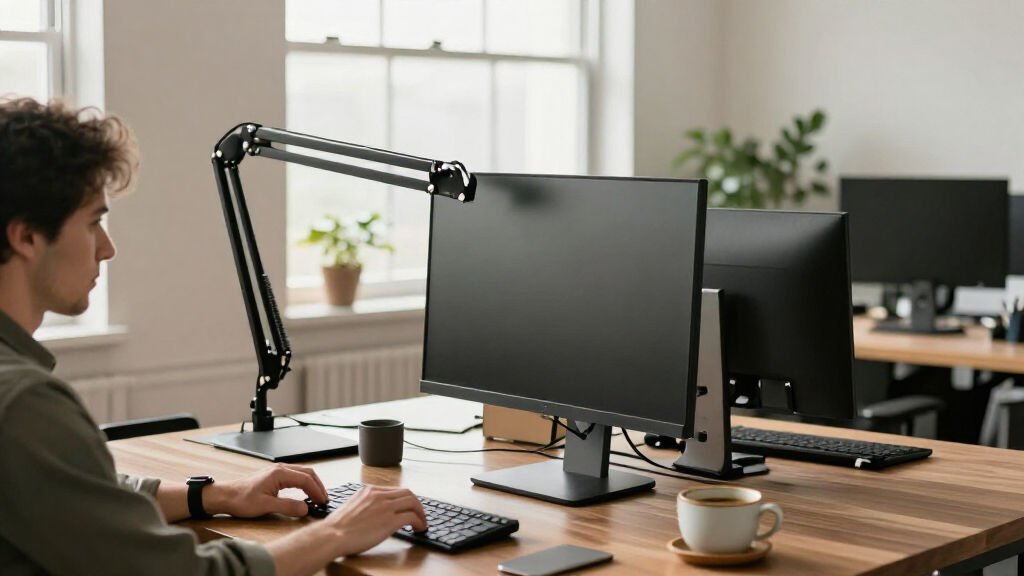
I ranked these arms around the practical demands of agency desks: reliable support for the intended screen size and weight, useful range of positioning, sensible fit for single or dual-screen work, and a design that suits shared or frequently adjusted workstations. I also weighed setup flexibility, desk footprint, cable management where specified, and whether a model’s capacity appears aimed at standard monitors or heavier ultrawides. Since an arm’s listed screen size does not tell the whole compatibility story, buyers should confirm the monitor’s weight and the mount’s limits before ordering.
The order reflects fit across different agency needs, not a claim that one arm suits every desk. The Ergotron LX Pro leads as a strong single-screen professional option; the LX Dual and heavy-duty models address different, more specialized setups. More basic single and dual arms remain useful when their simpler format matches the workstation, but they rank behind options with a clearer professional use case or broader setup flexibility. Product names and stated screen ranges inform this comparison; I do not treat them as proof of performance beyond the listed specifications.
Factors to Consider When Choosing Professional Monitor Arm For Agency Desks
Choosing arms for an agency means thinking beyond one person’s preferred screen position. A mount that works at a permanent workstation may be a poor fit for hot desks, shared editing bays, or desks that change layout. These checks can prevent mismatched hardware and help standardize installations without forcing every workstation into the same configuration.
Match the Arm to Monitor Weight, Not Just Screen Size
Screen diagonal is an incomplete measure of what an arm can support. Two monitors of the same size can differ in weight, depth, and how their mass sits relative to the mounting point. Check the monitor’s weight without its original stand, then compare it with the arm’s stated load range and any limits for curved or ultrawide screens. An arm listed for a large display may still be unsuitable if the screen exceeds its weight capacity. For agency procurement, keep a short compatibility record for each monitor model instead of relying on screen-size labels alone.
Plan Single and Dual Screens Around the Work
Dual mounts can free desk space and keep paired displays aligned, but they make less sense when employees use very different monitor sizes or routinely move screens apart. A separate single arm for each display offers more independent placement, though it may occupy more clamp space and require more setup. Consider whether staff need a central screen with a secondary reference display, or two equally prominent screens for editing and production tasks. Also check whether the monitor backs support standard VESA mounting. A mixed fleet can make adjustable individual arms easier to reuse as team needs change.
Check the Desk Before Choosing a Clamp
Desk edges, thickness, cable trays, privacy panels, and built-in modesty panels can all affect mounting access. Measure the usable edge and clearance below it before selecting a clamp-mounted arm, particularly for desks pushed against walls or arranged in tight clusters. A clamp that fits one agency table may not fit a sit-stand desk or a conference workstation. Check whether the mount’s base will interfere with under-desk equipment or existing cable routes. For a multi-desk purchase, confirm fit on each desk type rather than assuming a standard works everywhere.
Decide How Much Repositioning the Team Needs
Frequent changes in posture, task, or user call for an arm that is easy to reposition and holds the screen where it is placed. A permanent station with a fixed viewing position may not benefit from paying for the same degree of movement. Think about who will adjust the arm and how often: a shared creative desk may be repositioned several times a day, while an assigned workstation may stay set for months. Cable slack also needs to accommodate the arm’s movement without pulling on ports. Test the intended range against nearby walls, partitions, and neighboring screens during workspace planning.
Treat Cable Routing as Part of the Workspace Plan
Moving a monitor off its stand can clear the work surface, but loose cables can undermine the tidy result. Map power, display, USB, and accessory connections before settling on a mount, and leave enough slack for height and reach adjustments. Cable channels on an arm can help, but they do not replace suitable cable lengths or a route to the desk’s power source. Dual screens add more connectors and may need a separate plan for hubs or docking stations. For agency desks used by multiple people, simple labeling can also cut down on connection mix-ups during handoffs.
Spend More Where the Workstation Demands It
Higher-end arms are easier to justify at frequently adjusted desks, with heavier screens, or where a uniform professional setup matters across teams. For a basic monitor at a stable desk, a simpler arm may satisfy the actual need without adding unused adjustability. Do not pay for a heavy-duty rating as a substitute for checking desk compatibility and screen weight. On the other hand, choosing a mount with too little capacity can restrict monitor options later. A useful agency approach is to set different standards for standard desks, dual-display stations, and ultrawide workstations rather than buying one style for every role.
Frequently Asked Questions
Should I choose the Ergotron LX Dual or two separate single arms for an agency workstation?
The LX Dual is a natural shortlist option when two monitors will stay at the same workstation and the desk can accommodate its mount. Two single arms give more freedom to position screens independently and can be easier to redeploy if an employee changes from a dual setup to one display. Before deciding, compare each monitor’s weight and mounting pattern with the arm’s specifications. Check whether the desk has enough edge space for one dual base or two separate bases. For a varied fleet, independent arms may be simpler to standardize across changing layouts.
Can I choose a heavy-duty arm based only on the monitor’s diagonal measurement?
No. A screen-size range is a useful first filter, but it does not confirm that the arm can support a particular monitor. Check the display’s weight, VESA pattern, shape, and any stated compatibility limits alongside the arm’s load range. This matters especially for large and ultrawide displays, where a model can fit the listed diagonal but still exceed the mount’s weight capacity. Confirm that the desk itself can support the clamp and the screen’s leverage. If any specification is unclear, verify it before ordering a batch for the agency.
What should I check before fitting monitor arms to sit-stand or shared desks?
Start with the desk edge, thickness, clamp access, and clearance under and behind the desktop. A sit-stand desk also needs cable slack that remains safe through its full height range, without snagging or pulling connectors. Shared desks benefit from arms that users can adjust easily, but the screen should still stay clear of walls and neighboring workstations throughout its movement. Check that adjustment does not collide with shelves, privacy panels, or another monitor. If the agency uses more than one desk style, confirm compatibility at each type before choosing a common mount.
Is a premium monitor arm worth it if most agency desks use standard-sized monitors?
It can be, but the case is strongest where screens are repositioned often, workstations are shared, or consistent desk presentation matters. At an assigned desk with a standard display that rarely moves, a simpler arm may cover the practical need. Premium-oriented options such as the Ergotron LX Pro or LX Dual make more sense when their build and adjustment features will be used, rather than as a default upgrade for every station. Compare the cost of standardizing one premium model with maintaining separate options for routine and specialist desks. Keep heavy-duty arms for displays that actually require their capacity.
How should I plan a mixed agency setup with standard monitors and ultrawides?
Group workstations by display type and monitor weight before selecting arms. Standard displays may fit options such as the WALI, ErGear, or HUANUO FlowLift, while ultrawides call for checking the stated limits of heavy-duty models such as the ULTRARM, ARES WING, HUANUO TitanLift, or Ergotron HX. Do not assume one arm can serve both groups simply because its screen range looks broad. Record each monitor’s weight, VESA pattern, and desk type so purchasing and replacements stay consistent. A small set of role-specific models is often easier to support than an assortment chosen desk by desk.
Conclusion
For most professional single-screen agency desks, I would start with the Ergotron LX Pro as the best overall choice in this lineup. The WALI Adjustable Single Arm is a best-value direction for straightforward standard-screen setups, while the Ergotron HX is the best premium option for buyers who need a heavy-duty single-screen mount. For beginners outfitting a typical desk, the ErGear Single Adjustable Arm offers a simpler starting point; teams building paired workstations should compare the Ergotron LX Dual with HUANUO and VIVO dual mounts. For specific large-screen needs, shortlist the ULTRARM or ARES WING for screens listed up to 57 inches, and verify weight and desk compatibility before purchase. The right choice depends on the actual monitor, desk, and frequency of adjustment—not a single arm’s broadest advertised range.
Fall Picks
fall essentials
As an affiliate, we earn on qualifying purchases.