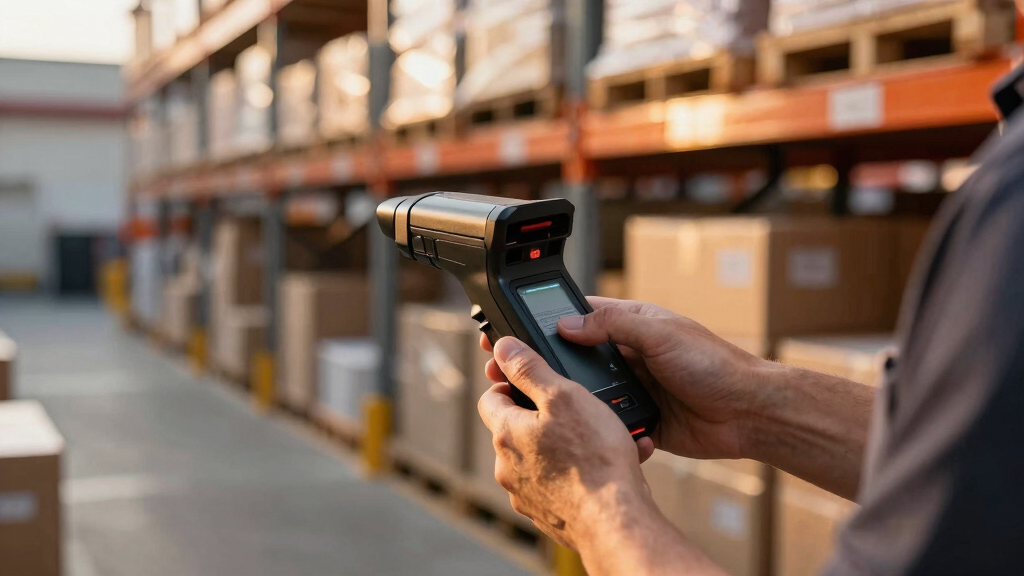
Choosing the best portable barcode printer for inventory teams involves balancing portability, print quality, and durability. The Zebra ZQ521 stands out as the overall top choice for its reliable thermal printing and rugged design. The Brady M511 offers industrial-grade durability, making it ideal for harsh environments, while the KNAON Bluetooth Thermal Printer provides excellent value for smaller teams or lighter use. Each option faces tradeoffs between price, portability, and print speed. Continue reading for a detailed comparison to find the perfect fit for your inventory needs.

Get business pricing on office and shipping supplies
- Business-only prices and quantity discounts
- Tax-exempt purchasing
- Multiple users, one account, clear invoices
Key Takeaways
- The Zebra ZQ521 offers the best balance of durability and print quality for everyday inventory tasks.
- Industrial-grade options like the Brady M511 excel in harsh environments but come at a higher cost and weight.
- Bluetooth connectivity features vary, with some models offering extensive compatibility with mobile devices.
- Print speed and battery life are critical factors for high-volume inventory environments.
- Price differences reflect build quality, durability, and feature sets, making value a key consideration.
| Handheld Inkjet Printer, Portable Batch Code & Expiration Date Printer with 42ml Fast-Dry Ink for Barcode, QR Code, Logo on Plastic, Metal, Glass, Wood & Cardboard |  | Best Overall for Versatile, On-the-Go Marking | Print Media Compatibility: Plastic, metal, glass, wood, cardboard | Print Resolution: 2880 dpi | Battery Life: Up to 16 hours | VIEW LATEST PRICE | See Our Full Breakdown |
| Zebra ZQ521 Portable 4-Inch Direct Thermal Printer |  | Best for Rugged, High-Volume Label Printing | Print Width: 4 inches | Resolution: 203 dpi | Print Speed: 5 inches/sec | VIEW LATEST PRICE | See Our Full Breakdown |
| KNAON Bluetooth Thermal Shipping Label Printer |  | Best for Flexible, Multi-Platform Shipping Labels | Print Width: 1.5 to 4.2 inches | Resolution: 200 x 200 | Print Speed: 180 mm/sec | VIEW LATEST PRICE | See Our Full Breakdown |
| CLABEL 221D 2-Inch Bluetooth Barcode Label Printer |  | Best for Compact, Item-Level Labeling | Print Resolution: 203 DPI | Supported Label Width: 25–50 mm | Connectivity: Bluetooth, USB | VIEW LATEST PRICE | See Our Full Breakdown |
| Zebra ZP450 Direct Thermal Label Printer |  | Best for Fixed-Position Shipping Labels | Print Speed: Up to 5 inches/sec | Print Resolution: 203 DPI | Connectivity: USB, serial, parallel | VIEW LATEST PRICE | See Our Full Breakdown |
| Brady M511 Portable Wireless Industrial Label Printer, Bluetooth Compatible, Li‑ion Battery, Military‑Grade Shock Resistance, Works with Android and iPhones |  | Best for Rugged Industrial Use | Maximum label width: 1.5 inches | Battery life: 8+ hours (≈1000 labels per charge) | Drop resistance: 6 feet | VIEW LATEST PRICE | See Our Full Breakdown |
| portable barcode printers for inventory team | Connectivity | Print Speed | Print Resolution | Weight |
|---|---|---|---|---|
| Handheld Inkjet Printer | USB, touchscreen interface | — | 2880 dpi | — |
| Zebra ZQ521 Portable 4-Inch Di | Bluetooth, USB | 5 inches/sec | — | 1.7 pounds |
| KNAON Bluetooth Thermal Shippi | Bluetooth, USB | 180 mm/sec | — | 2.8 pounds |
| CLABEL 221D 2-Inch Bluetooth B | Bluetooth, USB | Up to 180 mm/sec | 203 DPI | 1.2 pounds |
| Zebra ZP450 Direct Thermal Lab | USB, serial, parallel | Up to 5 inches/sec | 203 DPI | — |
| Brady M511 Portable Wireless I | — | — | — | — |
More Details on Our Top Picks
Handheld Inkjet Printer, Portable Batch Code & Expiration Date Printer with 42ml Fast-Dry Ink for Barcode, QR Code, Logo on Plastic, Metal, Glass, Wood & Cardboard
This handheld inkjet printer stands out for its ability to print high-resolution barcodes, QR codes, and graphics directly onto a wide variety of surfaces, including plastic, metal, and cardboard. Unlike thermal options, it offers customizable templates and supports detailed graphics, making it ideal for batch codes and expiration dates that require clarity on diverse materials. Its long battery life and intuitive touchscreen streamline the workflow, but it’s bulkier and more expensive than compact thermal printers, which might be a concern for minimalists or tight spaces. The quick-drying, waterproof ink ensures durability for outdoor or industrial environments. Compared to the Zebra ZQ521, it provides more flexibility in printing on irregular surfaces, but at the cost of portability and speed.
Pros:- Prints on a wide range of surfaces including plastic, metal, and wood
- Supports detailed graphics and logos via USB import
- Long battery life with up to 16 hours of operation
- Waterproof, fade-resistant ink for outdoor durability
Cons:- Relatively bulky and heavier than thermal options
- Higher upfront cost and maintenance complexity
Best for: Inventory teams needing versatile printing on multiple surfaces and materials in the field.
Not ideal for: Small warehouses or retail counters where space is limited, or where only simple label printing is needed.
- Print Media Compatibility:Plastic, metal, glass, wood, cardboard
- Print Resolution:2880 dpi
- Battery Life:Up to 16 hours
- Connectivity:USB, touchscreen interface
- Print Height:0.5 inches
- Ink Type:Fast-dry, waterproof
Our verdict“This printer suits inventory teams requiring flexible, high-quality marking across different materials in mobile or industrial settings.”
Zebra ZQ521 Portable 4-Inch Direct Thermal Printer
The Zebra ZQ521 is a dependable choice for inventory teams that prioritize durability and speed in label printing. Its rugged design withstands outdoor conditions, making it ideal for warehouse floors and shipping docks. Its support for 4-inch labels at 203 dpi and a rapid 5 inches per second printing speed make it well-suited to high-volume environments. Unlike the handheld inkjet, it doesn’t require ink or toner, reducing maintenance and mess. However, it only prints in monochrome and relies on thermal paper, which can be less versatile if color or detailed graphics are needed. Compared to the KNAON Bluetooth thermal printer, the ZQ521 offers greater robustness but less flexibility in label size variety.
Pros:- Rugged, weather-resistant design for outdoor use
- Supports Bluetooth and USB connectivity
- No ink or toner needed, reducing costs
- High-speed printing suitable for large batches
Cons:- Limited to monochrome printing
- Requires thermal paper, which can be sensitive to heat and light
Best for: Inventory teams managing high-volume, outdoor, or warehouse label printing with durability requirements.
Not ideal for: Small-scale retail counters or offices needing colorful or detailed labels, which thermal printing can’t provide.
- Print Width:4 inches
- Resolution:203 dpi
- Print Speed:5 inches/sec
- Connectivity:Bluetooth, USB
- Weight:1.7 pounds
- Media Type:Thermal paper
Our verdict“This printer is best for fast, durable label printing in demanding environments where high volume is a priority.”
KNAON Bluetooth Thermal Shipping Label Printer
The KNAON Bluetooth Thermal Shipping Label Printer excels in environments where wireless flexibility and customization matter. Its support for multiple OS platforms—including Windows, macOS, ChromeOS, and Linux—makes it highly adaptable for different inventory setups. It’s capable of printing on narrow thermal paper up to 4.2 inches wide, making it ideal for shipping labels with custom templates, icons, and fonts. Unlike the Zebra ZQ521, it’s more compact and easier to integrate into mobile workflows. However, its reliance on PDFs and dedicated app for printing can add complexity, especially for less tech-savvy users. Compared to the CLABEL 221D, it offers more system flexibility but less straightforward compatibility with simple label sizes.
Pros:- Supports Bluetooth and USB connectivity
- Works with Windows, macOS, ChromeOS, and Linux
- Offers customizable templates, icons, and fonts
- Includes test printing papers for quick setup
Cons:- Bluetooth printing depends on app and PDF import
- Requires exporting labels as PDFs, adding extra steps
Best for: Inventory teams that need customizable, wireless printing across multiple devices and operating systems.
Not ideal for: Teams needing high-speed bulk printing or shipping labels in large quantities, where dedicated thermal printers are faster.
- Print Width:1.5 to 4.2 inches
- Resolution:200 x 200
- Print Speed:180 mm/sec
- Connectivity:Bluetooth, USB
- Weight:2.8 pounds
- Media Type:Thermal paper
Our verdict“This printer suits inventory teams needing flexible, wireless label printing with customization options across multiple platforms.”
CLABEL 221D 2-Inch Bluetooth Barcode Label Printer
The CLABEL 221D is a compact, easy-to-use thermal printer designed for item labels on products or shelves. Its small footprint and support for 25–50 mm labels make it ideal for retail inventory or small parts labeling. Unlike larger thermal or inkjet options, it offers simple USB and Bluetooth connectivity, making it suitable for mobile or desktop setups. While it doesn’t handle larger shipping labels or receipts, it’s perfect for printing monochrome barcodes, QR codes, and small labels quickly and reliably. Compared with the Zebra ZQ521, it’s less rugged and suited to smaller-scale labeling, but its simplicity and affordability make it attractive for frequent item labeling in tight spaces.
Pros:- Supports Bluetooth and USB connections
- Compact size ideal for small spaces
- Prints without ink or toner, saving costs
- Supports multiple label sizes up to 50 mm
Cons:- Limited to small, 2-inch labels
- Not suitable for shipping or large format labels
Best for: Inventory teams focused on small item or shelf labeling requiring a compact, reliable printer.
Not ideal for: High-volume shipping environments or printing larger labels that exceed 50 mm width.
- Print Resolution:203 DPI
- Supported Label Width:25–50 mm
- Connectivity:Bluetooth, USB
- Print Speed:Up to 180 mm/sec
- Weight:1.2 pounds
- Media Type:Thermal labels
Our verdict“This printer is perfect for small-scale item labeling where space and simplicity are priorities.”
Zebra ZP450 Direct Thermal Label Printer
The Zebra ZP450 offers a reliable, fixed-position solution for shipping and barcode labels in environments where space is less constrained. Its straightforward design supports direct thermal printing at 203 dpi, with a decent speed of up to 5 inches per second. Its multiple interface options—USB, serial, and parallel—make it compatible with various legacy systems often found in warehouses. Compared to portable thermal printers like the Zebra ZQ521, it’s less mobile but more suitable for stationary label stations. Its monochrome printing and fixed media width limit flexibility but ensure consistent, high-quality labels for shipping and inventory management. Its limited 90-day warranty might be a concern for long-term durability.
Pros:- No ink or ribbons required, reducing maintenance
- Multiple connectivity options including serial and parallel
- Supports various shipping label types
- Reliable, consistent print quality
Cons:- Fixed media width limits versatility
- Bulkier and less portable than handheld options
Best for: Inventory teams with dedicated, stationary label stations for shipping or bulk labeling tasks.
Not ideal for: Mobile or outdoor applications where portability and durability are critical.
- Print Speed:Up to 5 inches/sec
- Print Resolution:203 DPI
- Connectivity:USB, serial, parallel
- Media Compatibility:Labels
- Color:Monochrome
- Warranty:90 days
Our verdict“This printer is ideal for stable, high-volume label printing in fixed locations within warehouses or shipping docks.”
Brady M511 Portable Wireless Industrial Label Printer, Bluetooth Compatible, Li‑ion Battery, Military‑Grade Shock Resistance, Works with Android and iPhones
The Brady M511 stands out for its rugged build that meets military-grade standards, making it ideal for harsh environments where durability is critical. Unlike the Zebra ZQ521, which offers higher print width and faster thermal printing, the M511’s primary advantage is its ability to withstand drops from 6 feet and crushes up to 250 pounds—perfect for fieldwork or industrial settings. Its long-lasting battery can produce over 1,000 labels on a single charge, supporting extended use without frequent recharging. While its maximum label width is limited to 1.5 inches, this is sufficient for many barcode and label needs in inventory management. The Bluetooth 5.0 connectivity allows up to five users within a 65-foot range, facilitating team collaboration without wired constraints. However, the limited label width may restrict some applications requiring larger labels, and its rugged features add to the weight and bulk compared to more portable options. Overall, this printer is an excellent choice for teams needing reliable, durable printing on the go, especially in challenging environments.Pros:- Meets military-grade durability standards for rugged environments
- Long battery life supports extensive field use
- Wireless Bluetooth connectivity for multiple users and flexible range
- Edge-to-edge printing minimizes label waste
Cons:- Limited to a maximum label width of only 1.5 inches, restricting larger labels
- Bulkier and heavier than more portable handheld options
Best for: Inventory teams working in industrial, outdoor, or warehouse environments where durability and long battery life are essential.
Not ideal for: Office-based inventory staff or those needing to print wider labels frequently, as the 1.5-inch maximum width may be limiting.
- Maximum label width:1.5 inches
- Battery life:8+ hours (≈1000 labels per charge)
- Drop resistance:6 feet
- Crush resistance:250 pounds
- Military standard:MIL‑STD‑810G
- Bluetooth version:5.0
- Bluetooth range:65 ft
- Supported devices:Android, iPhone
Our verdict“This printer is best suited for inventory teams in tough, outdoor, or industrial settings that prioritize durability over larger label sizes.”

How We Picked
Each product was evaluated based on performance, durability, ease of use, and value. We prioritized printers with reliable thermal printing technology suitable for on-the-go inventory management, focusing on models that balance portability with industrial resilience. Compatibility with mobile devices and battery life were essential, as inventory teams often need quick, mobile printing solutions. The ranking reflects how well each printer meets these core needs, with tradeoffs considered for budget versus premium features.| portable barcode printers for inventory team | Connectivity | Media Type |
|---|---|---|
| Handheld Inkjet Printer | USB, touchscreen interface | — |
| Zebra ZQ521 Portable 4-Inch Di | Bluetooth, USB | Thermal paper |
| KNAON Bluetooth Thermal Shippi | Bluetooth, USB | Thermal paper |
| CLABEL 221D 2-Inch Bluetooth B | Bluetooth, USB | Thermal labels |
| Zebra ZP450 Direct Thermal Lab | USB, serial, parallel | — |
| Brady M511 Portable Wireless I | — | — |
Factors to Consider When Choosing Best Portable Barcode Printers For Inventory Teams
When selecting the best portable barcode printer for inventory teams, several factors influence the right choice. Durability is key, especially if your team works in rugged environments. Compatibility with mobile devices ensures seamless integration into existing workflows. Battery life determines how many labels can be printed before recharging, which is crucial for high-volume tasks. Consider print speed and label size options, as these affect efficiency and versatility. Lastly, balance your budget with the feature set to avoid overpaying for unnecessary capabilities or underbuying for your operational needs.Durability and Build Quality
For inventory teams often working outdoors or in industrial settings, a rugged, shock-resistant printer can prevent costly downtime. Look for models with military-grade or IP-rated housing if your environment is demanding. Cheaper or lighter models may lack durability, leading to frequent repairs or replacements. However, heavily built devices tend to be bulkier and more expensive, so consider your specific use case to find the right balance between robustness and portability.
Connectivity and Compatibility
Most portable printers now support Bluetooth, Wi-Fi, or USB, but not all are equally compatible with Android or iOS devices. Ensure the model you choose can integrate smoothly with your existing inventory management apps or systems. Bluetooth offers wireless convenience, but some printers have limited range or connection stability, which can affect workflow. Verify compatibility before purchase, especially if you plan to print directly from mobile devices or tablets.
Battery Life and Print Speed
Battery life determines how long your team can print labels without recharging, particularly important during long shifts or outdoor work. Look for models with rechargeable batteries offering at least several hours of continuous use. Print speed impacts efficiency—faster printers reduce wait times, especially when printing large batches of labels. Tradeoffs often exist: high-speed printers might consume more power or cost more, so consider your volume needs carefully.
Label Size and Media Compatibility
Different inventory tasks require various label sizes, from small barcode stickers to larger shipping labels. Confirm the printer supports your preferred media dimensions and types. Some models excel with thermal labels but may be incompatible with other media, limiting flexibility. Ensuring media compatibility can save costs and reduce the need for multiple printers or supplies.
Cost vs. Features
While budget-friendly options can handle basic printing needs, they might lack durability, speed, or advanced connectivity. Conversely, premium models offer features like industrial-grade construction, faster print speeds, and extensive mobile compatibility but come at higher prices. Determine your core requirements—such as volume, environment, and mobility needs—and align your budget accordingly to avoid overpaying for features you won’t use.
Frequently Asked Questions
How important is battery life for portable barcode printers used in inventory management?
Battery life is a critical factor because inventory teams often work in environments without easy access to power outlets. A longer-lasting battery reduces interruptions and ensures that you can complete shifts without needing to recharge constantly. Look for models with at least 4–8 hours of operational capacity, especially if your team is printing large batches of labels or working outdoors. Good battery performance directly correlates with operational efficiency and reliability in mobile settings.
Should I prioritize ruggedness or lightweight design for my portable barcode printer?
This choice depends on your work environment. If your team operates in harsh or outdoor conditions, rugged and shock-resistant printers will withstand drops, dust, and exposure to the elements better. However, these tend to be heavier and bulkier, possibly making them less convenient for extended carrying. Lighter models are ideal for indoor or less demanding settings where portability is more important than durability. Assess your environment to find the right compromise.
Can I use a portable barcode printer for shipping labels and inventory labels interchangeably?
Many portable printers support multiple media types, including shipping and inventory labels, but not all do so seamlessly. Check the media compatibility of each model—some are optimized for small barcode labels, while others can handle larger or different media types. Using a printer designed for your specific label sizes and media will ensure better print quality and reduce waste. Consider your typical label sizes and the types of labels you need before choosing a model.
What features should I look for if I need high-volume printing on the go?
High-volume printing requires a combination of fast print speeds, long battery life, and reliable connectivity. Look for models with high-capacity batteries, capable of handling extended periods without recharging. Print speed is essential to keep up with your workload, so prioritize printers that can produce labels quickly without sacrificing quality. Additionally, features like Bluetooth stability and Wi-Fi support can streamline large batch printing from multiple devices, boosting overall productivity.
Is it better to buy a dedicated thermal label printer or a multifunction device?
Dedicated thermal label printers often deliver superior print quality, faster speeds, and greater media compatibility tailored specifically for labels. They tend to be more durable and reliable in demanding environments. Multifunction devices, while versatile, may compromise on speed or print quality for other functions, making them less ideal if your primary need is swift, high-quality label printing. For inventory teams, a dedicated thermal printer generally offers better long-term value and performance.
Conclusion
For most inventory teams seeking a reliable all-around performer, the Zebra ZQ521 offers the best combination of durability, speed, and ease of use. Smaller teams or those with lighter needs might prefer the KNAON Bluetooth Thermal Printer for its affordability and simplicity. For environments demanding ruggedness, the Brady M511 provides industrial-grade resilience, though at a higher cost. Beginners or teams on a tight budget should consider entry-level options that balance basic features with affordability, while those with high-volume or harsh-environment needs should lean toward premium, industrial-grade models. Carefully matching your operational demands with these profiles will help you select the best portable barcode printer for your inventory tasks.